14
English
Step 2: Connecting the
Ambisound speakers and
subwoofer
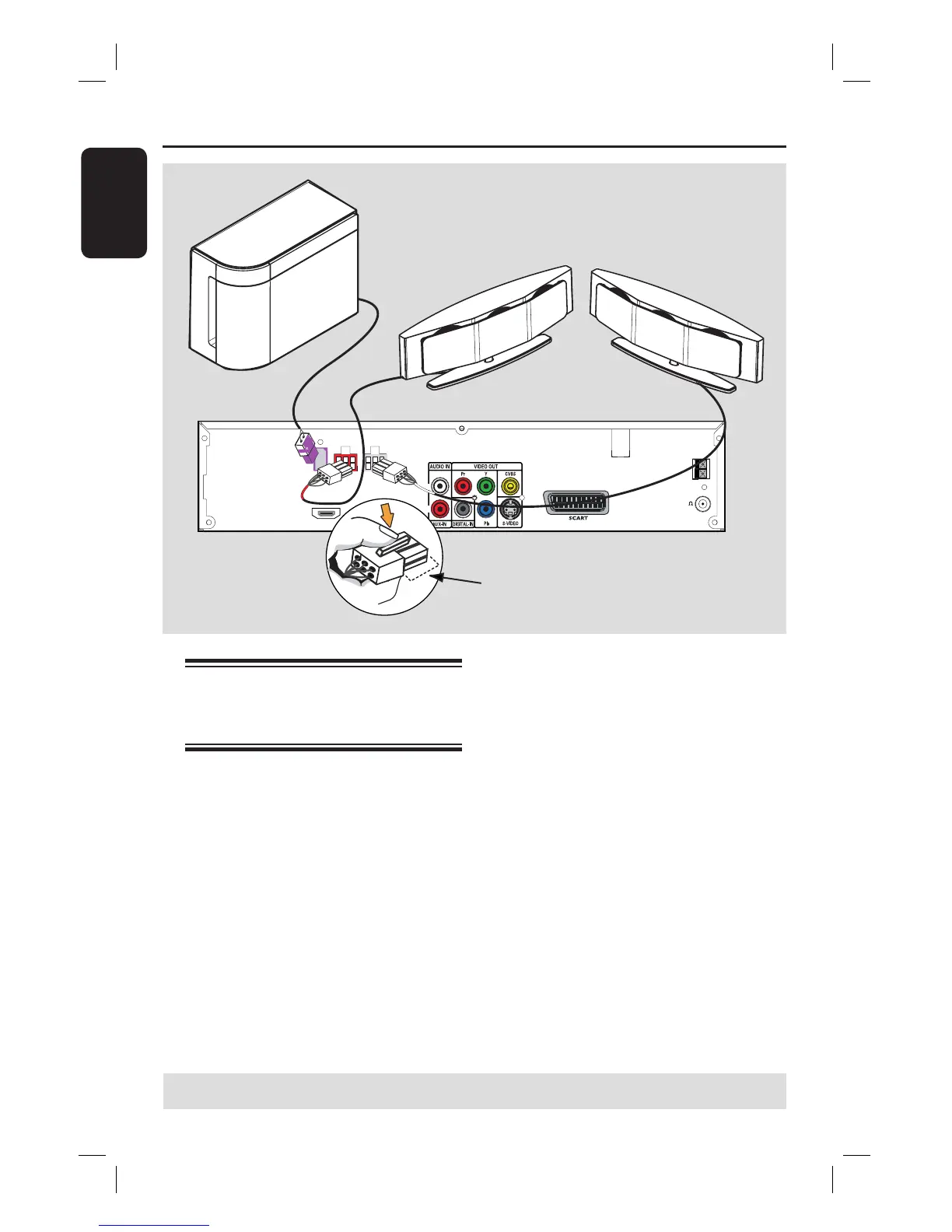
Connect the Ambisound speakers to the
matching speaker sockets at the rear of
the DVD system.
Helpful Hints:
– To prevent unwanted noise, do not place
the Ambisound speakers too close to the
DVD system, AC power adapter, TV or any
other radiation sources.
– To disconnect the Ambisound speakers,
press down the catch before pulling out the
cable.
Basic Connections (continued)
TIPS: Before making or changing any connections, make sure that all the devices are disconnected
from the power outlet.
FRONT
LEFT
FM 75
MW
FM/MW ANTENNA
HDMI OUT
~
MAINS
R
L
SUB-
WOOFER
FRONT
LEFT
FRONT
RIGHT
SUBWOOFER
FRONT
RIGHT
Ensure this portion is fully
inserted into the socket.






 To Next Page