35
English
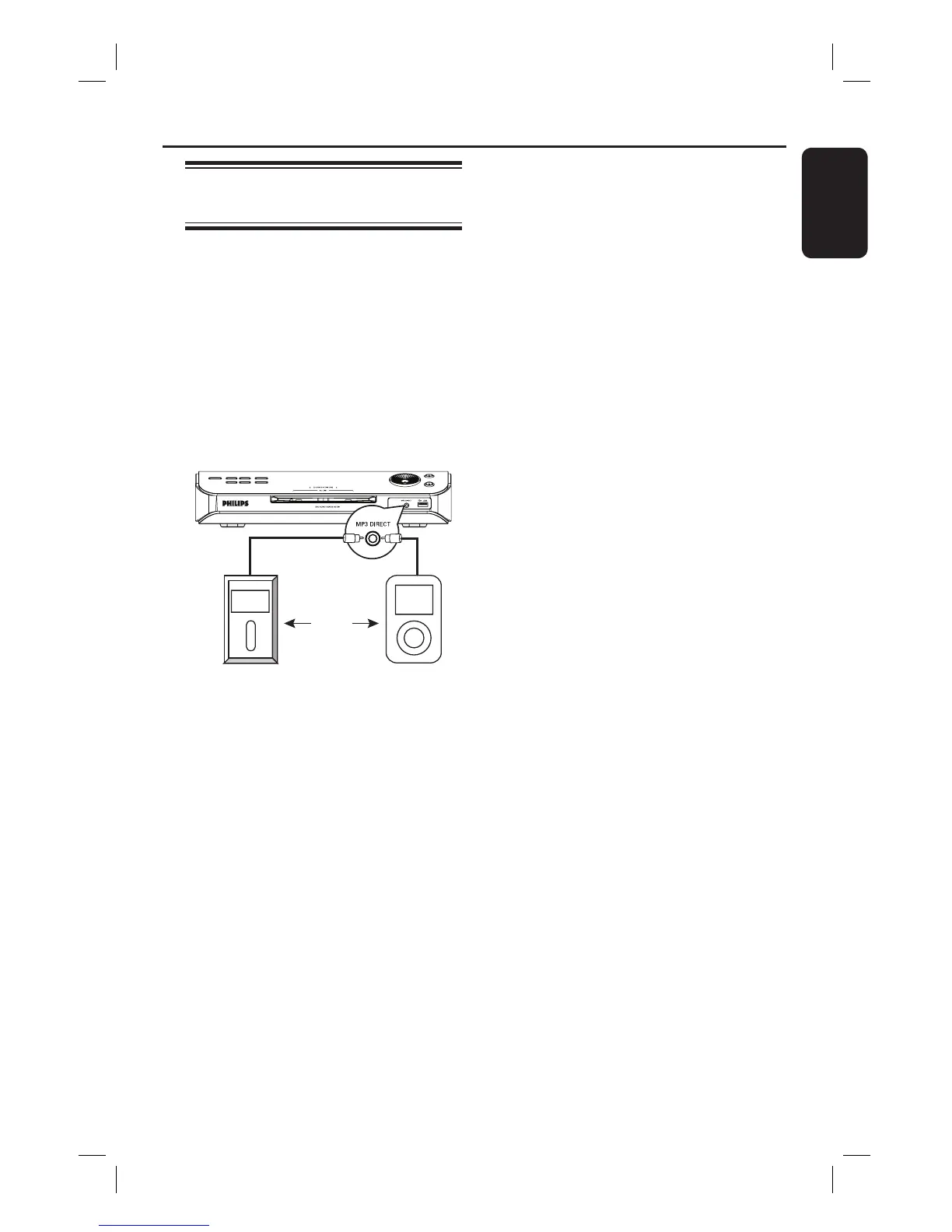
Playing from a portable audio
or HDD player
This DVD system is able to playback
audio tracks from your portable audio or
HDD player.
A Use the supplied MP3 direct cable to
connect between the ‘headphone’ output
socket on your portable audio or HDD
player and the MP3 DIRECT socket on
the front panel of this DVD system.
The white cable is for the portable
audio player.
B Press MP3 DIRECT on the remote
control.
C Start playback on your portable audio or
HDD player.
D To stop playback, press the STOP button
on the portable audio or HDD player.
Helpful Hints:
– If you change the input source by pressing
any of the source button (e.g. DISC/USB,
TUNER,) the playback from the MP3 or
HDD player will not stop automatically. .
– No copying of tracks on portable HDD to
the USB drive.
OR
MP3 Direct Operations






 To Next Page