10 EN
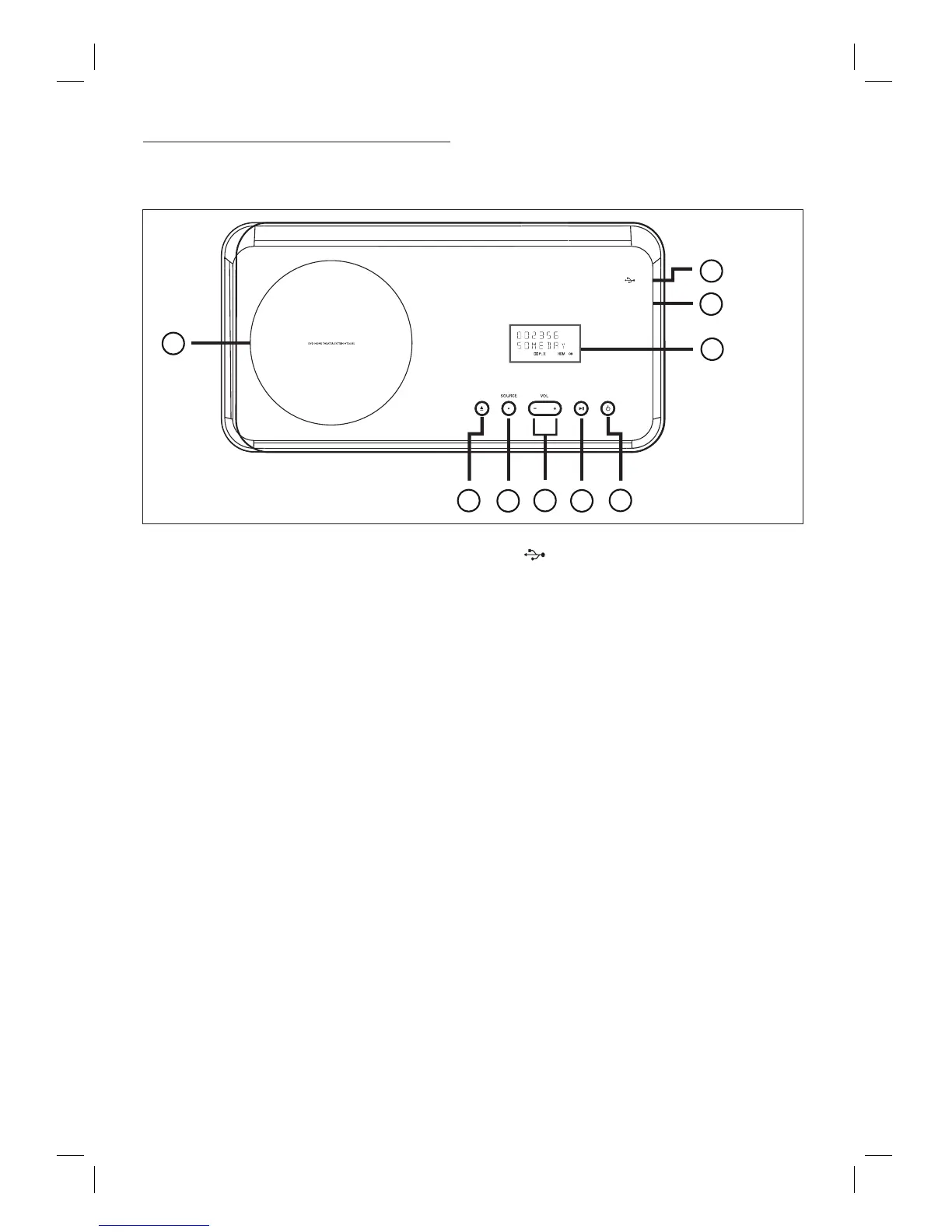
Main unit
a 2 (Standby-on)
Turn on this unit or turn off to standby
mode.
Press and hold to turn on this unit from
a low power standby mode.
b u (Play/Pause)
Start or pause disc play.
RADIO: start auto radio installation
(only available for fi rst time setup).
c VOL +-
Adjust the volume level.
d SOURCE
Select a play media: DISC, USB, RADIO
FM, DIGITAL INPUT, AUX SCART,
AUX1 INPUT, AUX2 INPUT, AUX3
INPUT or MP3 LINK.
e Z (Open/Close)
Open or close the disc compartment.
f Disc compartment
•
•
•
•
•
•
•
g (USB) socket
• To connect USB fl ash drive, USB
memory reader or digital camera.
h MP3 LINK socket
To connect portable audio player.
i Display panel
•
MP3 LINK
1
2
3
4
5
8
7
6
9













 To Next Page