32 EN
Play musical slideshow
Play MP3/WMA music fi les and JPEG photo
fi les simultaneously to create musical slideshow.
The MP3/WMA and JPEG fi les must be stored
on the same disc or USB device.
1 Play MP3/WMA music.
2 Navigate to the photo folder/album and
press u to start slideshow play.
Slideshow begins and continues till the
end of the photo folder or album.
Audio continues to play till the end of
the disc.
To return to the menu, press BACK.
3 To stop slideshow play, press x.
4 To stop music play, press x again.
•
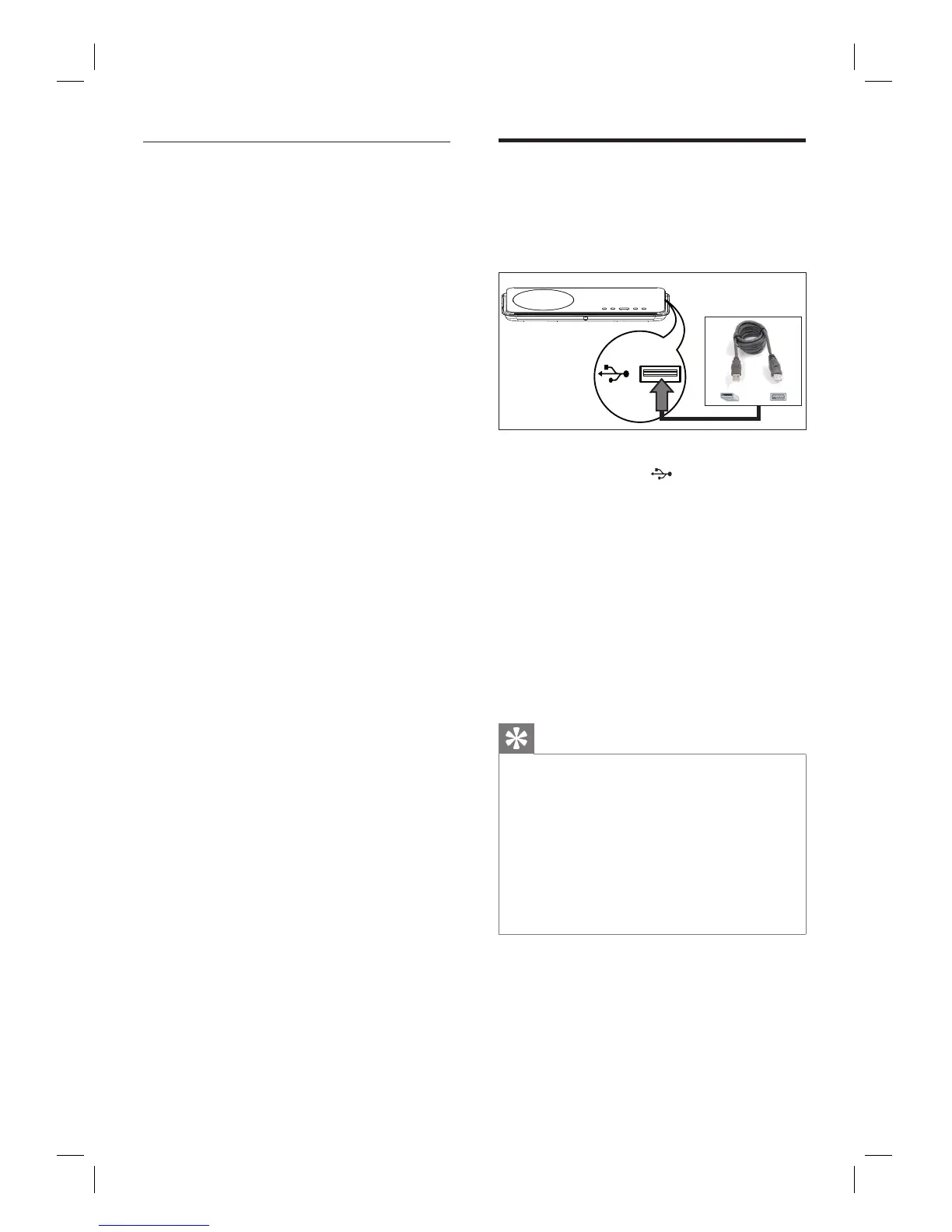
Play from USB device
This unit can only play/view MP3, WMA, DivX
(Ultra) or JPEG fi les that are stored on such
devices.
1 Connect USB fl ash drive or USB memory
card reader to the
(USB) socket on
this unit.
2 Press USB.
A contents menu is displayed.
3 Select a fi le to play, then press u.
For more information, see chapters
‘Play music, Play photo, Play video’ for
details.
4 To stop play, press x or remove the USB
device.
Tips
If the device does not fi t into the USB socket,
connect it through a USB extension cable.
If a multiple USB card reader is used, only one of the
connected USB drive contents can be accessed.
If a USB HDD is used, ensure that an auxiliary
power cord connected to the USB HDD for proper
operations.
Digital cameras that use PTP protocol or require
additional programme installation when connected
to a PC are not supported.
•
•
•
•
•













 To Next Page