18 EN
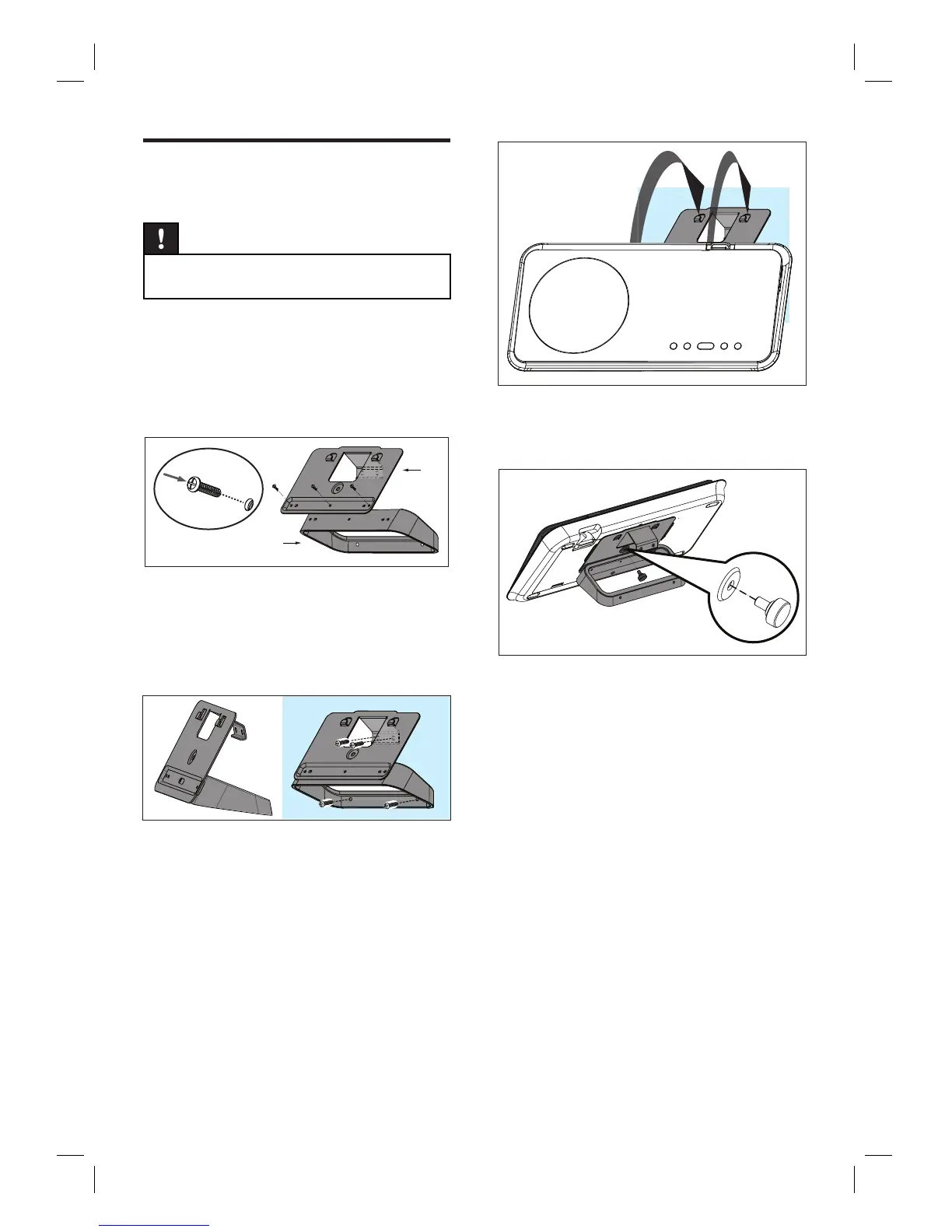
Mount the DVD Home
Theatre unit
Caution!
Risk of personal injury and damage to the unit.
Allow only qualifi ed persons to mount the unit.
•
1 Ensure all the required cables are
connected to this unit and close the rear
cover.
2 Attach the big wall mount bracket to table
stand bracket with screws.
A
B
A table stand bracket
B big wall mount bracket
3 Position the brackets on the wall, drill four
screw holes and secure the brackets onto
the wall with screws (not supplied).
4 Hook the DVD Home Theatre unit fi rmly
onto the mounted bracket.
5 Screw the supplied knob to the hole at the
centre rear to secure the DVD Home
Theatre unit to the bracket.













 To Next Page