Directions for Use
EN 22 L04L AA3.
Q
UADRA
S
URF
33
T
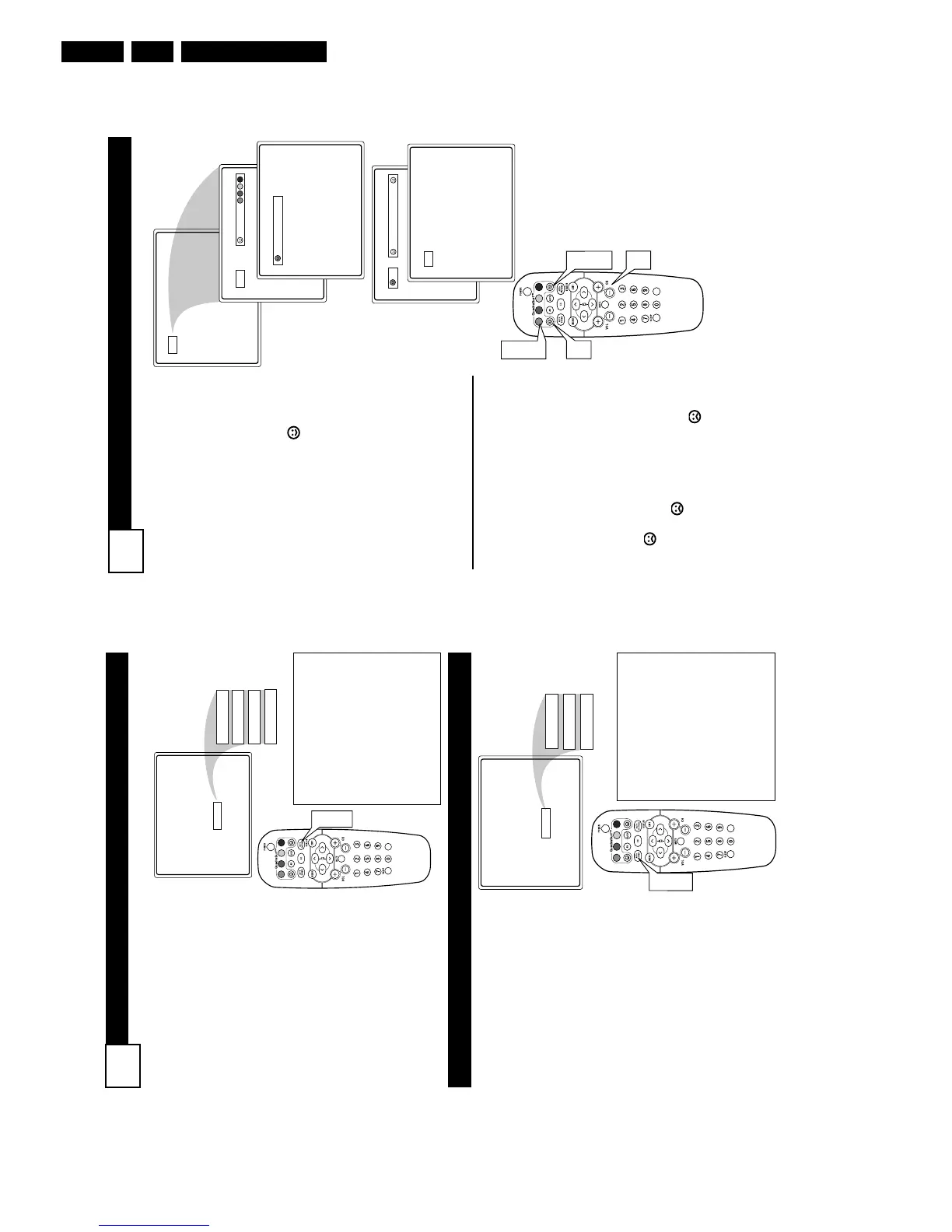
he QuadraSurf™ control allows
you set up four different person-
al channel Surf lists using the col-
ored buttons (on the remote con-
trol), each holding up to ten chan-
nels in its quick viewing“list.”
1
Press the CHANNEL (+) or
(–) buttons (or the NUMBER
buttons) to select a channel to
add to one of the SURF lists.
2
Press the SMILEY button
on the remote control to ADD
the channel to one of the SURF
lists.
3
Press the corresponding COL-
ORED (Red, Green, Yellow or
Blue) button to add the channel
to that button’s Surf list. (Up to
ten channels per button can be
stored.)
Repeat steps 1 through 3 to add
additional channels (up to 10) to
each of the the SURF lists.
To remove a channel from one of
the SURF lists;
4
Press the COLORED
Quadra Surf button until the
desired channel appears. The
screen will display the channel
number with a colored
“Smiley” face to indicate the
Colored button it relates to.
5
While the “Smiley” face
channel indicator is dis-
played, press the FROWNIE
face button. The screen
will read, “Remove item? -
Press .”
6
Press the FROWNIE face
button again to confirm your
decision to remove the channel
from the Surf list.
Repeat steps 4-6 to remove other
channels from Surf lists.
12
Select List!
12
Added!
12
12
Remove Item? - Press
12
VOL
2
3
4
5
6
1
A
UTO
P
ICTURE
32
A
UTO
S
OUND
W
hether you’re watching a
movie or a sporting event,
your TV has automatic video con-
trol settings matched for your cur-
rent program source or content.
1
Press the AUTO PICTURE
button on the remote control.
The current Auto Picture set-
ting will be displayed on the
screen.
2
Press the AUTO PICTURE
button repeatedly to select
either Personal, Movies,
Sports, Weak Signal, or MUL-
TIMEDIA picture settings.
NOTE: The way you choose to set
the Picture Menu Controls will
become your Personal setting.
Personal
Movies
Sports
Weak Signal
Multimedia
VOL
1
2
Movies - Preset picture options
for watching Video Tapes, or
DVDs.
Sports - Preset picture options
for watching sporting events.
Weak Signal - Preset picture
options for watching programs
where the reception is not at its
best.
Multimedia - Preset picture
options for use with video gam-
ing.
T
he Auto Sound feature allows
the listener to select between
four different factory set sound
options.
1
Press the AUTO SOUND
button on the remote control.
The current Auto Sound set-
ting will appear in the middle
of the screen.
2
Press the AUTO SOUND
button repeatedly to toggle
between the four settings.
(Personal, Theatre, Music, or
Voice)
NOTE: The way you choose to set
the Sound Menu Controls will
become your Personal setting.
Personal
Theatre
Music
Voice
VOL
1
2
Theatre - Preset sound
options for watching movies.
Dynamic Ultra Bass is includ-
ed in this option.
Music- Preset sound options
for musical programming
where there is little dialogue.
Dynamic Ultra Bass is includ-
ed in this option.
Voice - Preset sound options
for programming where heavy
dialogue is present.



 To Next Page