EasyManua.ls Logo

Philips MCW770 - Page 28

Philips MCW770
64 pages
Print Icon
To Next Page IconTo Next Page

To Previous Page IconTo Previous Page
Loading...
28
English
3 If you have clicked on
No or the driver
installation is finished,
the Philips Media
Manager Software will
be installed.Then the PC
is rebooted and PC
configurations are
checked. Finally the
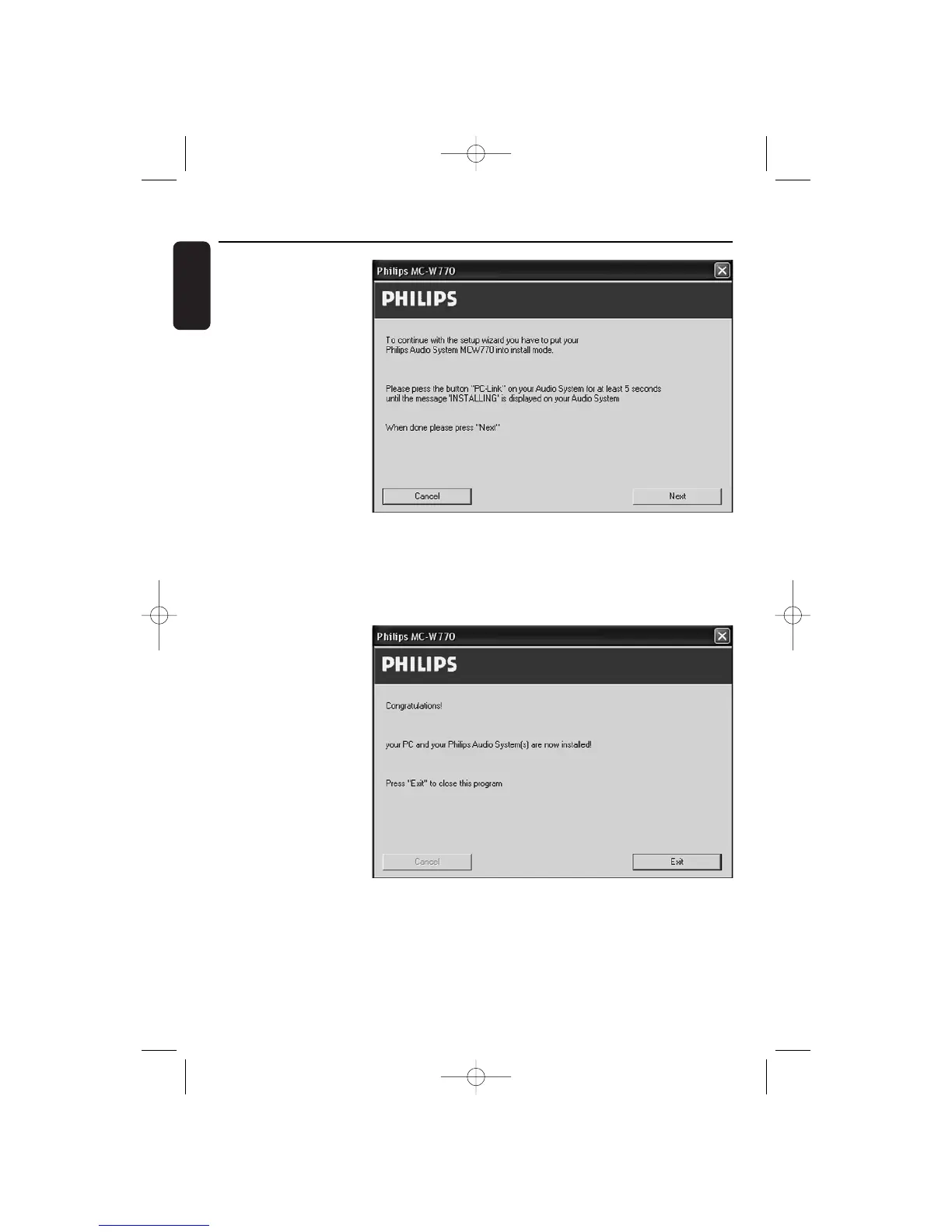
following window will
appear:
4 Press PC LINK A on the audio system for at least 5 seconds until INSTALLING is scrolled on
the set.
The set searches for a connection to the PC.This can require up to about a minute.When
the connection is
established, Next is
activated. Click on
Next.
5 The following
window will appear:
Click on Exit and the
installation is finished.
Wireless PC link Custom Installation
MC W770/22.1 eng 7/23/04 16:07 Page 28

Table of Contents

Other manuals for Philips MCW770

Related product manuals