37
English
Using a different wireless network adapter
The following steps describe how you can use a wireless network adapter different to the one
bypacked with the MC W770 to set up the MC W770 with that adapter.Your network adapter
should be installed already, connected to the PC and ready for wireless function. Nevertheless
please note that a proper function cannot be guaranteed by using a different network adapter.
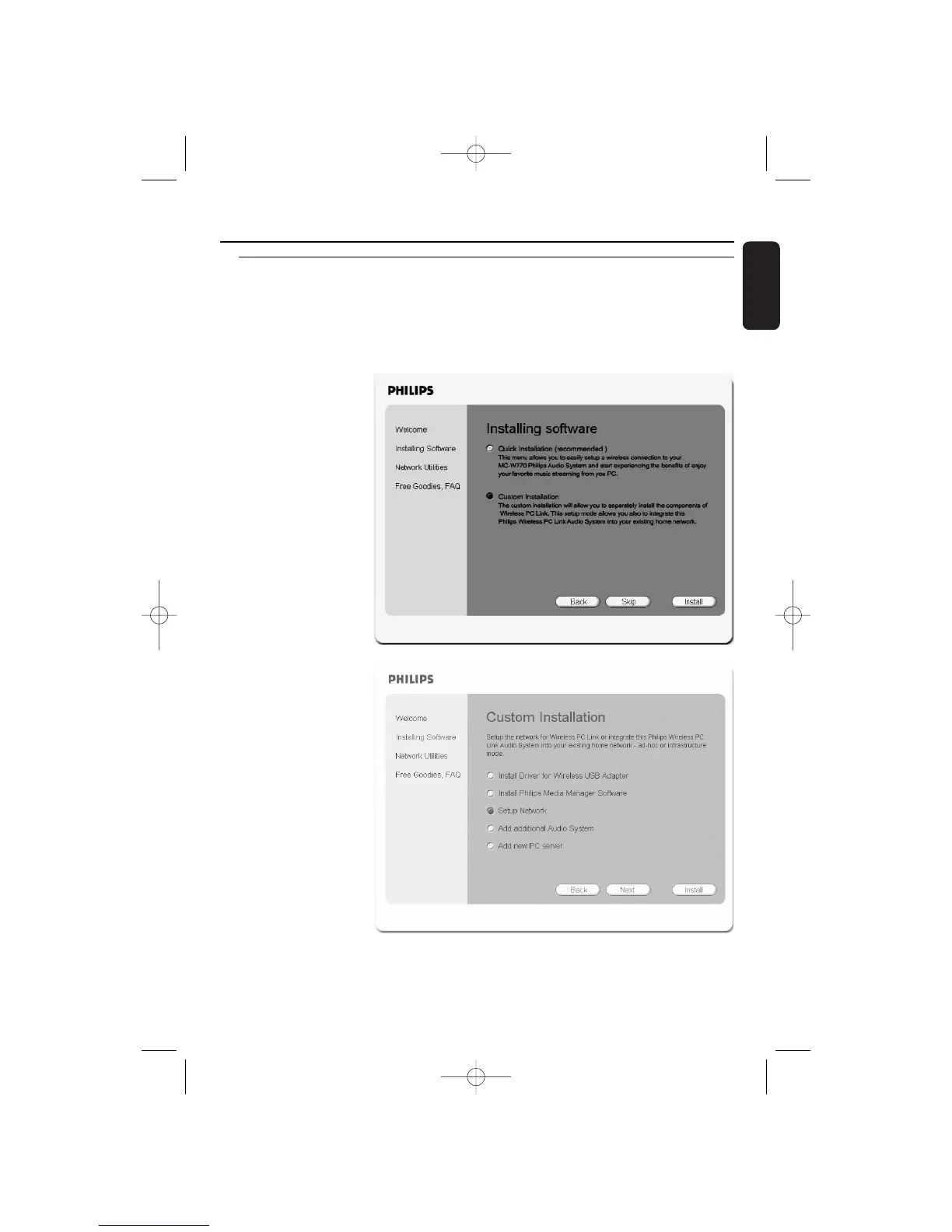
1 Insert the installation disc into the CD-ROM drive of your PC.
➜ The installation guide
will appear
automatically. If it
does not, start the
installation manually
by running
setup_.exe from
the installation CD.
Follow the installation
process until the
following window
appears:
Select Custom
Installation and click
on Install.
2 ➜ The following window
appears.
Select Setup Network
and click on Install again.
Wireless PC link


 To Next Page