47
English
Playing discs
Direct selection and playback of one
particular disc
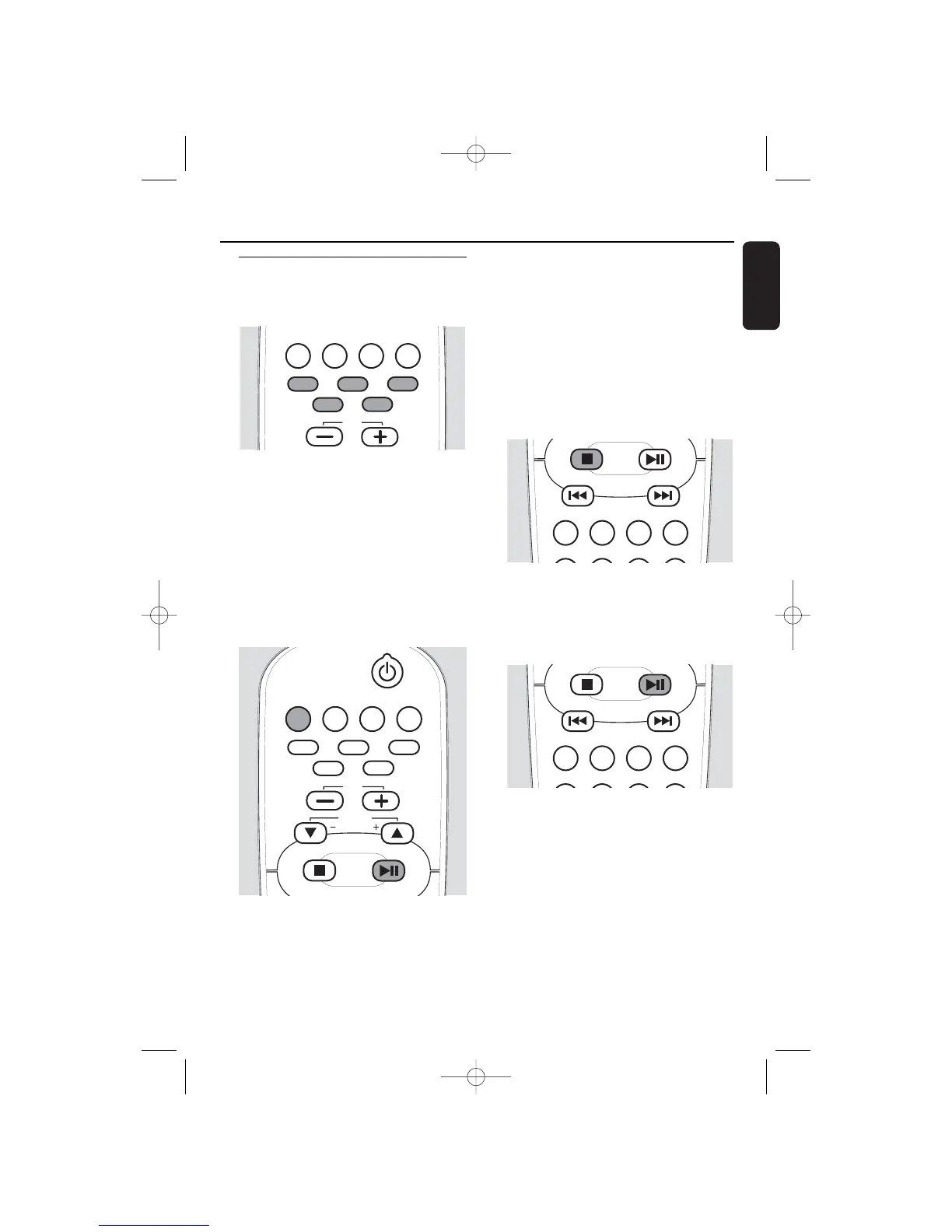
● Press one of the disc keys DISC 1, DISC 2,
DISC 3, DISC 4, or DISC 5 on the set or
CD 1, CD 2, CD 3, CD 4, or CD 5 on the
remote control to start playback of the
desired disc in the selected tray.
➜ CD 1 (or 2, 3, 4, 5), the current track
number and elapsed playing time are
displayed. A flashing CD symbol indicates
the active disc tray.
Playback of all loaded discs
1 Press SOURCE on the set repeatedly until
CD is selected or press CD on the remote
control.
2 Press ÉÅ to start playback.
➜ Playback starts from the first track of the
current disc. All loaded discs will be
played. If one of the trays is empty, the
next available disc will be selected.
➜ CD 1 (or 2, 3, 4, 5), the current track
number and elapsed playing time are
displayed. A flashing CD symbol indicates
the active disc tray.
To stop playback
● Press STOP Ç to stop playback.
➜ Playback stops. If no key is pressed for
30 minutes the set will switch to standby.
Interrupting and resuming playback
1 Press ÉÅ during playback to interrupt
playback.
➜ The playing time where playback was
interrupted will blink.
2 Press ÉÅ again to resume playback.
Playback


 To Next Page