51
English
Tuning to radio stations
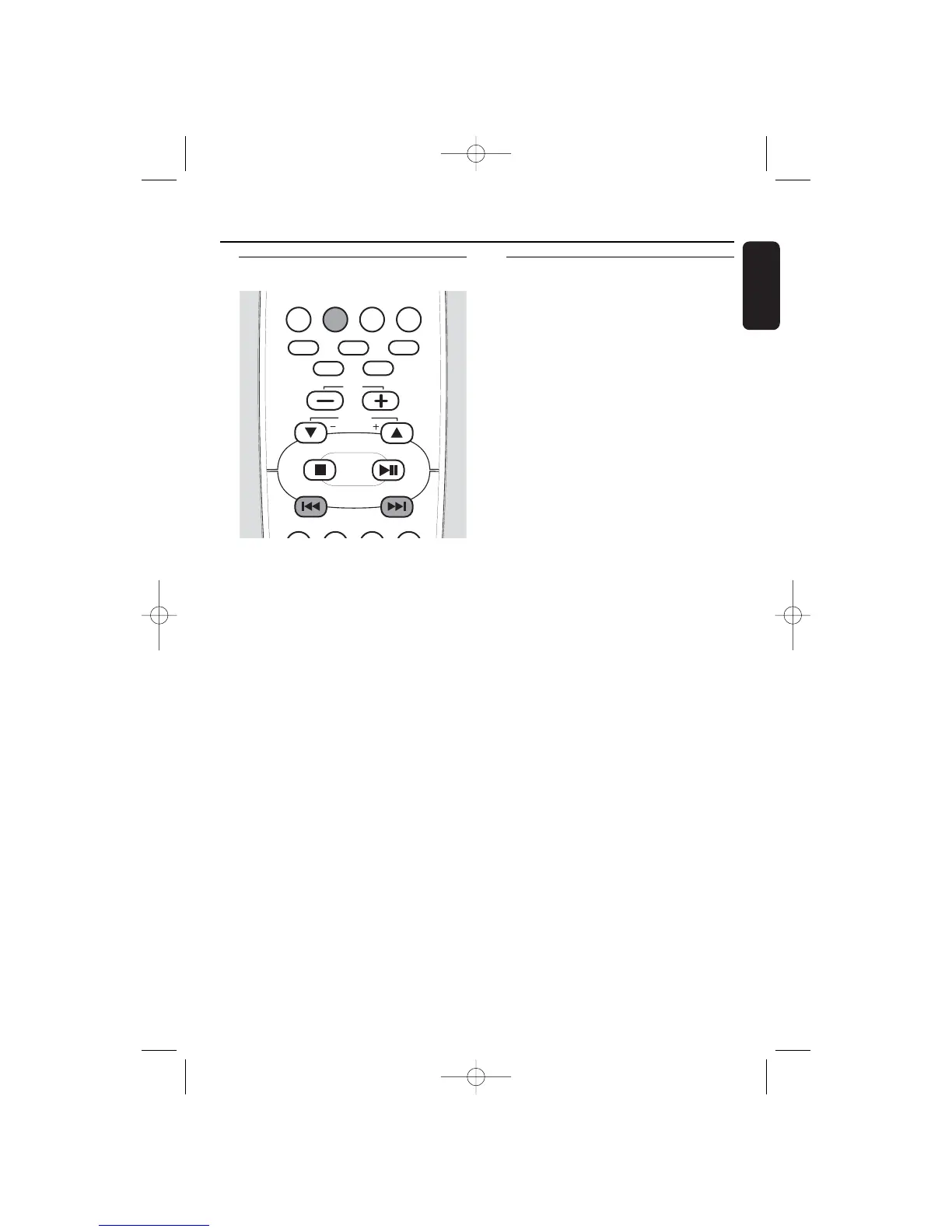
1 Press SOURCE on the set repeatedly or
press TUNER on the remote control
repeatedly until the desired waveband
(TUNER FM or TUNER MW) is displayed.
2 Press and hold 4 or ¢ for more than
a half second, then release.
➜ The set automatically tunes to the next
station with sufficient signal strength.
➜ = lights up when receiving a stereo
signal (in FM waveband only).
➜ RDS lights up when RDS data are
available (in FM waveband only).
3 Repeat step 2 until you find the desired
station.
00
To tune to a station with a weak signal
press 4 or ¢ briefly and repeatedly
until an optimal reception is found.
Storing radio stations
You can store up to 40 radio stations in the
memory, starting from FM and followed by MW
wavebands. Stations can be stored automatically
or manually, or by using the “Plug and Play”
function. If no button is pressed within 20
seconds the set will exit from the storing mode.
Storing by using “Plug and Play”
You can store all available radio stations
automatically. Attention: All previously
stored radio stations will be replaced.
1 Connect the set to the power supply.
➜ TUNER and AUTO INSTALL - PRESS
PLAY are displayed.
or
In standby mode press and hold ÉÅ on
the set until TUNER and AUTO INSTALL
PRESS PLAY are displayed.
2 Press ÉÅ on the set to start the installation.
➜ TUNER INSTALL is displayed and
automatic searching and storing starts.
➜
During searching TUNER AUTO is displayed.
➜ As soon as a radio station is found and
stored the frequency and the waveband
will be displayed.
➜ Once completed, the last tuned radio
station will be played.
Note: If no stereo signal is detected CHECK
ANTENNA is displayed.
3 If the first preset is an RDS station, the
set will proceed to set the RDS clock.
➜ INSTALL is displayed.
➜ TIME,followed by SEARCH RDS TIME
is displayed.
➜ When the RDS time is read, RDS TIME
is displayed and the current time will be
stored.
Note: If the RDS station does not transmit an RDS
time within 90 seconds NO RDS TIME is
displayed and the set exits from the programme.
Tuner


 To Next Page