EasyManua.ls Logo

Philips MCW770 - Page 36

Philips MCW770
64 pages
Print Icon
To Next Page IconTo Next Page

To Previous Page IconTo Previous Page
Loading...
36
English
4 Press PC LINK A on your MC W770 for at least 5 seconds until INSTALLING is scrolled on
the set.
The set searches for a connection to the PC.This can require up to about a minute.When
the connection is established, Next is activated. Click on Next.
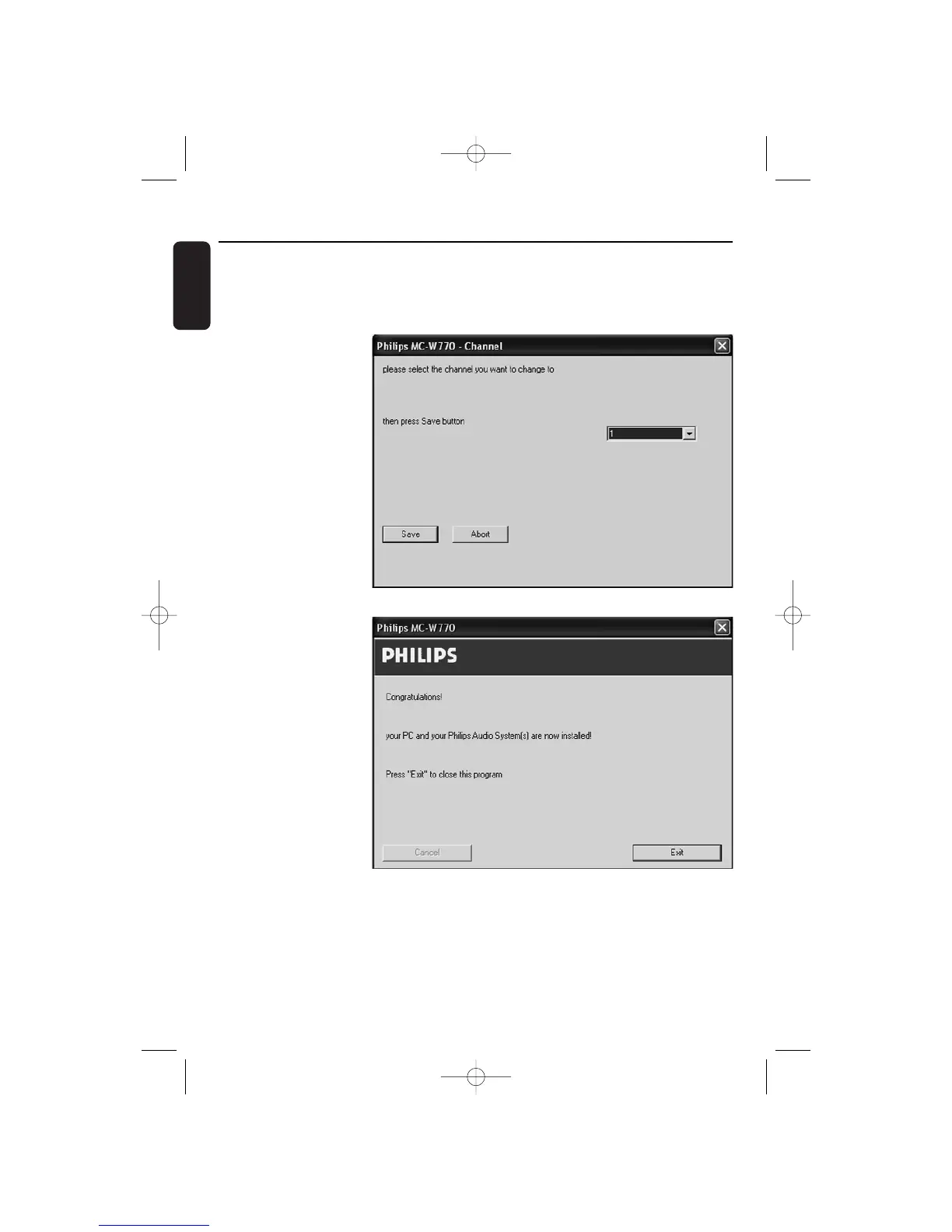
5 The following
window for selecting
a channel will appear:
Select a random
channel.We
recommend using
channel 1, 6, or 11. In
any case the new
selected channel should
be different from the
current setting.
Click on Save to
confirm.
6 The network settings
are changed and the
following window will
appear:
Click on Exit and the
installation is finished.
Wireless PC link
MC W770/22.1 eng 7/23/04 16:07 Page 36

Table of Contents

Other manuals for Philips MCW770

Related product manuals