Getting Started
Step 3: Setting theTV
IMPORTANT!
MaEe sure you have completed all the
necessary connections. (See pages 12-13
"ConnectlngTV',)
@ AdJust SOURCE coptrol r,til"_]_E _"
@pears on the display panel (or press
DISC/MEDIA on the remote )
Turn on theTV and set to the correct video4n
channel Yo should see the blue Philips DVD
backsround screen on theTV
@ Usually this channel s between the owest
and I%hest channels and may be called FRONT
A/V IN, orVIDEO See yourTV manual fur more
details
@ Or, yo may go to channel I on yourTV, then
press the Channel down but*on repeatedly until
you see theVideo In channel
@ OctheTV remote control may have a but*on
or switch that chooses different video modes
@ Or, set the TV to channe 3 or 4 if you are
using an RF modulator
@ Press DISC/MEDIA on the -emo:e to enter
dsc mode
@ Make sre no MP3 or- p cture (Kodak, jPEG)
dsc is in disc tray 1
Wait until the syssem fin shes reading the
dscs befure proceeding to next step
If p aybacl< begns, press • to stop playback
P'ess and hold DISC/MEDIA on the remote
unt} "pAl_" o_-"NTSC" appears on the display
panel.
@
@
@
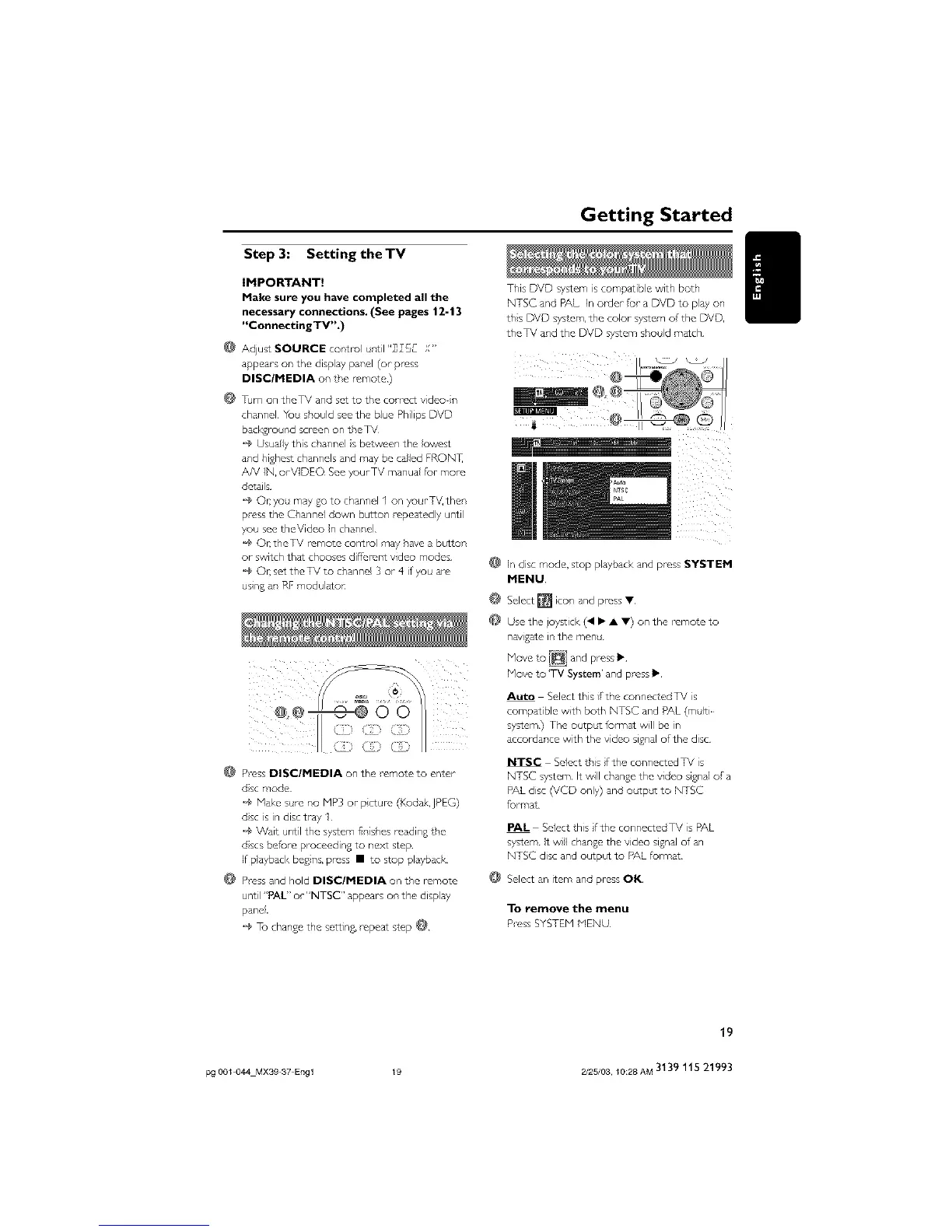
This DVD system iscompatib e with both
NTSC and PAL In order fur a DVD to pay on
ths DVD system, the color system of the DVD
theTV and the DVD system should match
In disc mode, stop playback and press SYSTEM
MENU
Select [] icor, and press •
Use the joystick (41 • • •) on the -emote to
newgate in the men
Move to [_i and press •
Move to 'TV System' and press •
Auto Select thai/the connectedTV s
compatible with both NTSC and PAL (mlti
system} The o tp t format will be n
accordance with the video signal of the disc
NTSC Select this fthe connectedTV s
NTSC system It will change the video signal of a
PAL disc (VCD only) and otpc¢ to NTSC
_rmat
PAL Select this/the connectedTV s PAL
system It wl change the video signal of an
NTSC disc and output to PAL format
@ Select an item and press OK
To remove the menu
P-ess SYSTEM MENU
19
pg 001 044 MX39 37 Engl 19 2/25/03, 10:28 AM 3139 115 21993



 To Next Page