DVD Menu Options
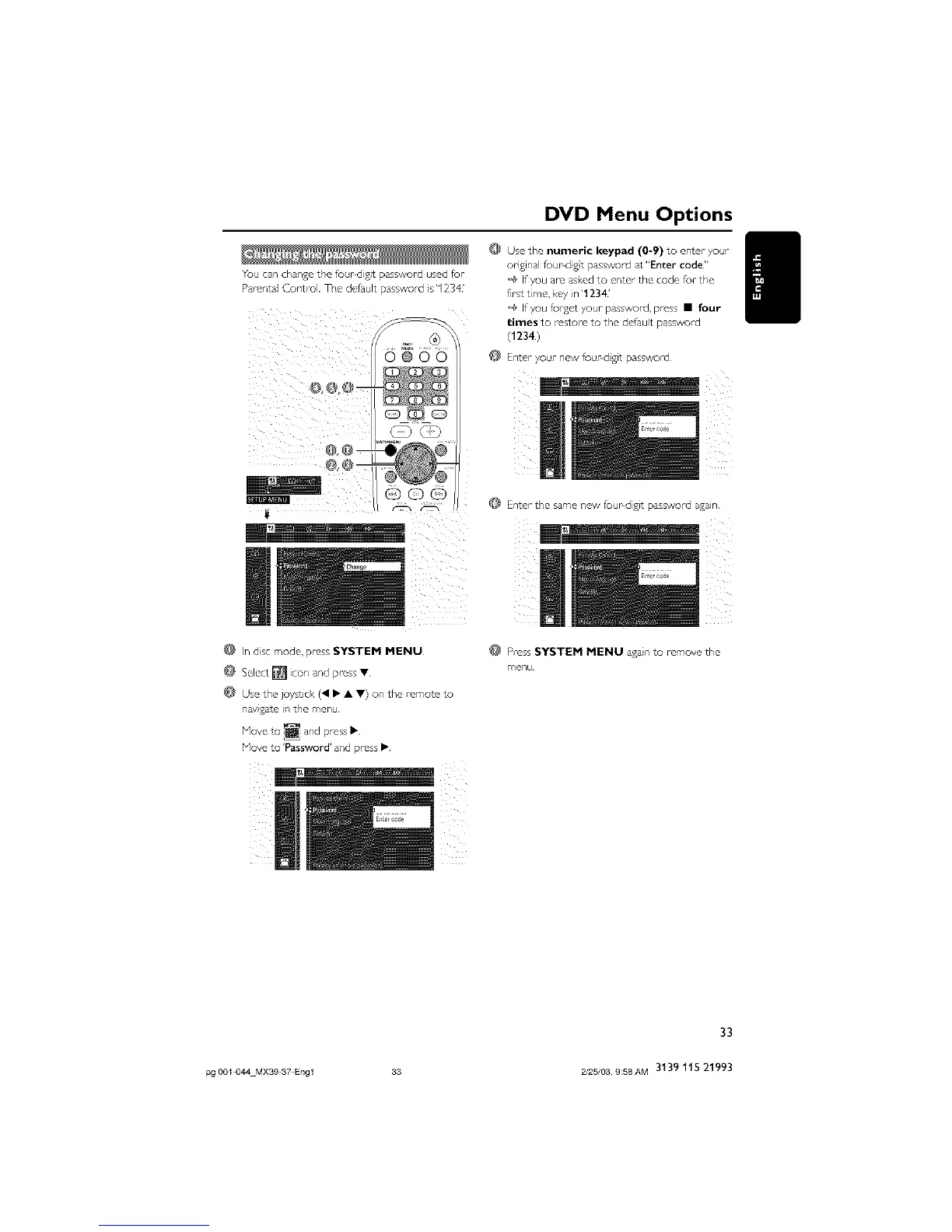
You can changethe fuur digit password used fur
ParentalControl. The default password is'1234'
D@O0
@ Lndisc mode, press SYSTEM MENU
Use the joystick (41• • .) on the remote to
naygate in the menu
Use the numeric keypad (0-9) to enter >,or
original fou_dist password at"Enter code"
'@ If you are askud to enter the code for the
first time, kuy in '1234'
'@ If you fur'get your password, press • four
times to rostore to the default password
(1234)
@ Enter your new four dgit password
@ Enter the same new foupdigJt password again,
Press SYSTEM MENU again to remove the
menu¸
Hove to 'hssword' and press •.
33
pg 001 044 MX39 37 Engl 33 2/25/03, 9:58AM 3139 115 21993



 To Next Page