Timer Operations
Setting the timer
The system can switch on to DISC orTUNER
mode automatically at a preset time, serv% as
an alarm to wake you up
IMPORTANT!
- Before setting the timer, ensure that
the clock is set correctly.
- The volume of the timer will increase
gradually to the last tuned volume level.
If the last tuned volume level is too low,
the set will then increase to a
predetermined minimum audible level
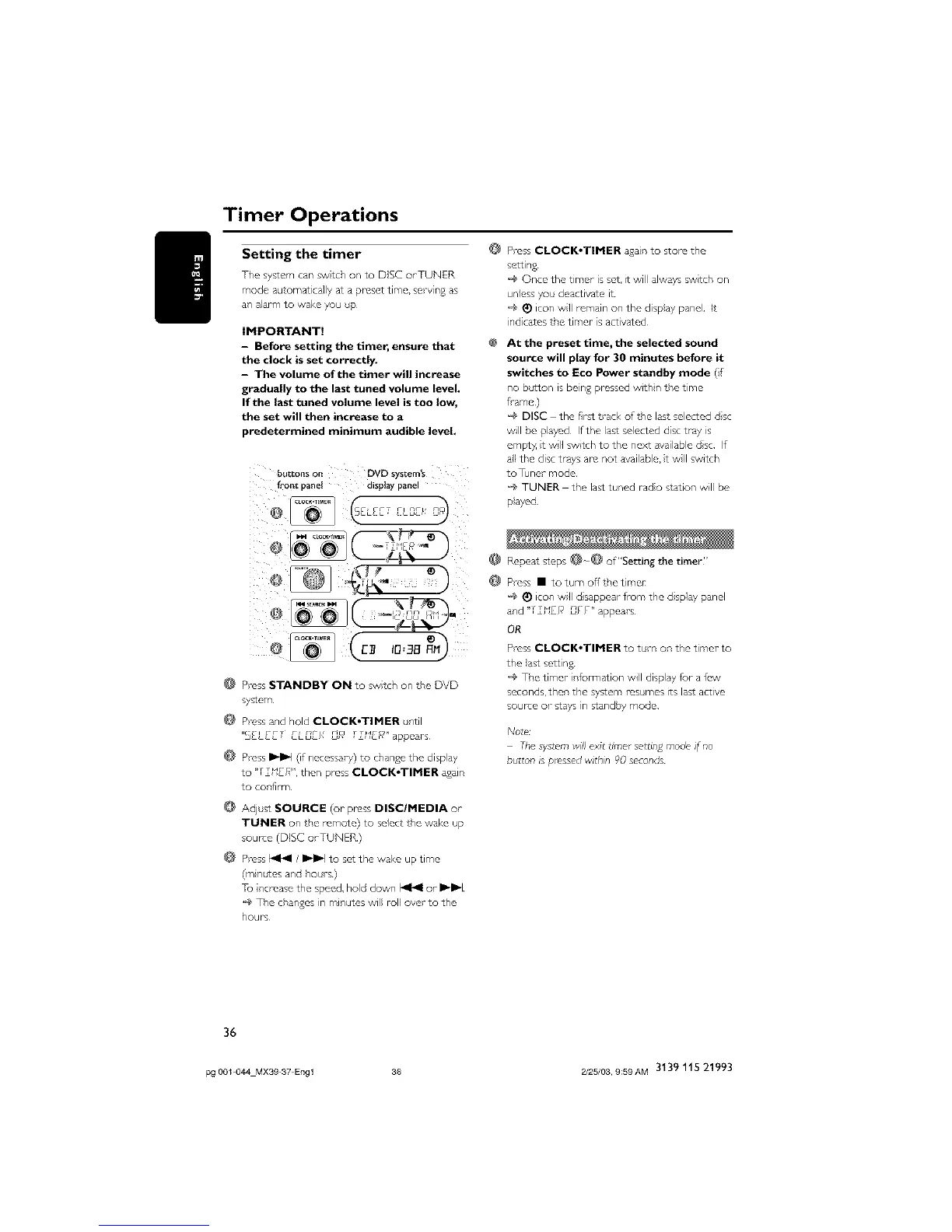
_u_tons on DVD sys_m's
front c_anet alsptay pane
F- e
@ Press STANDBY ON to swtch on tPe DVD
system
@ Press and hold CLOCK,TIMER until
"S£L_ZT £L_£/_ L]F_' TT_IE_" appears¸
@ Press I_1_1 (if necessary) to chan£e the disp ay
to "TT'SU?" then press CLOCKoTIMER again
to confirm
@ Adjust SOURCE (or press DISC/MEDIA or
TUNER on the remote) to select tPe wake up
source (DISC orTUNER)
Press _ / _'_'1 to set the wake up time
(mnt,les and h* rs)
Tu ncresse the speed, hold down I_l<l or _'_'1
@ The changes in minutes will roll over to the
hours
@
@
@
Press CLOCK*TIMER agan To store the
settin£
@ Once the timer is set, it will always swtch on
unless y* deactivate it
@ _) icon wll remain on the disp}ay panel It
ind cater the timer- s activated
At the preset time, the selected sound
source will play for 30 minutes before it
switches to Eco Power standby mode (i
no button is bein£ prosscx) withn the time
f"ame )
'_ DISC the first trad< of the las* selected dsc
will be played If the last selected dsc tray is
empty t wl switch to the next available dsc If
all the disc trays are not available, t wl switch
toTuner mode
'_ TUNER the last tuned rado station will be
p}ayed
Repea: steps @o@ of"Setting the timer"
Press • to turn off the timer
'_ _)icon wll d sappear from the d splay panel
and "TTUEh j ;,F _ " appears
OR
Press CLOCK*TIMER to trn on the timer to
the }ast settin S
@ The timer nf_rmation will display for a few
seconds, then the system resumes its lass active
source o- stays in standby mode
[xJote/
The system will exit timer settin£ mode if no
button is pressed within 90 seconds
36
pg 001 044 MX39 37 Engl 36 2/25/03, 9;59AM 3139 115 21993



 To Next Page