Tuner Operations
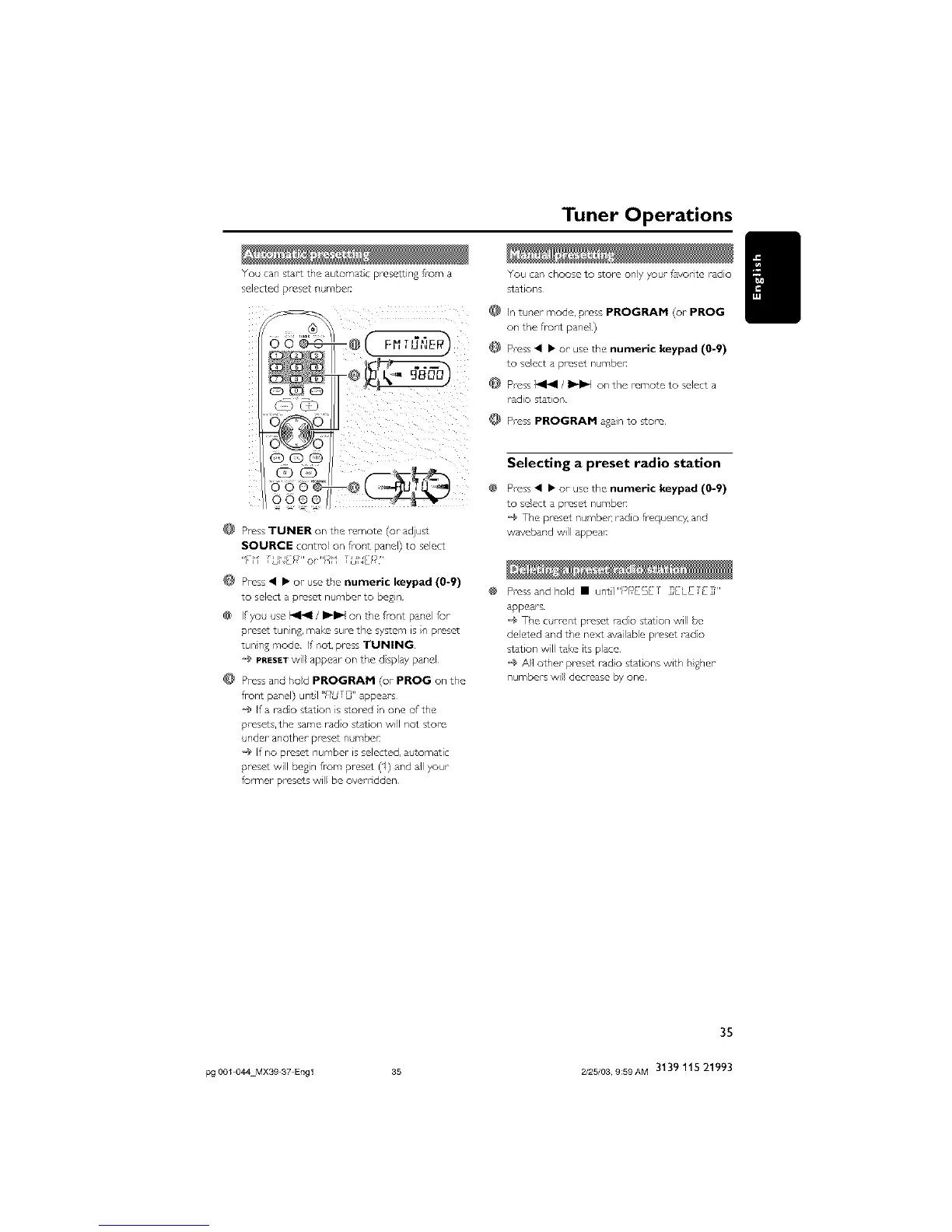
You can s_arTthe automat C pt esettlng f_-om a
secoted pt esc_ numbel:
,o o _'_e-s-c--@
CD_
© ©
OQ@
G3CD
@ Press TUNER on the remote (or adjus_
SOURCE centre on flor't pand) to seed
'1fi ",,f_f_*_'or"Ht '_ ,_UNL[*_''
@ Press • • or use tFe numeric keypad (0-9)
to seed a preset number to beg_n
• f yoc _se <1<1 / I_1_1 on me f,-unT par,e fur
presc_ tunlnd, mak_ sul_ the system s in pms_
tune 8 mode I pot, press TUNING
*_ PRESET w appear on T_'e dsp ay p_ne
Press and Fed PROGRAM (or PROG on the
front pane ) unTI "HU_ " appears
_ ffa tado star on s stored n one of the
presets the salqe lade s_at on Wl I Pot stoFe
nder another preset n_.mber:
@ If no preset numbcr is so coted, automat •
yeset w bcsn from preset (1) and al your
former pmse*s w be overrdden
You can choose to store only 7our favodte radio
stations
In tuner mode, press PROGRAM (or PROG
on the fiur,t pane)
@ Press • • or use the numeric keypad (0=9)
to select a presd numbe_
Press I_1_1 / I_1_1 on the remote to select a
radio station
Press PROGRAM adain to sToce
Selecting a preset radio station
Press • • or use the numeric keypad (0-9)
to se!ect a preset numbe_
_¢ The preset number radio fioquency, and
waveband will appeal:
Press and hold • untI"PIFESET _[L£TE_"
appears¸
@ The curre_ preset radio station will be
deleted and the next available preset radio
station will take its place¸
@ All other preset radio stations with higher
numbers will decrease b7 one
35
pg 001 044 MX39 37 Engl 35 2/25/03, 9:59AM 3139 115 21993



 To Next Page