Disc Operations
Selecting various repeat
functions
Program favorite tracks (audio
CDs and VCDs)
@ While paying a disc, press REPEAT to select :
REPEATCHAPTER (DVD)
to repeat p aybackofithe currant chapter
REPEATALBUM (MP3)
to repeat p aybackof the current album
REPEATTP,ACK/TITLE
to repeat p aybackof the cur_-enttracldt t e
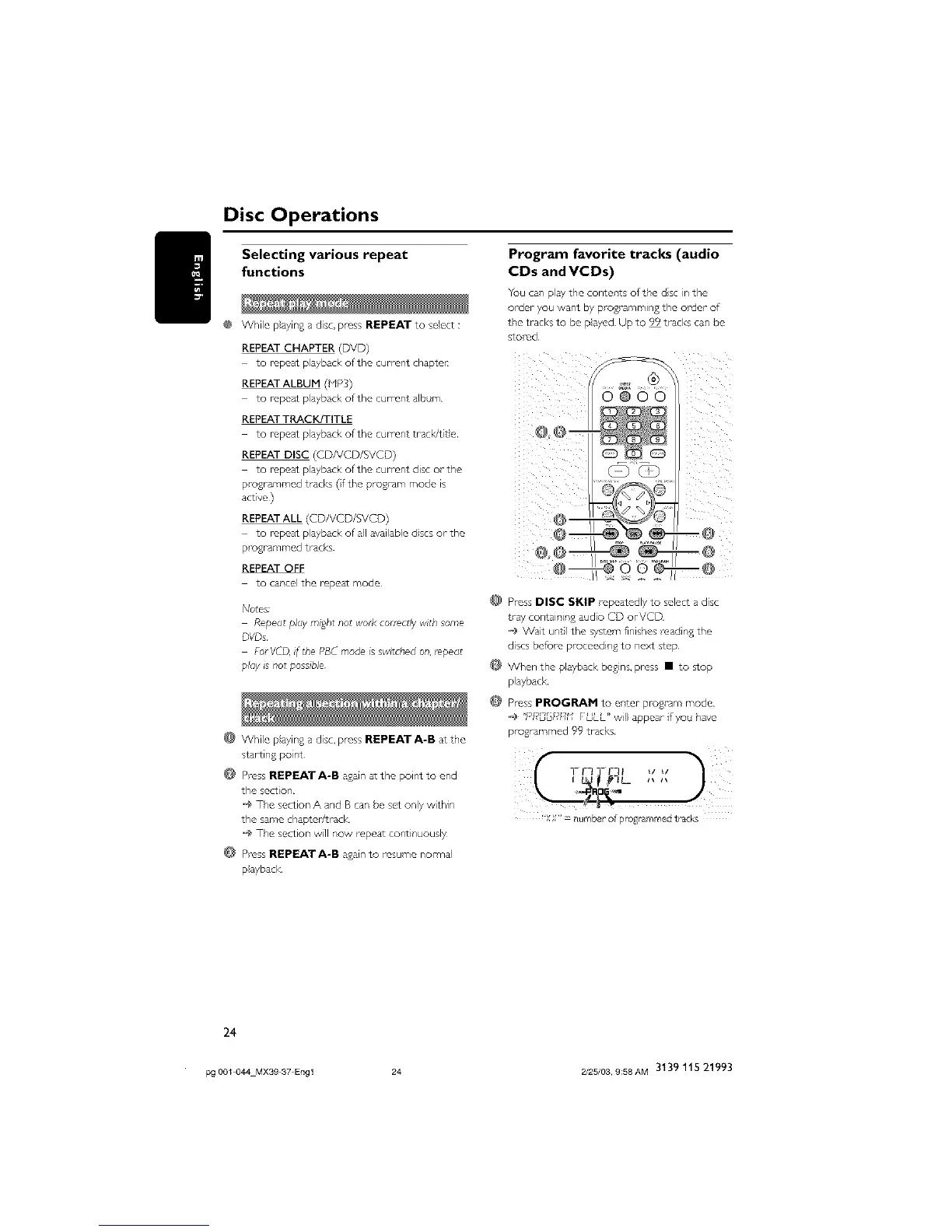
You can play the conter,ts of the ds, in the
order you want by pro%amming the order of
the tracks to be payed Up to 99 tracks can be
sto_-ed
REPEAT DISC (CDNCD/SVCD)
to repeat p ayback ofitlne current disc or the ......................................
programmed tracks (frEe program mode is
act ve )
REPEAT ALL (CD/VCD/SVCD)
to repeat p}ayback of all available dscs or the
p -ogrammed tracks
REPEATOFF
to cartel the repeat rrode
No_es;
Repeat piW msgbt not wor£ correctly wi£h some
DVDs
FurVCD, if the PBC moo _sswitched on, repeat
play is nor possible
While p ayin£ a disc, press REPEAT A-B a_ the
startln{_ pol_t
Press REPEATA-B asain at the point to end
the section
The section A and B can be set only within
the same chap:er/7-ack
'_ The section will now repeat cohtinuously
Press REPEAT A-B asain to res/_me normal
@ Pross DISC SKIP repeatedly to select a disc
tray containing audio CD orVCD
_J_Wait untl the system finishes reading the
discs befure proceeding to next step
When the playback begins, press • to stop
playback
Press PROGRAM to er,ter program mode
o_ "P£_G[_R_I f ULL" will appear if go have
pto£tammed 99 tracks
'XX'_ number of programmed tracks
playback
24
pg 001 044 MXS9 37 Engl 24 2/25/03, 9;58AM 3139 115 21993



 To Next Page