11 EN
6 Other features
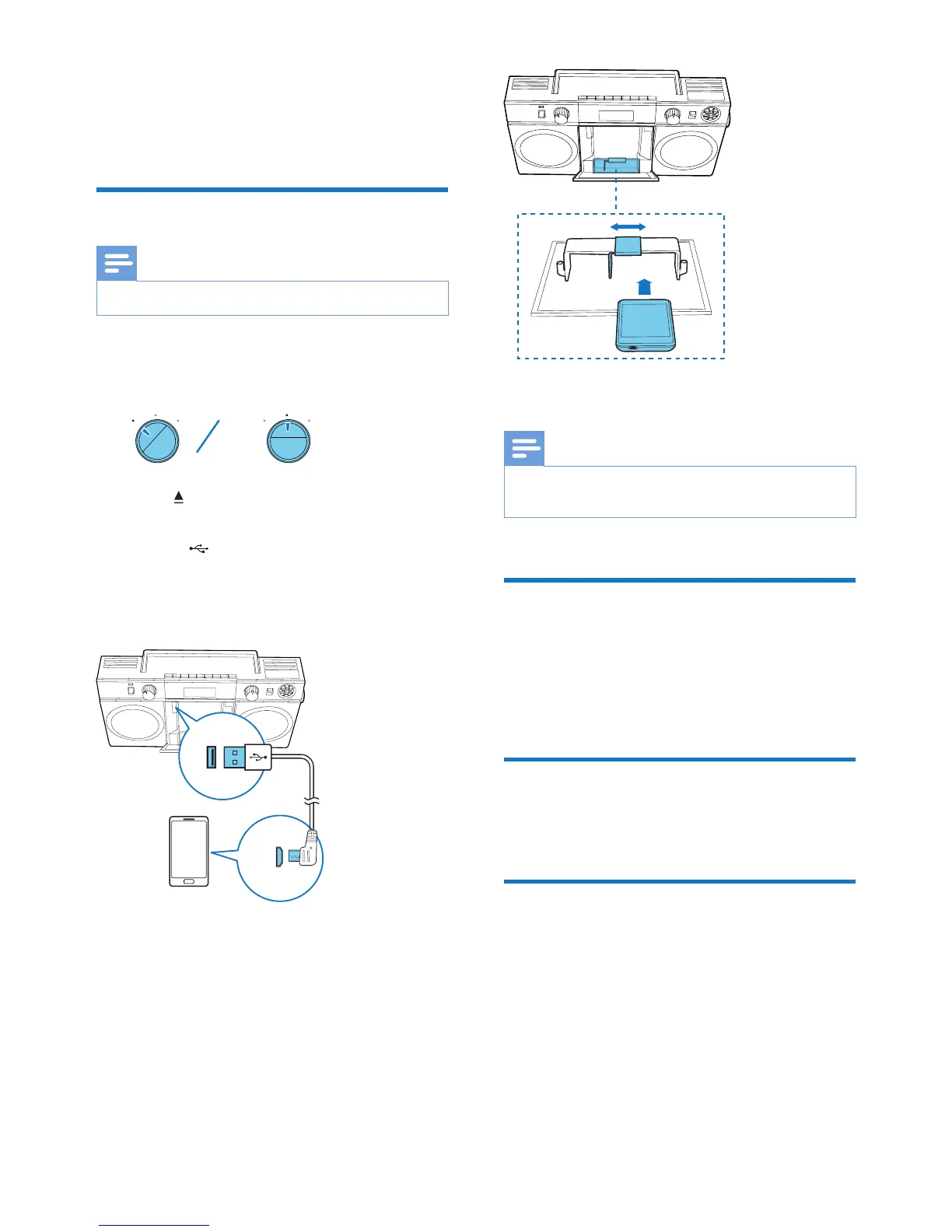
Charge your mobile phone
Note
• Make sure that you have switched on the system.
1 Rotate the source selector to
BLUETOOTH/CHR or FM/CHR
2 Press to open the compartment.
3 Connect the supplied USB cable to:
• the socket inside the compartment.
• the USB socket on your mobile phone.
» The charging icon is displayed on your
phone.
4 Adjust the slider inside the compartment
to stabilize your phone.
5 Close the compartment.
Note
• You cannot charge your mobile phone when the
system is powered by the batteries.
Adjust display brightness
1 Press and hold MODE for 3 seconds.
2 Press ALB/PRESET -/+ repeatedly to adjust
the display brightness.
Adjust volume
Rotate the VOLUME knob to adjust volume.
Enhance bass
To turn dynamic bass boost on or off, switch
the DBB slide to the ON or OFF position.



 To Next Page