6EN
p
• Open or close the compartment.
q
• Start or pause play.
r
• Stop play.
• Erase a program.
3 Get started
Always follow the instructions in this chapter in
sequence.
Connect power
The system can be powered by either AC
power or batteries.
Option 1: Battery power
Caution
• Batteries contain chemical substances, so they should
be disposed of properly.
Note
• Batteries are not supplied with the accessories.
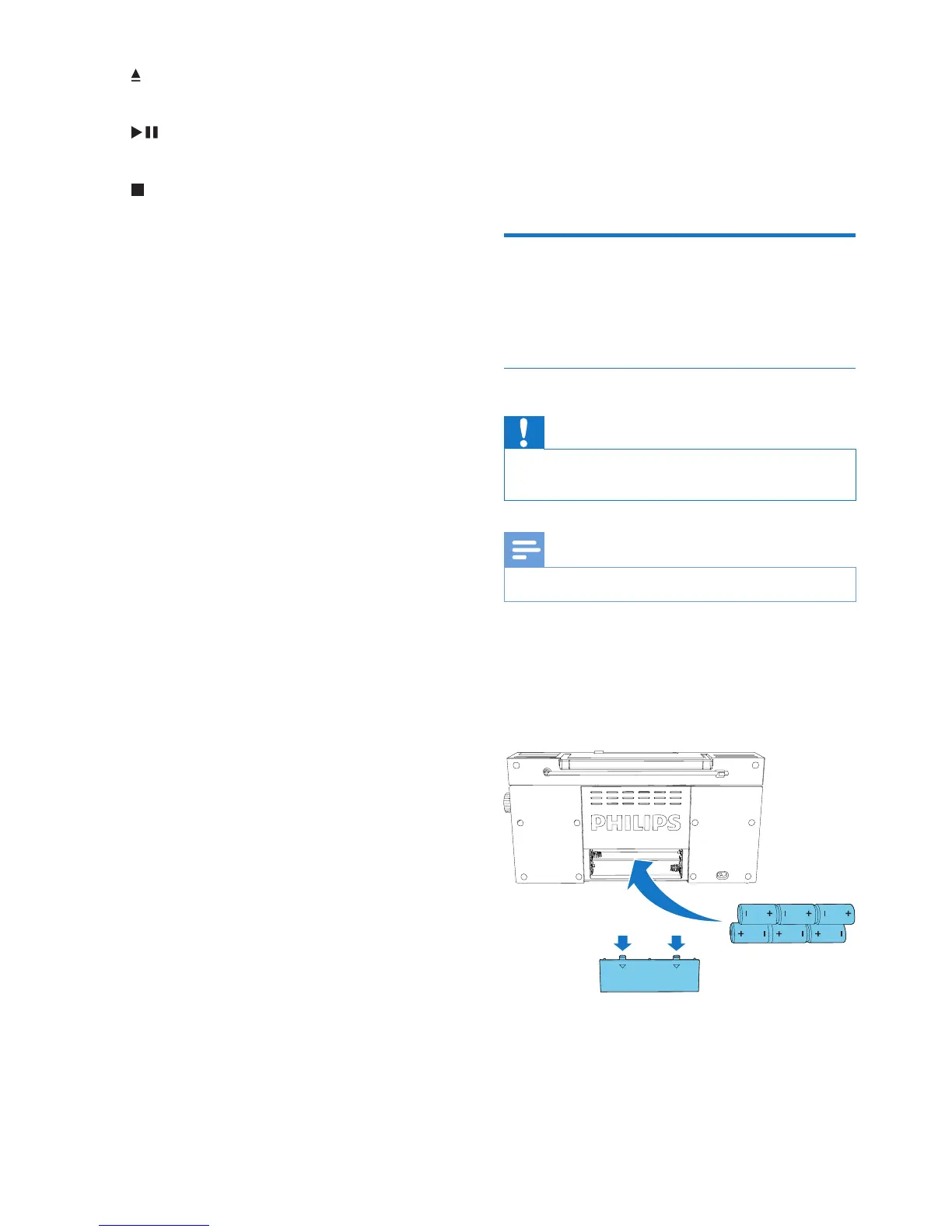
1 Open the battery compartment.
2 Insert6batteries(type:R14/UM2/CCELL)
withcorrectpolarity(+/-)asindicated.
3 Close the battery compartment.



 To Next Page