Overview 7
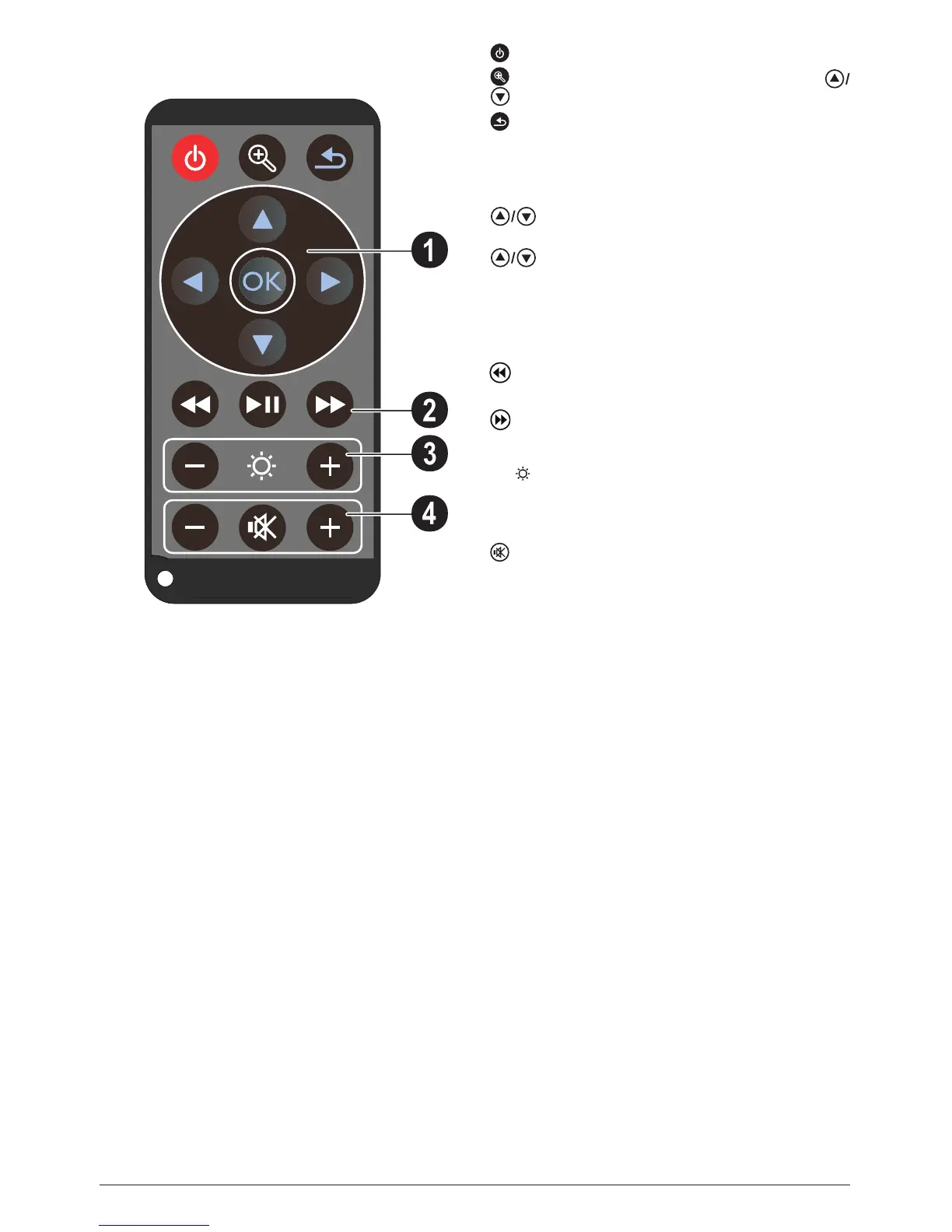
Remote Control
—Magnify still. Pan using the navigation keys (
, À/Á)
—One menu step back, one directory level back /
cancelling a function
Direction Buttons
à—Conrms selection
, À/Á—Navigation keys / navigate the menu /
modify settings
—Modify settings / during music playback select
previous, next title
À/Á—During music playback adjust volume level /
during video playback review, cue
Playback keys
—During video playback review
T—Start / stop playback
—During video playback cue
Brightness keys
N O —Decrease / increase the brightness
Volume keys
N—Decrease the volume
—Deactivate sound
O—Increase the volume
—Standby / Activate the device
(1)
(2)
(3)
(4)








 To Next Page