EasyManua.ls Logo

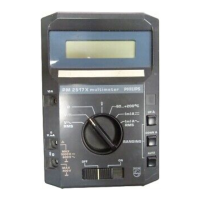
Philips PM2517E - ACCESS PROCEDURES; Safety Precautions; Part Replacement Guide

Philips PM2517E
104 pages
Print Icon
To Next Page IconTo Next Page
To Previous Page IconTo Previous Page
Loading...
4.
ACCESS
4.1.
GENERAL
The
opening
of
covers
or
removar
of
parts,
except
those
which
access
can
be
gained
by hand,
is rikery
to
expose
live parts
and
also
accessible
terminals
may be
live.
The
instrument
shall
be
disconnected
from
all voltage
sources
before
any
adjustment,
replacement
or repair
during
which
the
instrument
will
be
opened.
lf
afterwards
any
adiustment
or repair
of
the opened
instrumenr
uncter
vottage
is
inevitable,
it
shall be
carred
out
onry
by
a
skiIed
person
who
is aware
of the
danger
invorved.
Bear
in
mind
that
capac;tors
inside
the instrument
may
still
oe
charged,
even
if the
jnstrument
has
been
separated
from
all voltage
sources.
4.2.
DISMANTLTNG
THE
pM
2517
(Fisure
39)
-
Remove
the
batterv
cover
-
Remove
the
two
special
nuts
situated
under
the
battery
cover
-
The front
and
the
rear
cover
can
be
pulled
(item
1 Fig.39)
from
the
pl\4
2517
now
Note:
Take
care
that
the
wiring
to
the
battery
compartment
does
not
break.
When
a
pM
92lg
(9
V
power
suppry)
is
used.
the
wire;
can
be unsordered
from
the
battery
compaftment
during
fepair
of
the
PM
2517.
4.3.
REPLACTNG
PARTS
4.3.1.
Stide
swirch
ON/STAND
BY/OFF
52
(Figure
40)
4.3.1,1.
Printed
circuit
board
part
of
52
Remove
the
two
retaining
rings
from
the
sljde
bodies
(item
1 Fig.40).
The
slide
switch
consists
of
two
bodies.
ln
the
bottoffi
body
the
swjtch
contacts
are
situated.
A
switch
contact
consists
of a
spring
and
a
slider.
Note:
,All
parts
of slide
switch
52 are
in
stock
separatelv.
when
a complete
switch
has
to be
replaced
all
parl5
56prJ14
be
ordered.
when
mounting
the
slide
switch
again'
push
both
bodies
slightly
on
the
p.c.
board
and
stide
the retaining
rings
oi
the
prns
agarn.
4.3.1.2.
Topcover part
of
52
(Figure
4l
and
42)
-
Remove
the
screening plate
situated
inside
the
topcover
-
Remove
the
locking
spring
by
bending
out
the
two lips
(item
I Fig.
41)
-
When
mounting
the
switch
again,
take
care
that
the locking
spr|ng
rn
not
fit
too
tight
(Fig.42)
4.3-2.
Function
switch
S1
(Figure
41)
4.3,2.1.
Topcover part
Sl
Remove
the
screening
plate
situated
inside
the
top
cover.
The
function
switch
(item
3)
and
the
two teaf
springs
(item
2)
are accessible
and
can
be replaced
without
anv
rroubte.
4.3.2.2.
Printed
circuit
boad
part
Sl
(Figure
4O)
-
The
p.c.
board part
of function
switch
Sl
consists
of:
-
2 slide
bodies
-
8 springs
-
8 switch
contacts
-
Removethescrewsandnutsfromtheslidebodies(item3).Thebodiescanbeliftedfromthep.c.boardnow.
Note:
From
function
switch
only
the
separate parts
are in
stock.
When
the
complete
switch
has
to be
replaced
all
parts
should
be
ordered.
r
r
t
L
t
t
t
t
60
t
t
t
t
t
t
t-
t
?
t
t
t'*
t-
t
t-

Table of Contents

Related product manuals