EasyManua.ls Logo

Philips PM2517E - Window; Battery Springs; Display Unit; Shunt

Philips PM2517E
104 pages
Print Icon
To Next Page IconTo Next Page
To Previous Page IconTo Previous Page
Loading...
l
l
l
l
l
l
I
J
l
l
l
l
l
l
l
I
I
l
l
J
-l
I
-t
1
1
4.3.3.
Window
(Figure
41)
Remove
the
two
selttapplng
screws
(item
4) which
are
situated
inside the
topcover'
The
window
can be
lifted
out
of
the
toPcover
now'
4.3.4-
Battery
springs
(Figure
39)
-
Remove
the
screening
plate
which
is situated
in the
bottom
cover
-
Unsolder
the
wires
from
the
battery
springs
-
Pull the
battery
springs
out
of the
battery
compartment
Note:onlythedoubtebatteryspringsareinstock.Asing|eonecanbeobtainedbycuttingthedoubleonein
two
pteces.
4.3.5.
Display
unit
N2
(Figure
40)
-
Unsolder
the
wiring
from
the
display
unit
Note:
ln stock
a
29
pole
wiring
strip
is available'
Remove
the
nuts
and
screws
(item
4) Jrom the
displaY
unit
The
displav
p.c.
board
can
be
lifted
trom
the bottom
p
c
board
Note:Whencomponentshav"tobeunso|c|eredfromthedisptayunitthenitisnotneccessarytoUnso|oer
the
wiring
4.3.6.
Shunt
R 602
(Figure
40, item
5)
-
Unsolderthe
input
socket
10A(X1)and
O
{X3)
from the
bottom
p.c.
board together
with the
shunt
'-
Unsolder
the
shunt
from the
socket
and
replace
it by
a new
shunt
-
Solder
the
sockets
on
the
p.c
board
agarn'
4.3.7.
10A
switch
57
(Figure
43,
item
1)
-
From
the
rear ot
the bottom
p
c
board
the
contacl
soring
ot the
1OA switch
can be'emoved
TheloAsw.tchIss|tuatedinsidetheloAsocket.Thel0Aswitchconsistsotacontactspringand
a switch
block.
-
When
the
contact
sprinq
is removed
the
switch
block
in the
l0A socket
can
also
be
removed
Note:
-
When
mou
ntlng a
new switch
'
take
care
that
the
con tact
spring
switches
pf
ope
y
-
when a banana
plug
is
inserted
in the
10
socket
the contact
of the
switch
are
opend
Test:
Switch
on the
10A
range.
The display
should
be 00
00'
Insert
a
banana
plug
in the
104
socket.
The decimal
point
should
switch
to
the
1OA
position;
display
0
000'
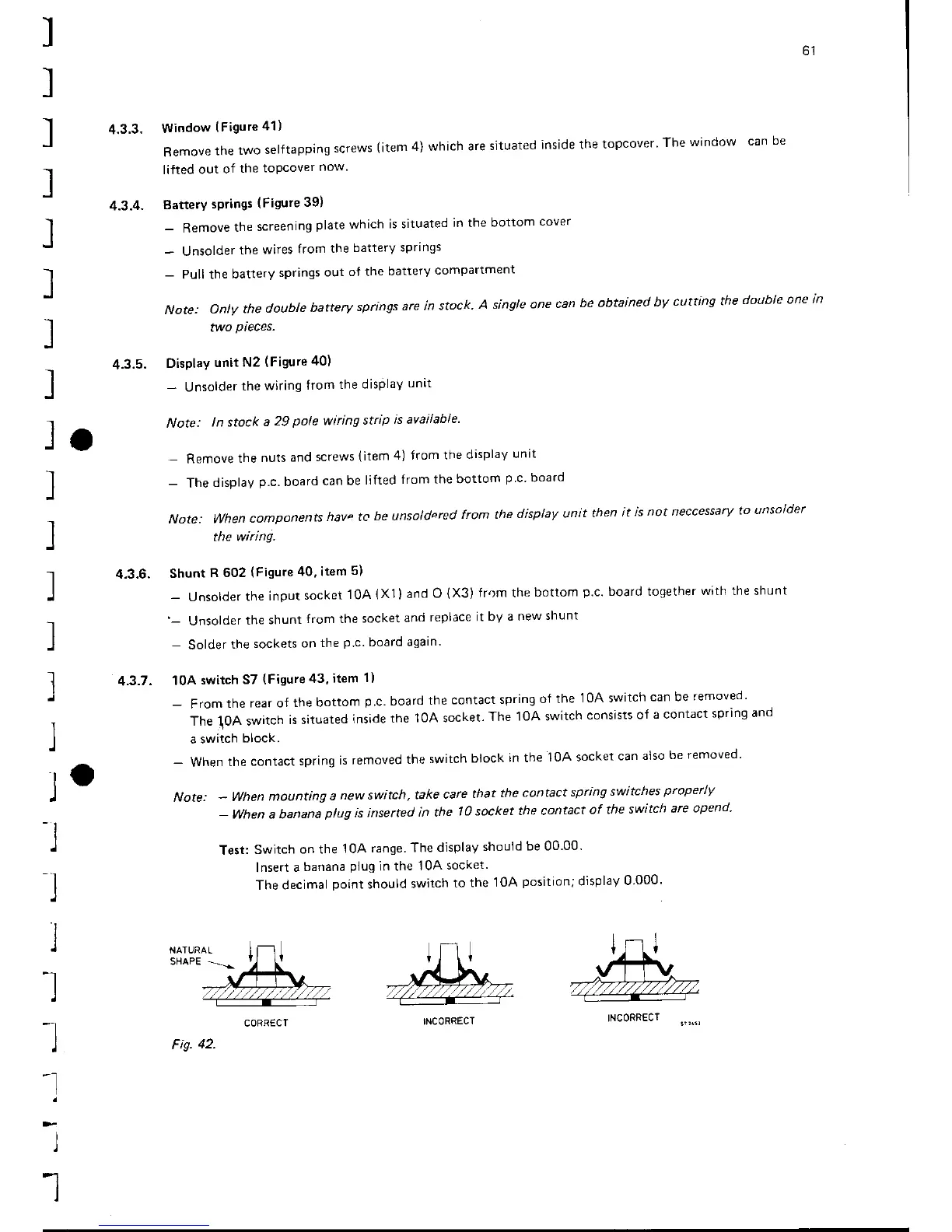
CORRECT
Fis.
42.
INCORRECT
INCORRECT

Table of Contents

Related product manuals