User Guide
37
If you want to personalize your Pronto even more beyond its standard programming
features, ProntoEdit is the tool for you to use. ProntoEdit is Pronto’s companion
software that you find on the included CD-ROM. You can find more information on
http://www.pronto.philips.com.
With ProntoEdit you can:
■ Upload and download new configurations to and from your Pronto.
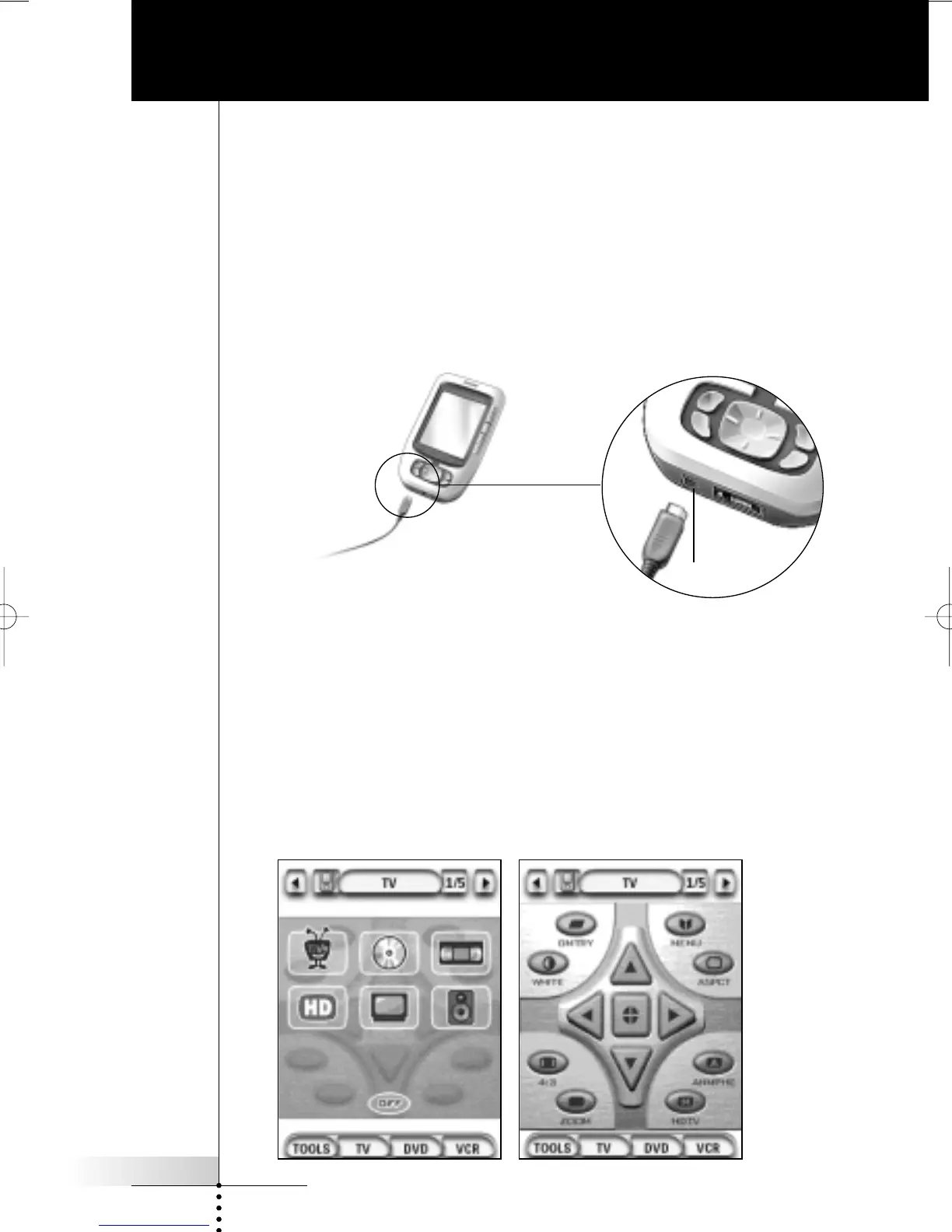
You do this with the PC cable included with your Pronto:
■ Plug one end of the cable in the USB port on your computer.
■ Plug the other end of the cable in the USB port on your Pronto.
■ Add, delete, modify and move control panels, devices and commands
anywhere on the touch screen;
■ Save, duplicate and share configuration files, codes or devices with other
Prontos;
■ Import new graphics to create new buttons and designs;
■ Personalize configuration files to optimize the use of your Pronto;
■ Preview new configuration files on Pronto Simulator, to check what Pronto’s
interface will look like.
ProntoEdit
USB port









 To Next Page