User Guide
49
Glossary
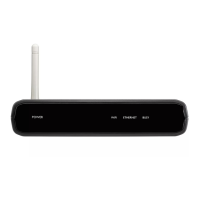
RFX6000 The RFX6000 is an RF Extender that can be used in combination with
Pronto.
Setup Page The Setup Pages allow you to adjust several settings. You can:
■ Consult the battery level
■ Set the time
■ Set the timeout of the LCD screen
■ Set the timeout of the LCD backlight
■ Switch the level of the light sensor
■ Set the animation mode
■ Set the volume level
■ Calibrate the touch screen
■ Consult the software version free memory
Simulator Pronto simulator is a separate application in ProntoEdit package, which
simulates every aspect of your Pronto. You use Pronto simulator to test
your PCF without the need to download it to your Pronto. When you
make changes in Pronto simulator, they will not be saved in the
configuration file.
Soft button A soft button is a button that can be found on the touch screen. The
layout and the visual aspects of a soft button can be changed. You can
also configure the functions of the soft buttons.
Template You can create a template from a device in ProntoEdit Advanced Mode.
When you add a new device on Pronto, this template will be used.
Touch screen The touch screen of your Pronto is the centered area that contain soft
buttons you can use to operate the remote control.
USB USB (Universal Serial Bus) is a “plug and play” interface between a
computer and add-on devices (such as audio players, joysticks,
keyboards, telephones, scanners, and printers).









 To Next Page