Alignments
EN 36 Q548.1E LA6.
2009-Apr-03
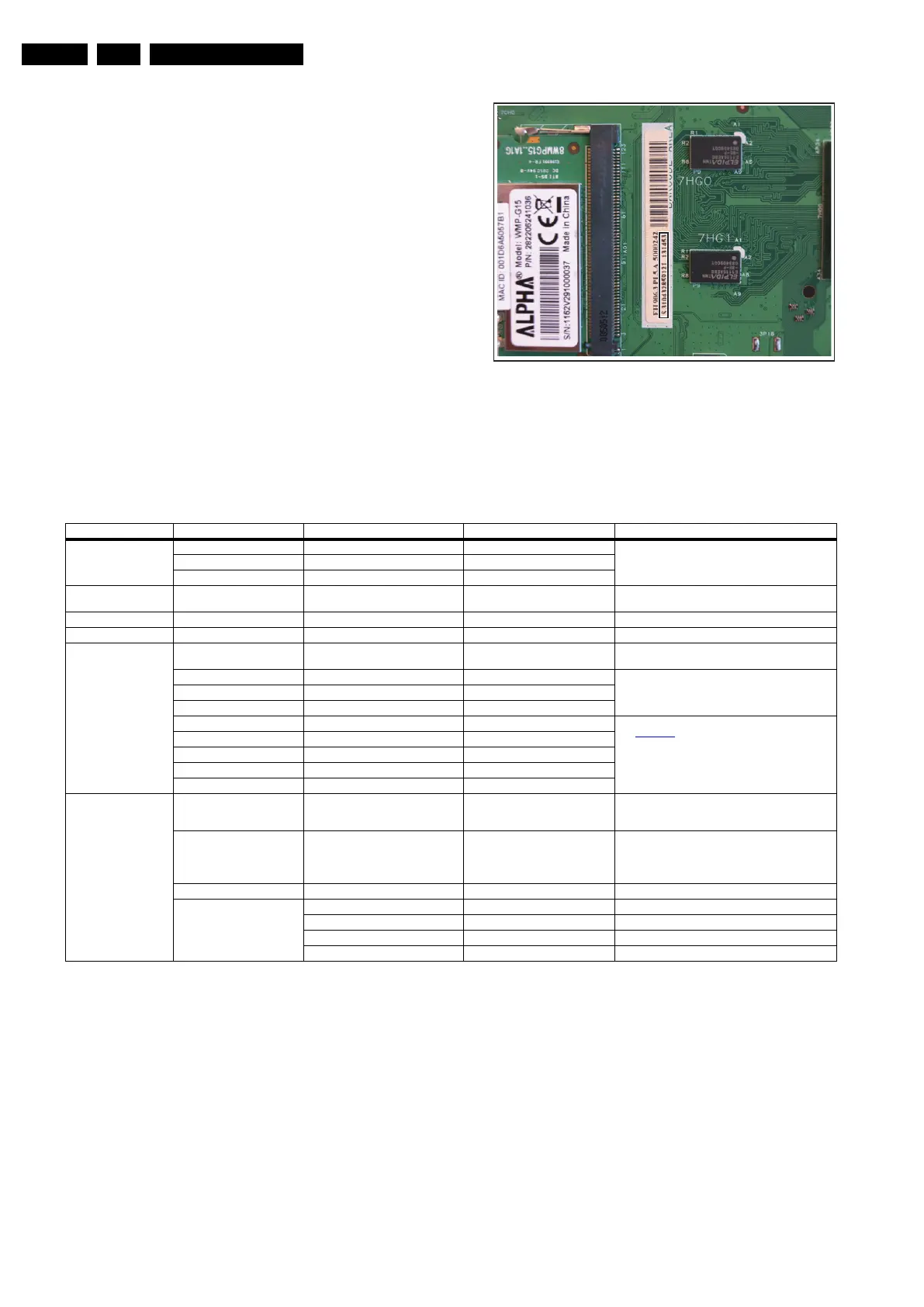
6.5.1 SSB identification
Whenever ordering a new SSB, it should ne noted that the
correct ordering number (12nc) of a SSB is located on a sticker
on the SSB. The format is <12nc SSB><serial number>. The
ordering number of a “Service” SSB is the same as the ordering
number of an initial “factory” SSB.
Figure 6-1 SSB identification
6.6 Total Overview SAM modes
Table 6-5 SAM mode overview
18310_221_090318.eps
090319
Main Menu Sub-menu 1 Sub-menu 2 Sub-menu 3 Description
Hardware Information A. SW VERSION e.g. “Q5431_0.26.10.0” Display TV & Stand-by SW version and CTN serial
number.
B. Stand-by processor version e.g. “STDBY_84.69.0.0”
C. Production code e.g. “See type plate”
Operation hours Displays the accumulated total of operation hours.TV
switched “on/off” & every 0.5 hours is increase one
Error Displayed the most recent error.
Reset error buffer Clears all content in the error buffer.
Alignment Tuner AGC RF-AGC Take over point adjustment (AGC default
value is 64)
White point Colour temperature Normal 3 difference modes of colour temperature can be se-
lected
Warn
Cool
White point red LCD White Point Alignment. For values,
see Table 6-1
.
White point green
White point blue
Red black level offset
Green black level offset
Dealer options Picture mute Off/On Select Picture mute On/Off. Picture is muted / not
muted in case no input signal is detected at input con-
nectors.
Virgin mode Off/On
Select Virgin mode On/Off. TV starts up / does not
start up (once) with a language selection menu after
the mains switch is turned “on” for the first time (virgin
mode)
E-sticker Off/On Select E-sticker On/Off (USP’s on-screen)
Auto store mode None Autostore mode disabled (not in installation menu)
PDC/VPS Autostore mode via ATS (PDC/VPS) enabled
TXT page Autostore mode via ACI enabled
PDC/VPS/TXT Autostore mode via ACI or ATS enabled



 To Next Page