11EN
Change the remote access
PIN/passcode
Note
• The default answering machine remote access PIN/
passcode is 0000 and it is important to change it to
ensure the security.
1 Select [Menu] > > [Remote access] >
[Change PIN], then press [OK] to conrm.
2 Enter the old PIN/passcode, then press
[OK] to conrm.
3 Enter the new PIN/passcode, then press
[OK] to conrm.
4 Enter the new PIN/passcode again, then
press [OK] to conrm.
» The setting is saved.
Charge the handset
Place the handset on the base station to
charge the handset. When the handset is
placed correctly on the base station, you hear
a docking tone (see 'Set the docking tone' on
page 30).
» The handset starts charging.
Note
• Charge the batteries for 8 hours before rst use.
• If the handset becomes warm when the batteries are
being charged, it is normal.
• Over time, capacity of batteries decreases. This is a
normal battery behavior.
Your phone is now ready to use.
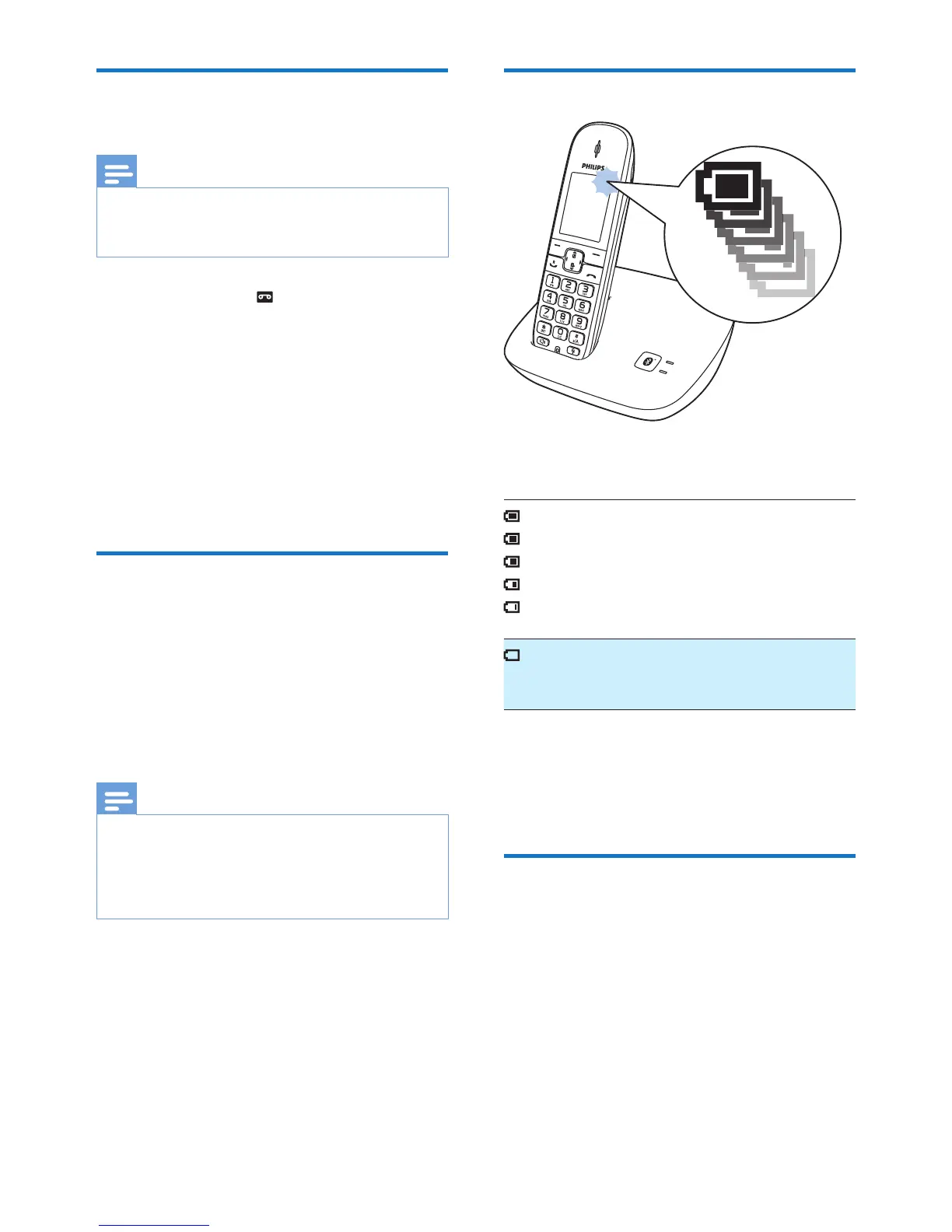
Check the battery level
The battery icon displays the current battery
level.
When the handset is off the base
station/charger, the bars indicate
the battery level (from full to low).
When the handset is on the base
station/charger, the bars ash until
charging is complete.
The empty battery icon ashes.
The battery is low and needs
recharging.
If you are on the phone, you hear warning
tones when the batteries are almost empty.
The handset turns off when the batteries are
completely empty.
What is standby mode?
Your phone is in standby mode when it is idle.
When the handset is off the charging cradle,
the standby screen displays the date and time.
When the handset is on the charging cradle,
the standby screen displays the time as a screen
saver.



 To Next Page