EN
10
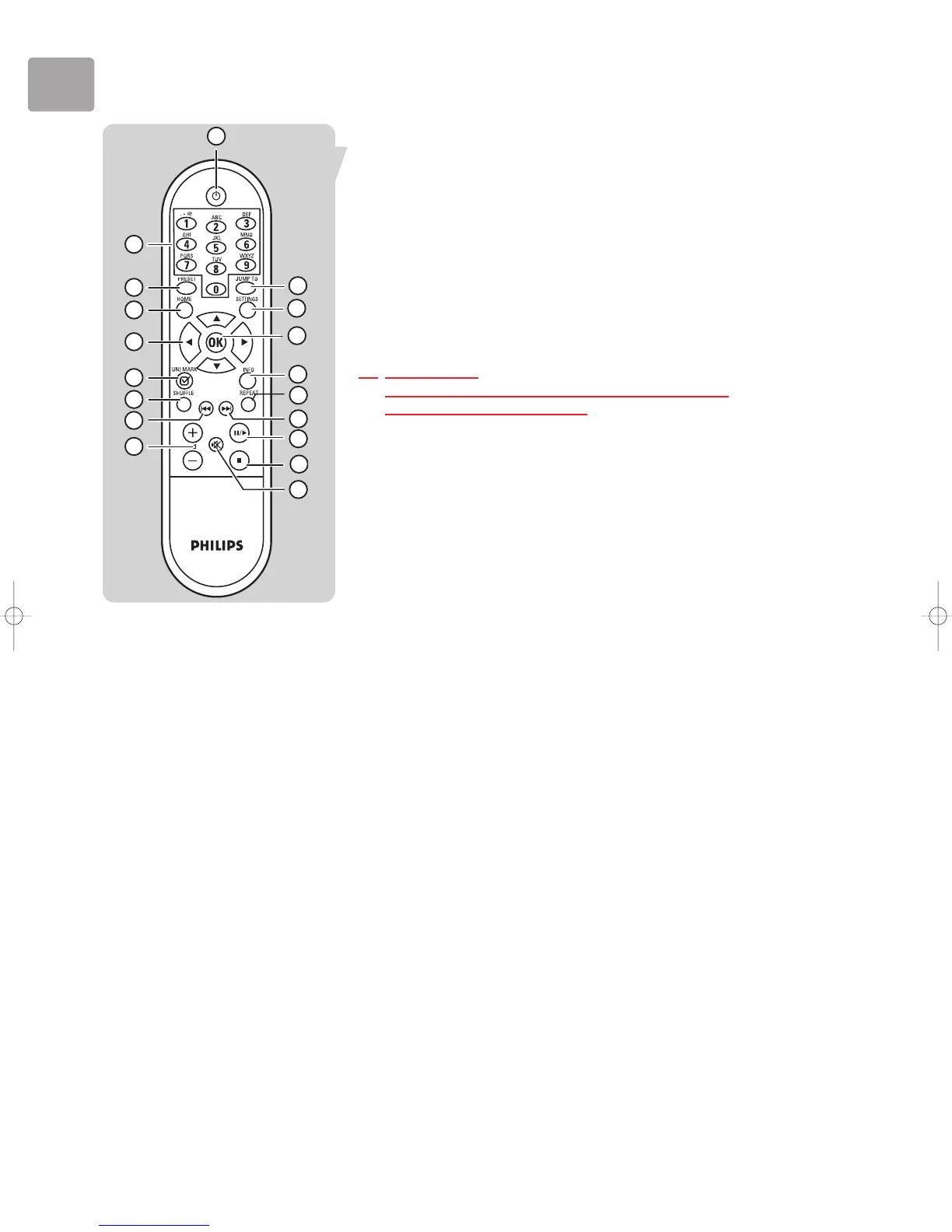
15 INFO
Displays additional information on the currently selected music file.
Pressing the button again enables a return to the default item display.
16 OK
Selects the current highlighted menu item
Example: If the currently displayed item is an album, pressing OK will start
playing that album.
Example: If it is an Internet Radio station, pressing OK will select that station.
17 SETTINGS
Displays the top level of the Settings menu.
18 JUMP TO
Activates Jump To function (character based keys (0-9) will be activated).
17 PLAY LIST
Displays the Dynamic Playlist that is stored on the SLA5520.
The list may contain up to 20 items


 To Next Page