EN
30
Introduction
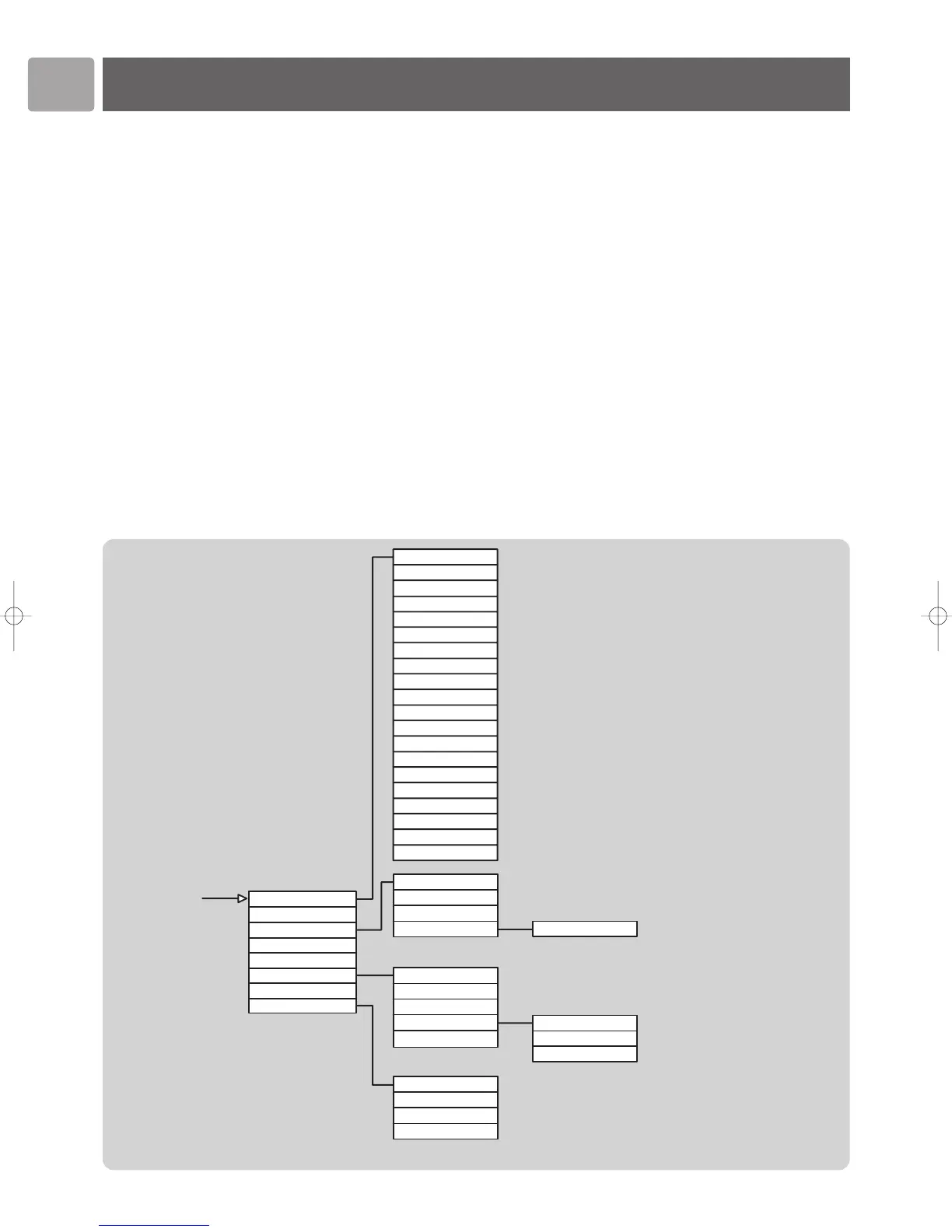
The Configuration functions on the SLA5520 are arranged in a hierarchical menu,
similar to the way in which files are organized in subdirectories on a PC. Menu items
are displayed on the Wireless Music Adapter’s LCD screen and you navigate through
the menu using the remote control. See ‘Configuration Menu Structure’.
This chapter describes how to:
• View various network status settings for troubleshooting purposes.
• Use the Configuration Wizard to make changes to a network profile setting after
initial installation.
• Manage which profile you want to change when you next start the Configuration
Wizard.
• Change the device name of your SLA5520.
• Select a new network profile for your SLA5520
• Reset your SLA5520 to its factory settings.
• View the date on which the Internet Radio List was last updated, determine
whether the Radio List will be updated automatically or perform manual updates.
Before You Start
• The SLA5520 must be turned on.
• The wireless network must be available.
• The Internet must be available.
Configuration Menu Structure
Infrastructure or Ad-Hoc
Enabled or Disabled
Enabled or Disabled
Enabled or Disabled
<Date>
Yes or No
Yes or No
See Configuration Wizard Menu for details
On or Off
On or Off
Advanced cConfiguration


 To Next Page