EN
28
Move up the menu hierarchy.
Move down the menu hierarchy.
Item may be played.
9/54 Track number (9) of total tracks (54) in item.
Wireless signal strength indicator.
Buffer fill indicator.
01:15 /02:30 Elapsed time / total time for current track, if available
(default).
Saving Favorite Music Items
Saving an Item to a Preset Number
You can save an album, artist, playlist or song to one of 10 preset numbers.
1 Select an item to be saved (see previous sections) and check that it is active by
playing it.
2 Press PRESET (3), followed by the preset number (0 to 9) where you want to
save the item.
Note: There is no ‘erase’ function; simply overwrite an existing preset with the new
item.
Selecting and Playing a Preset Item
1 Simply press the relevant preset number button (0 to 9).
2
Press ;/2 to listen to the selected item.
3 Press 9 to stop listening to selected item.
Saving Favorite Items
You can save up to 20 of your favorite items (albums, songs etc) to a favorite Playlist
stored locally on the SLA5520.
To add an item currently playing to the favorite Playlist:
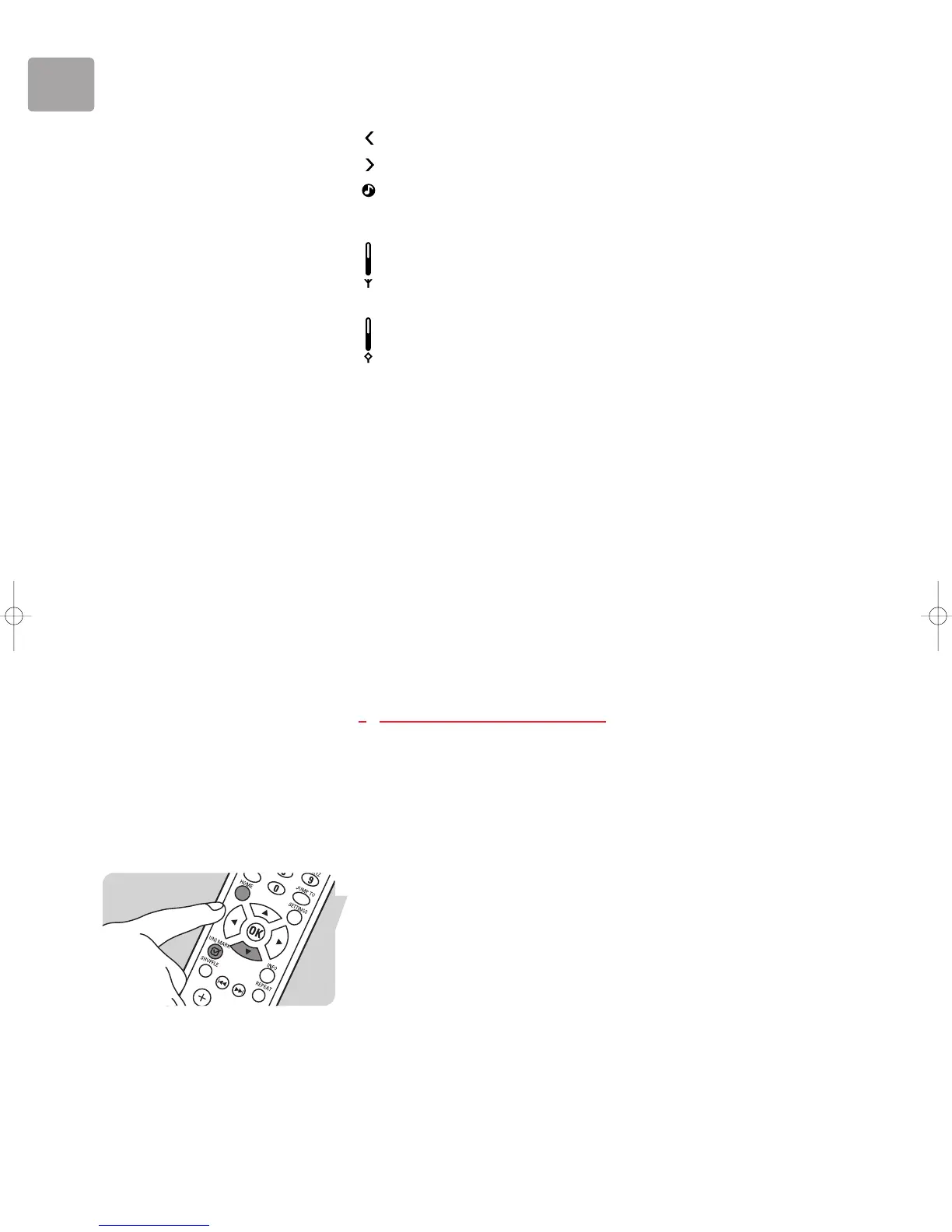
1 Press HOME (X) to display the Philips SLA5520 menu.
2 Press 4 (X) until ‘Favorites’ is highlighted. Press 2.
3 Press (UN)MARK (4).
To remove the item currently playing from the Dynamic Playlist:
1 Press HOME (X) to enter the Philips SLA5520 menu.
2 Press 4 (X) until ‘Favorites’ is highlighted. Press 2.
3 Press (UN)MARK (4).


 To Next Page