EN
27
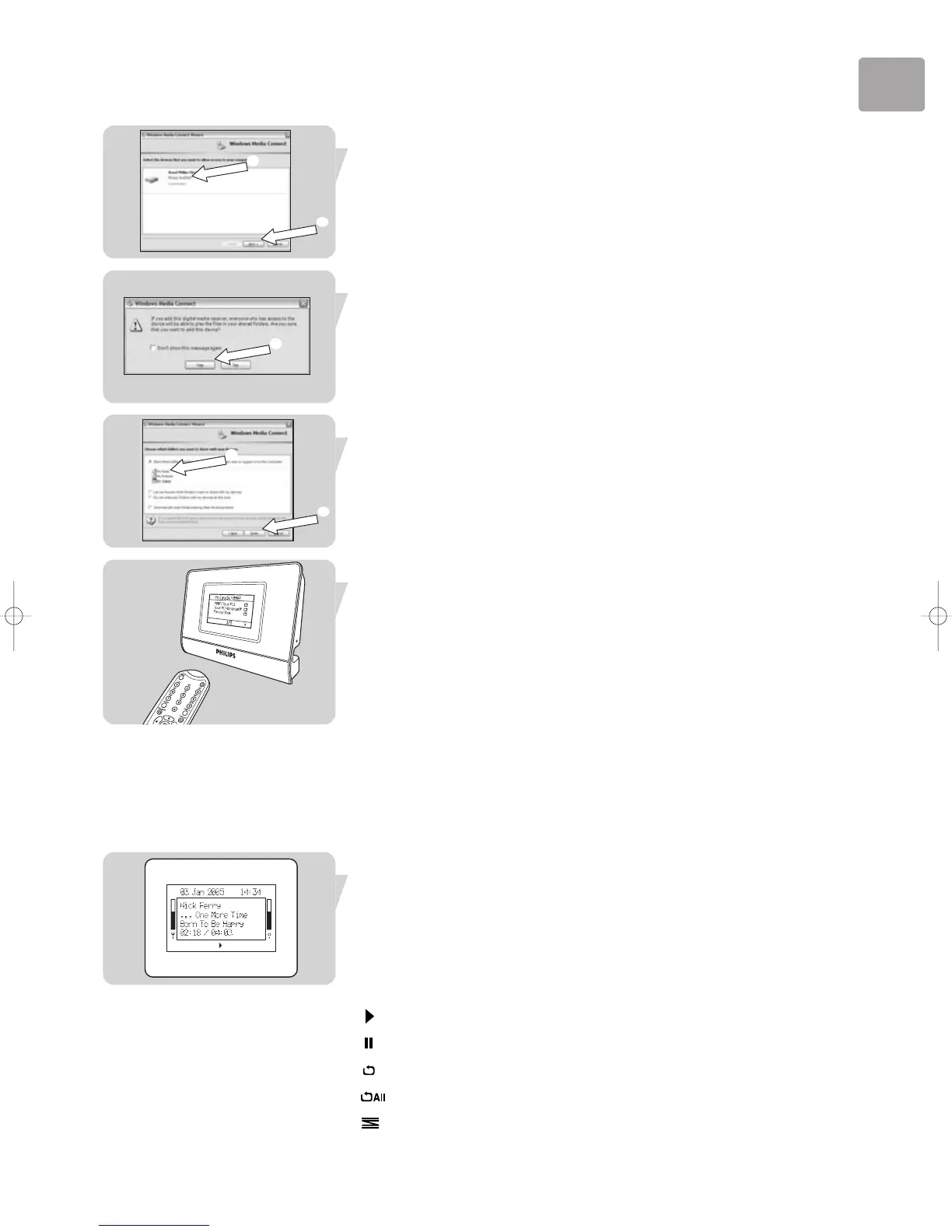
3 Allow communication with SLA5500.
1. Click on ‘Philips SLA5500’.
2. Click on ‘Next’.
4 Confirm communication with SLA5500.
• Select ‘Yes’.
5 Select folders to share.
1. Choose the folders you wish to share with the SLA5500.
2. Select ‘Finish’.
6 Select ‘Windows Media Connect’ as server.
1. Point the remote control towards SLA5500.
2. Press HOME (1).
3. Press ‘4‘ to select ‘Windows Media Connect’.
4. Press ‘2‘ to confirm.
> Your SLA5500 is now able to play DRM protected songs.
7 Browse to your DRM protected songs.
• See chapter ‘Playing music files’ on how to start playing DRM protected songs.
Viewing Song Information
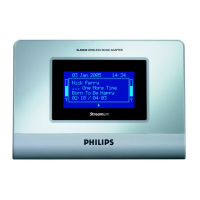
The SLA5520 LCD screen displays various information during playback, such as music
file details, playback modes and network status.
Example Display Text Explanation
Nick Ferry Artist name.
. . . One More Time Name of the album.
Born To Be Happy Title of the song currently playing.
Playback Modes:
• Now playing
• Now paused
• Repeat mode enabled
• Repeat All mode enabled
• Shuffle mode enabled
➊
➋
➊
➊
➋


 To Next Page