Identifying the parts EN - 10
Philips Digital Photo Frame
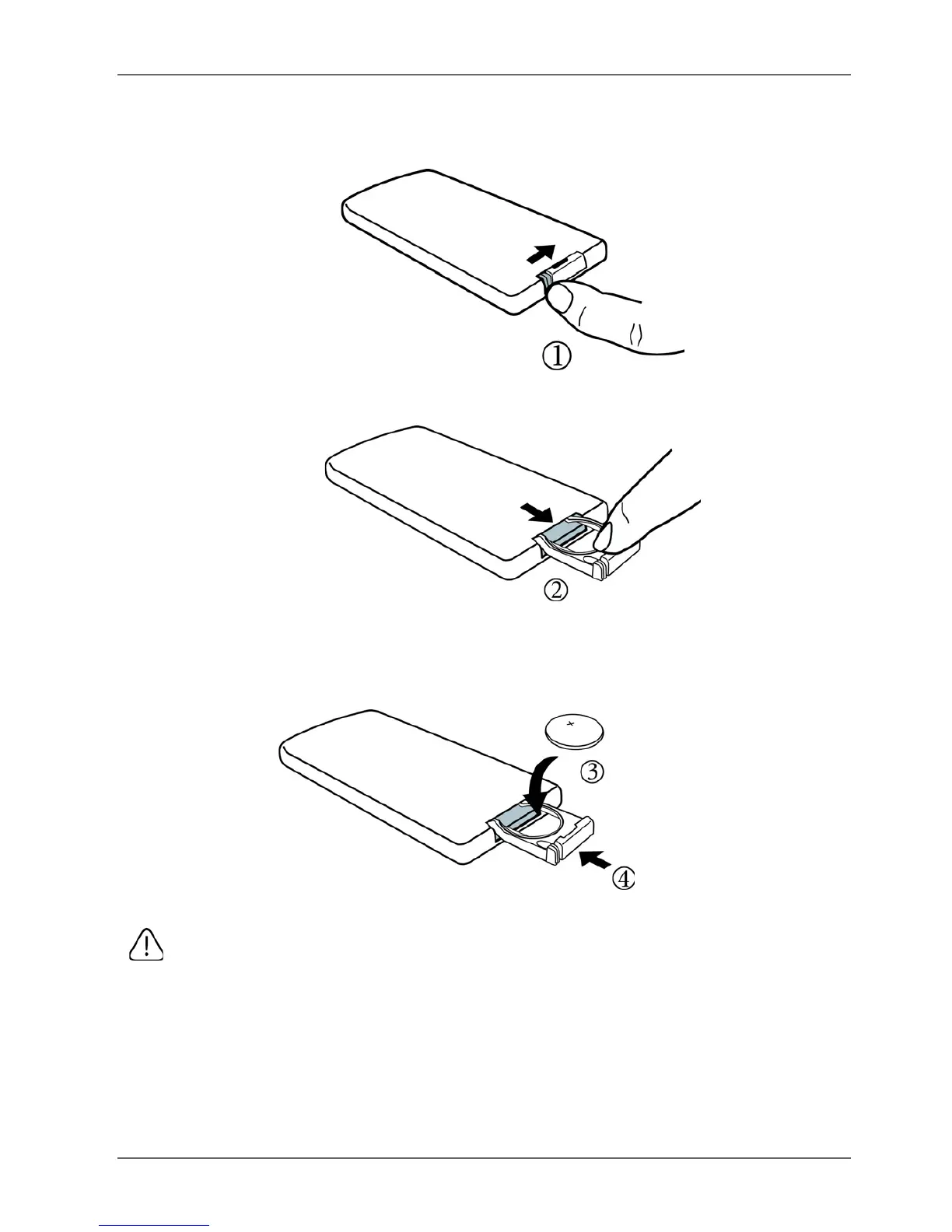
Replacing the remote control battery
1. Press the locking tab to the right.
2. Pull out the battery holder.
3. Insert the new battery into the battery holder. The battery must
be placed with the positive pole facing upwards, as shown in
the illustration below.
4. Slide the battery holder into the remote control.
• Protect the battery from overheating or excessive moisture.
• Failure to replace the battery in the correct manner may result in
damage to the battery.
• Use only the approved specified batteries.
• Properly recycle or dispose of used batteries according to local
guidelines and regulations.
• Do not throw batteries into fire. This may result in an explosion.
• If the battery is completely drained or the remote control is not in
use for a long time, remove the battery to prevent leakage.



 To Next Page