Setting the Clock (cont’d) 15
6
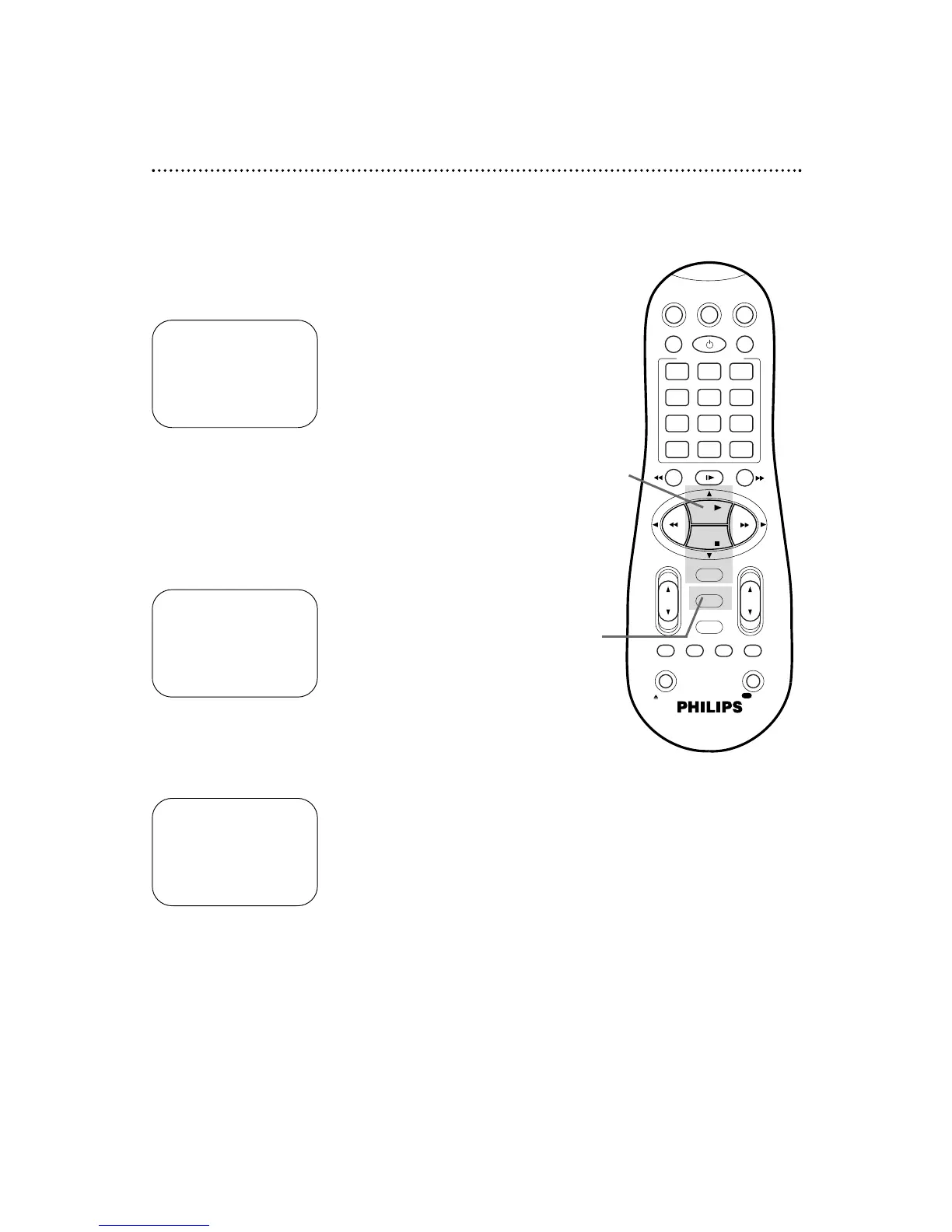
Press the PLAY 8 or STOP 9 button repeatedly to set the
YEAR. When the year is correct, press the OK/STATUS
button. The day of the week will appear automatically.
8
Press the MENU button.
5
Press the PLAY 8 or STOP 9 button repeatedly to set
the DATE (month and day). Every time you press the PLAY
8 or STOP 9 button, the day changes in one-day increments. If
you press and hold the PLAY 8 or STOP 9 button, the day
changes in 15-day increments.
When the month and day are correct, press the
OK/STATUS button.
7
Press the OK/STATUS button once again to skip “AUTO
CLOCK” and go to “D.S.T.” (Daylight Savings Time).
Press the PLAY 8 or STOP 9 button to set D.S.T. to ON
or OFF. If AUTO CLOCK is OFF, you may set D.S.T. to ON or
OFF only. For more information, please see page 19.
4
Press the PLAY 8 or STOP 9 button repeatedly to set
the TIME. Every time you press the PLAY 8 or STOP 9 button,
the time changes in one-minute increments. If you press and hold
the PLAY 8 or STOP 9 button, the time changes in 30-minute
increments.
When the time is correct, press the OK/STATUS button.
TIME 10 : 45PM
DATE 01/01/00
AUTO CLOCK OFF
D.S.T. ON
SET: 89 NEXT: OK
END: MENU
TIME 10 : 45PM
DATE 06/21/00
AUTO CLOCK OFF
D.S.T. ON
SET: 89 NEXT: OK
END: MENU
TIME 10 : 45PM
DATE 06/21/00
WEDNESDAY
AUTO CLOCK OFF
D.S.T. ON
SET: 89 NEXT: OK
END: MENU
8
4-7



 To Next Page