• During playback, Hi-Fi stereo may
temporarily revert to normal audio
when you adjust tracking. This is
normal.
• If Hi-Fi stereo continually reverts to
normal audio during playback, you
may want to press the FF 3 button
to select MONO at step 3.
• Only tapes recorded in Hi-Fi stereo
will play in Hi-Fi stereo. Tapes
recorded in normal audio will play in
normal audio.
• You may also select HIFI or MONO
by pressing the VCR button, then
repeatedly pressing the
AUDIO/MUTE button on the
remote control.
Helpful Hints
4
Press the MENU button.
5
Press the PLAY 8 button to start tape playback.
If a tape is recorded in Hi-Fi stereo, follow the steps below to play
the tape in Hi-Fi stereo.
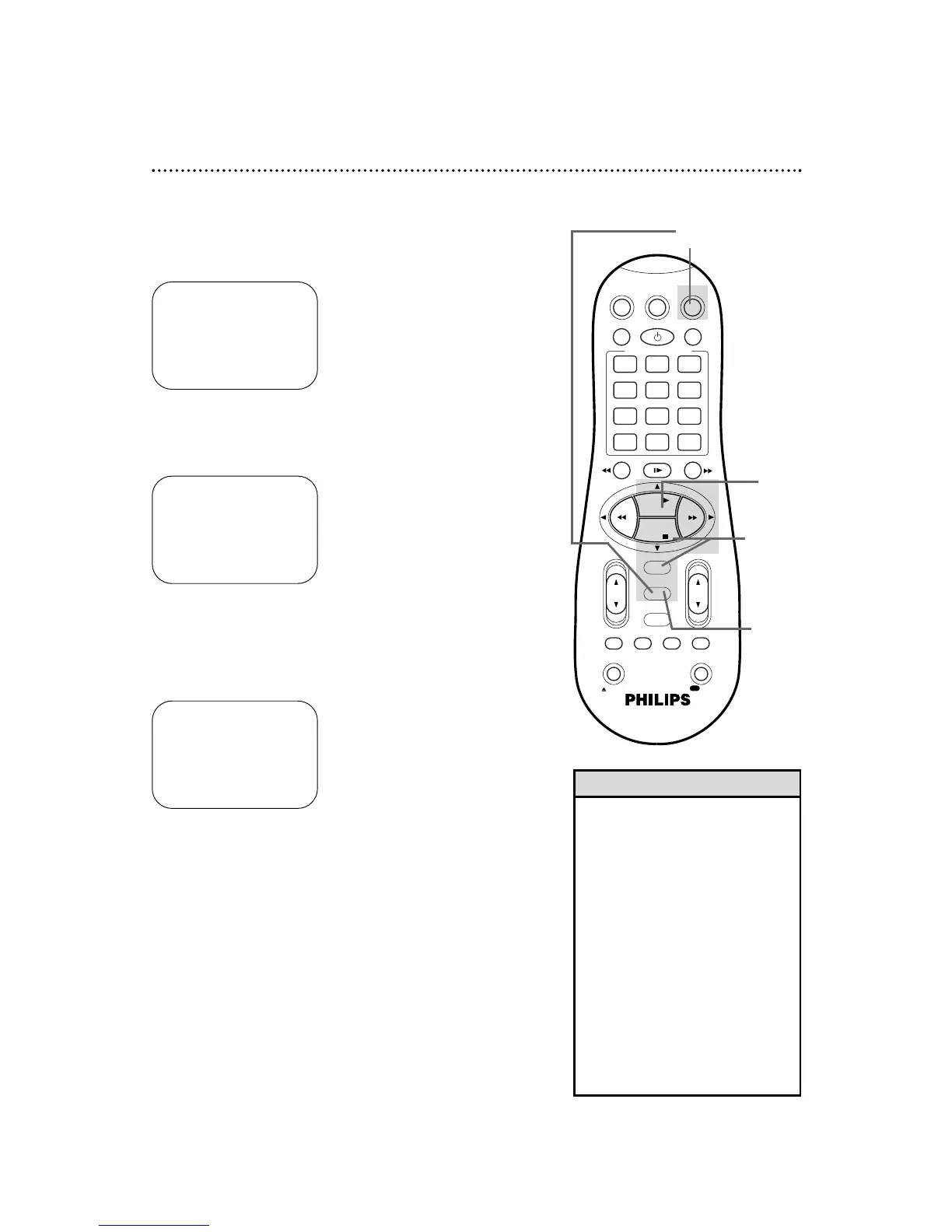
1
Press the VCR button, then press the MENU button.
2
Press the PLAY 8 or STOP 9 button to select VCR SET
UP, then press the OK/STATUS button.
3
Press the STOP 9 button repeatedly to select AUDIO
OUT on the first page of the VCR SET UP menu, then
press the FF - button so that HIFI appears beside
AUDIO OUT.
→ VCR SET UP
TUNER SET UP
INITIAL SET UP
SELECT: ,9 CONFIRM: OK
END: MENU
2,3
5
1
4
→ DSPC ON
ON SCREEN MODE ON
BLUE BACKGROUND ON
TIMER REC SPEED MANUAL
VIDEO STABILIZER OFF
AUDIO OUT HIFI
NEXT PAGE
SELECT: ,9 CHANGE: -
END: MENU


 To Next Page