3
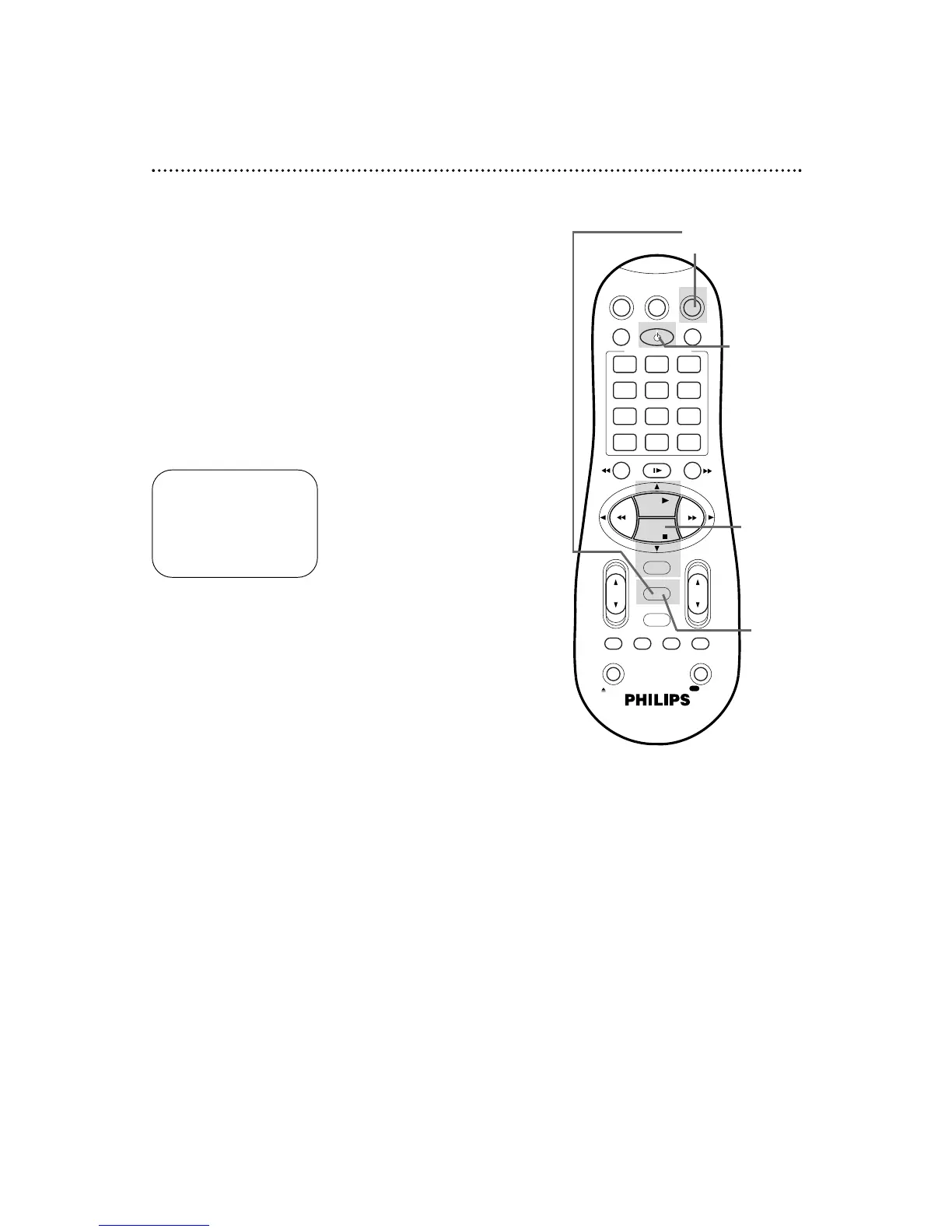
Press the PLAY 8 or STOP 9 button to select CLOCK,
then press the OK/STATUS button. (If AUTO CLOCK is set
to OFF, PBS CH. will not be available in the menu. If this happens,
press the OK/STATUS button to select AUTO CLOCK, then press
the PLAY 8 or STOP 9 button to set AUTO CLOCK to ON.)
Setting the Clock (cont’d) 17
6
Press the MENU button.
5
Press the PLAY 8 or STOP 9 button repeatedly to select
the station number of your PBS channel.
Manual PBS Channel Selection
4
Press the OK/STATUS button repeatedly to select PBS CH.
1
Press the VCR button, then press the MENU button.
2
Press the PLAY 8 or STOP 9 button to select INITIAL
SET UP, then press the OK/STATUS button.
TIME – – : – – AM
DATE 01/01/00
AUTO CLOCK ON
PBS CH. AUTO
D.S.T. AUTO
TIME ZONE AUTO
SET: 89 NEXT: OK
END: MENU
7
An on-screen message will ask you to turn off the VCR.
Press the POWER button to turn off the VCR.
Auto will flash in the display panel until the clock is set. Leave the
VCR power off until the clock is set.
If – – : – – appears on the display panel after you turn off the
VCR, the VCR could not find the time. Repeat steps 1 - 6 above,
entering a different PBS channel at step 5. Or, use a different
method to set the clock.
2-5
6
1
7


 To Next Page