• To stop a timer recording that is in
progress, press the POWER button
on the remote control.
See page 66 for more hints.
Helpful Hint
1
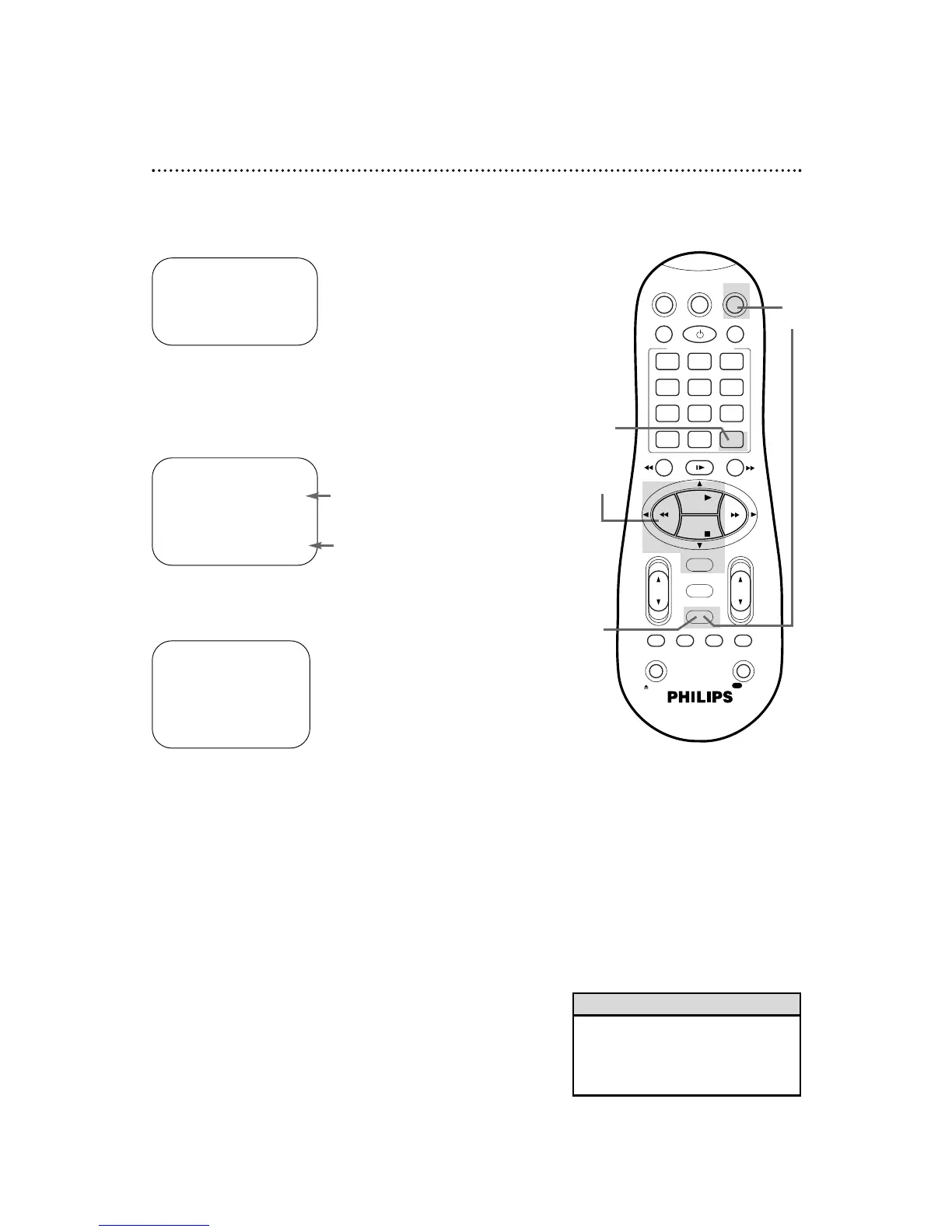
Press the VCR button, then press the TIMER button.
Checking, Editing, or Clearing Timer Recordings
2
Press the PLAY 8 or STOP 9 button to select PROGRAM
REVIEW, then press the OK/STATUS button. The list of
programmed timer recordings will appear. (If no timer recordings
are set, NO PROGRAM SET will appear briefly.)
3
To see the timer recordings individually, press the
OK/STATUS button. Information for the first program will appear.
4
Press the OK/STATUS button repeatedly to review all
programmed timer recordings. Or, press the REW(ind) ;
button to return to the previous screen.
→ VCR PLUS+
QUICK PROGRAMMING
PROGRAM REVIEW
SELECT: ,9 CONFIRM: OK
END: TIMER
PR CH START STOP DATE
1 12 08:00P 10:00 06/10
2
3 20 10:00A 10:45
W 11/25
4
5 45 03:00P 03:15W 10/16
6
7
8 125 11:30P 01: 00D 12/04
NEXT: OK END: TIMER
ONE TIME PROGRAM
PROGRAM 1
CHANNEL +/– 12 CABLE/TV
START +/– 08:00 PM
STOP +/– 10:00 PM
REC SPEED SLP
DATE +/– 06/10/00
SATURDAY
ERASE: CLEAR END: TIMER
NEXT: OK PREV: ;
D indicates a Daily recording.
5
While the information is on the screen, you may change any
of the information except the program number. Refer to
pages 38-43.
6
To cancel the timer recording, press the CLEAR button. You
will either see the next timer recording or the menu will disappear.
7
When all programmed timer recordings have been
displayed, the menu will disappear. Or, press the TIMER
button to remove the menu.
6
7
2-4
1
W indicates a Weekly recording.
Program Review 45


 To Next Page