Setting Up the VCR Plus+ Programming System (cont’d) 37
2
Now, compare the channel numbers you have written into the
VCR PLUS+ CH. and CABLE/TV CH. columns. You’ll notice that
some stations have VCR Plus+ and Cable/TV channel numbers
that are the same, and other stations have channel numbers that
do not match. You must tell the VCR the VCR Plus+ and
Cable/TV channel numbers according to the following steps.
3
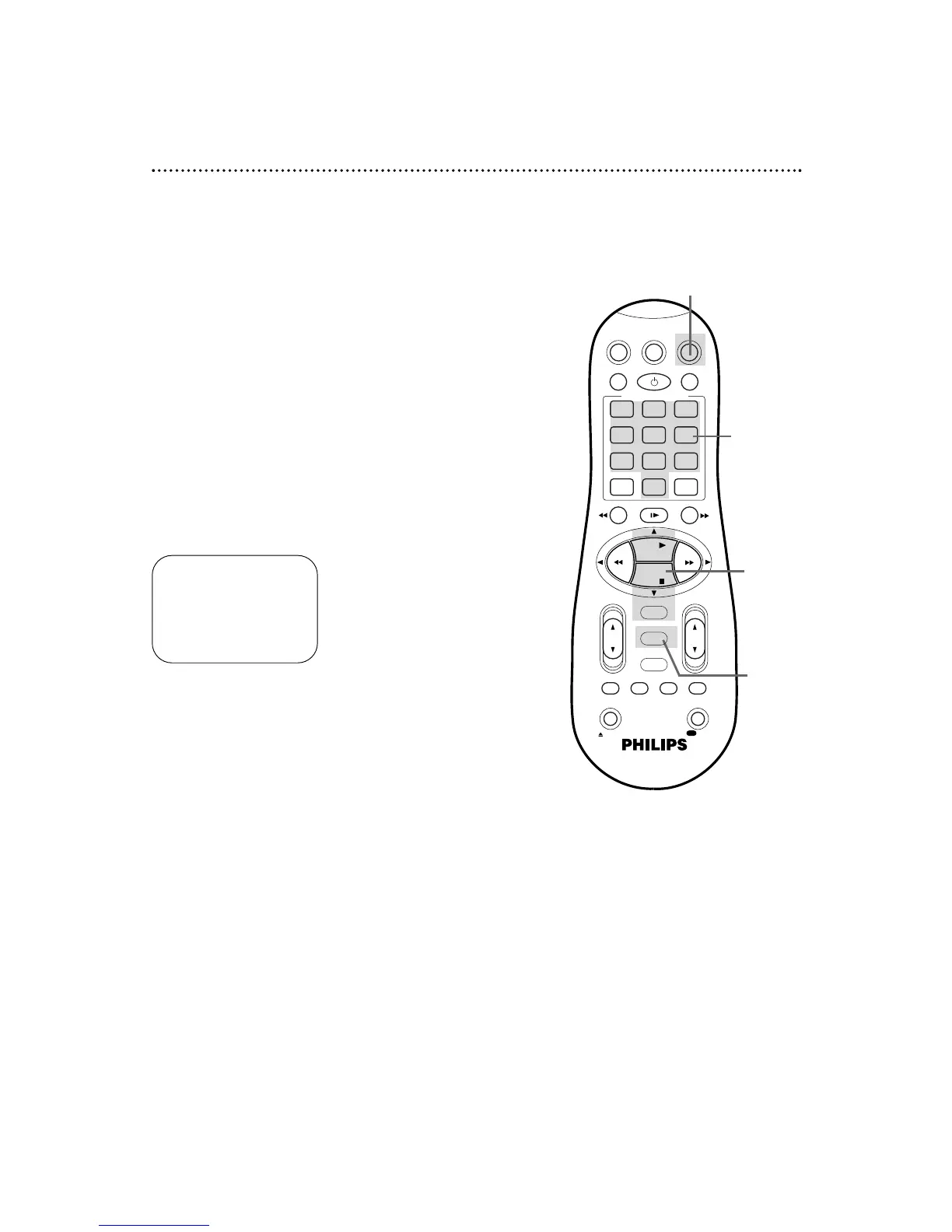
Press the VCR button, then press the MENU button.
4
Press the PLAY 8 or STOP 9 button to select INITIAL
SET UP, then press the OK/STATUS button.
5
Press the PLAY 8 or STOP 9 button to select VCR
PLUS+ CH., then press the OK/STATUS button.
6
While a VCR Plus+ channel is flashing, press the PLAY 8
or STOP 9 button repeatedly or press the Number
buttons so that the arrow appears beside the VCR Plus+
channel number you need.
Press the OK/STATUS button.
8
Press the MENU button.
2
Examine the lists
on page 36.
SET VCR PLUS+ CH.
VCR PLUS+ CABLE/TV
99 – – –
01 – – –
02
– – – –
> – – –
03 – – –
04 – – –
SELECT: ,9 OR 0-9
CONFIRM: OK
END: MENU
7
While the space for the Cable/TV channel is flashing, press
the PLAY 8 or STOP 9 button repeatedly or press the
Number buttons to enter the Cable/TV channel number
from the list on page 36. Press the OK/STATUS button.
Repeat steps 6-7 until you have entered all the channels on your list.
● If you are using a Cable Box/DBS, the Cable/TV channel
will be 03 or 04 (the Cable Box/DBS output channel) for
every VCR Plus+ channel. You must set the Cable
Box/DBS to the channel you want to record; leave the
Cable Box/DBS on for the timer recording.
4-7
6-7
3
3,8


 To Next Page