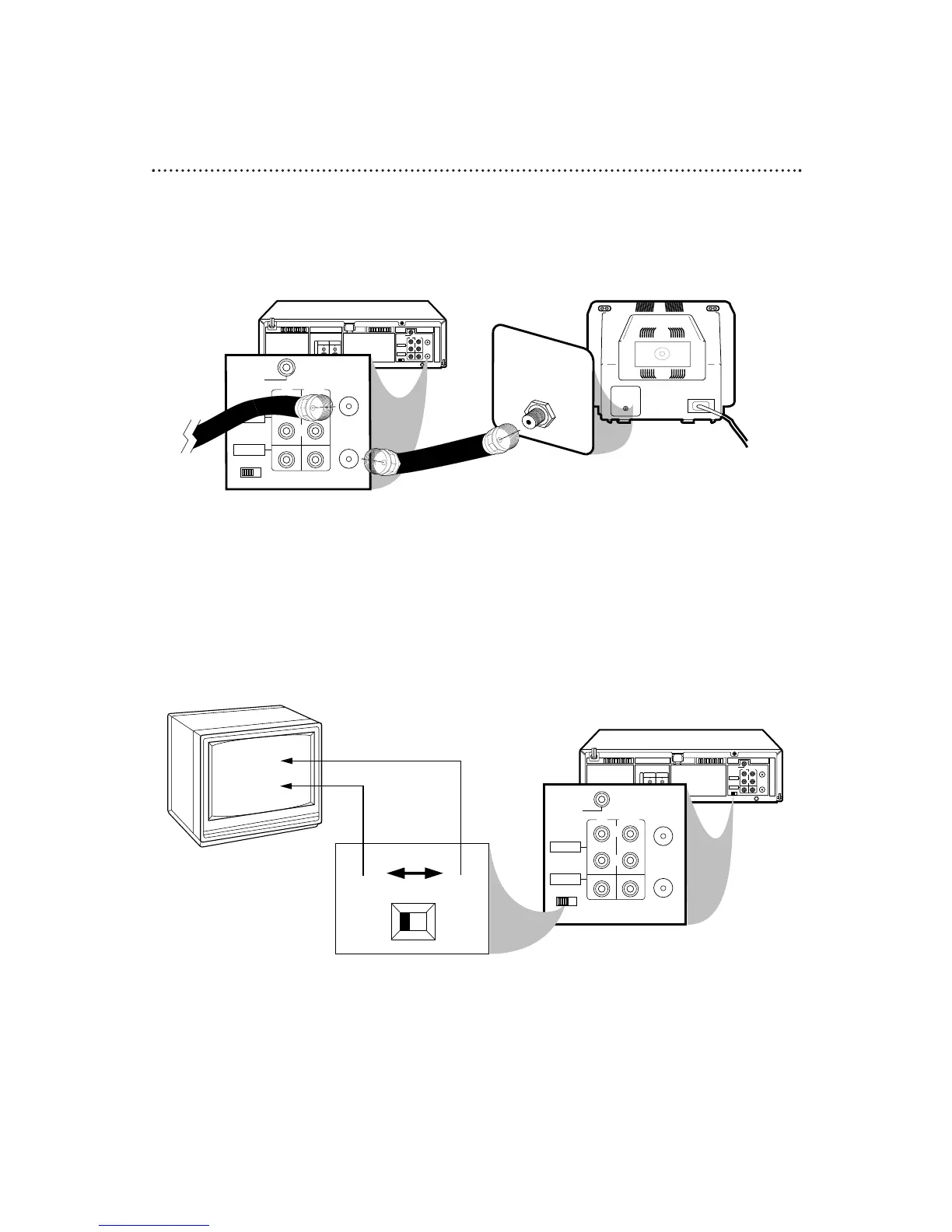
RF coaxial cable
Antenna
or Cable
3
Connect the RF coaxial cable (supplied) to the RF OUT Jack on the back of
the VCR and to the ANTENNA IN Jack on the TV. (You may use either a snap-on
type or screw-on type of coaxial cable, whichever you prefer. A snap-on type is
supplied.)
5
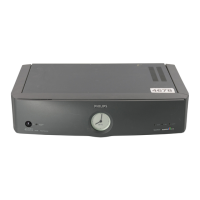
Set the CH3/CH4 switch on the back of the VCR to CH3 or CH4, whichever
channel is not used or least used in your area. To operate your VCR with your TV, set
the TV to the same channel. For example, when playing a tape, if the CH3/CH4
switch is set to CH3, the TV should be on channel 3.
Antenna In Jack
(on back of TV)
example only
4
Plug in the TV and the VCR.
6
You are ready to turn on the VCR. Please go to pages 10-11 before turning on
the VCR.


 To Next Page