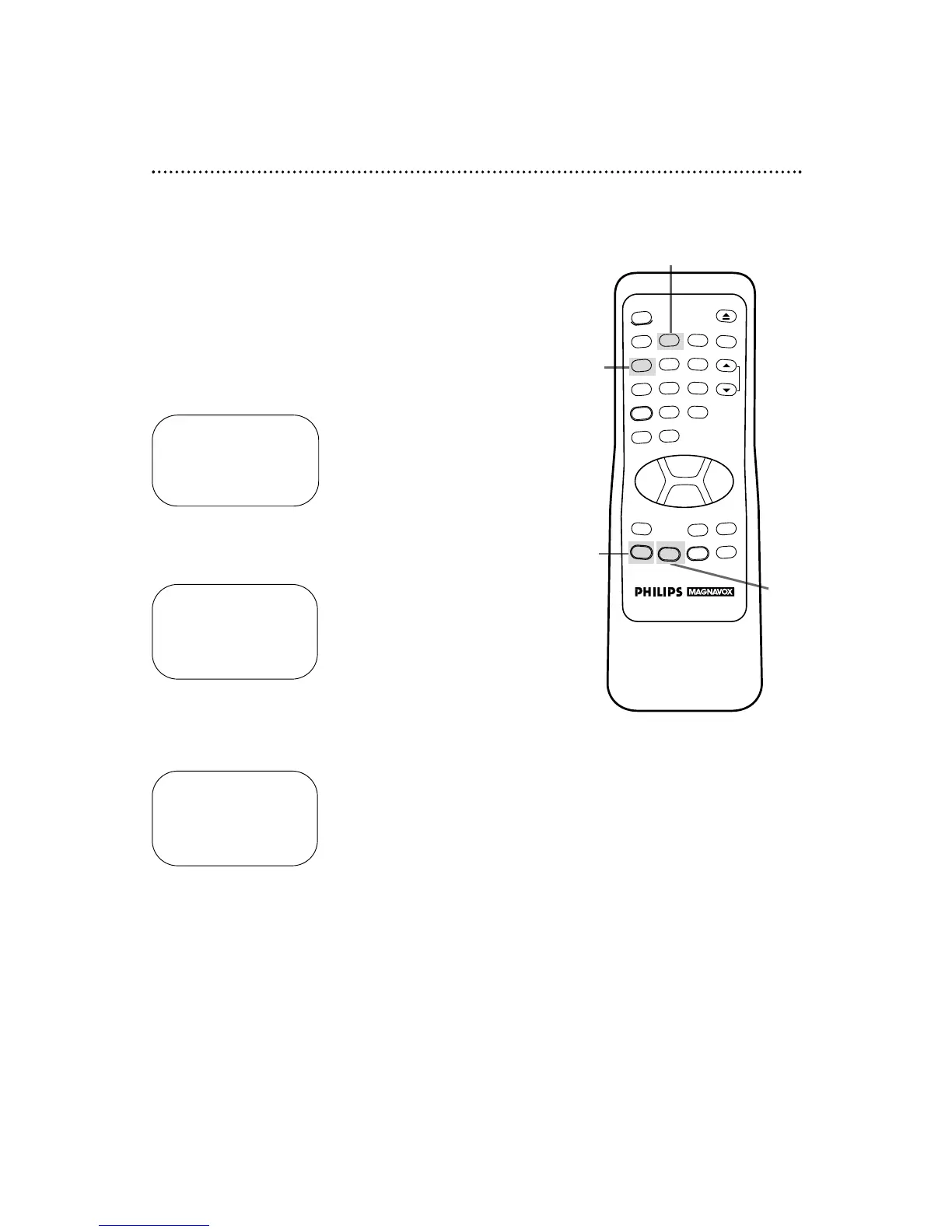
Daylight-Saving Time Selection
You may program the VCR so its clock will automatically move
forward one hour in April and turn back one hour in October.
Daylight-Saving Time is set to ON prior to shipment from the fac-
tory.
You may turn Daylight-Saving Time ON or OFF by following the
steps below.
1
With the clock set, press the MENU button to bring up the
main menu display.
2
Press the Number 4 button to select SET CLOCK.
3
Press the Number 2 button so that ON or OFF appears to
the right of DAYLIGHT SVG TIME.
4
Press the STATUS/EXIT button to exit.
16 Daylight-Saving Time Selection
TO SELECT PUSH NO. SHOWN
1 PROGRAM
2 VCR SET UP
3 TUNER SET UP
4 SET CLOCK
TO END PUSH EXIT
SET CLOCK
1 SET CLOCK
2 DAYLIGHT SVG TIME [ON]
TO SELECT PUSH NO. SHOWN
TO END PUSH EXIT
SET CLOCK
1 SET CLOCK
2 DAYLIGHT SVG TIME [ON]
TO SELECT PUSH NO. SHOWN
TO END PUSH EXIT
3
1
2
4



 To Next Page