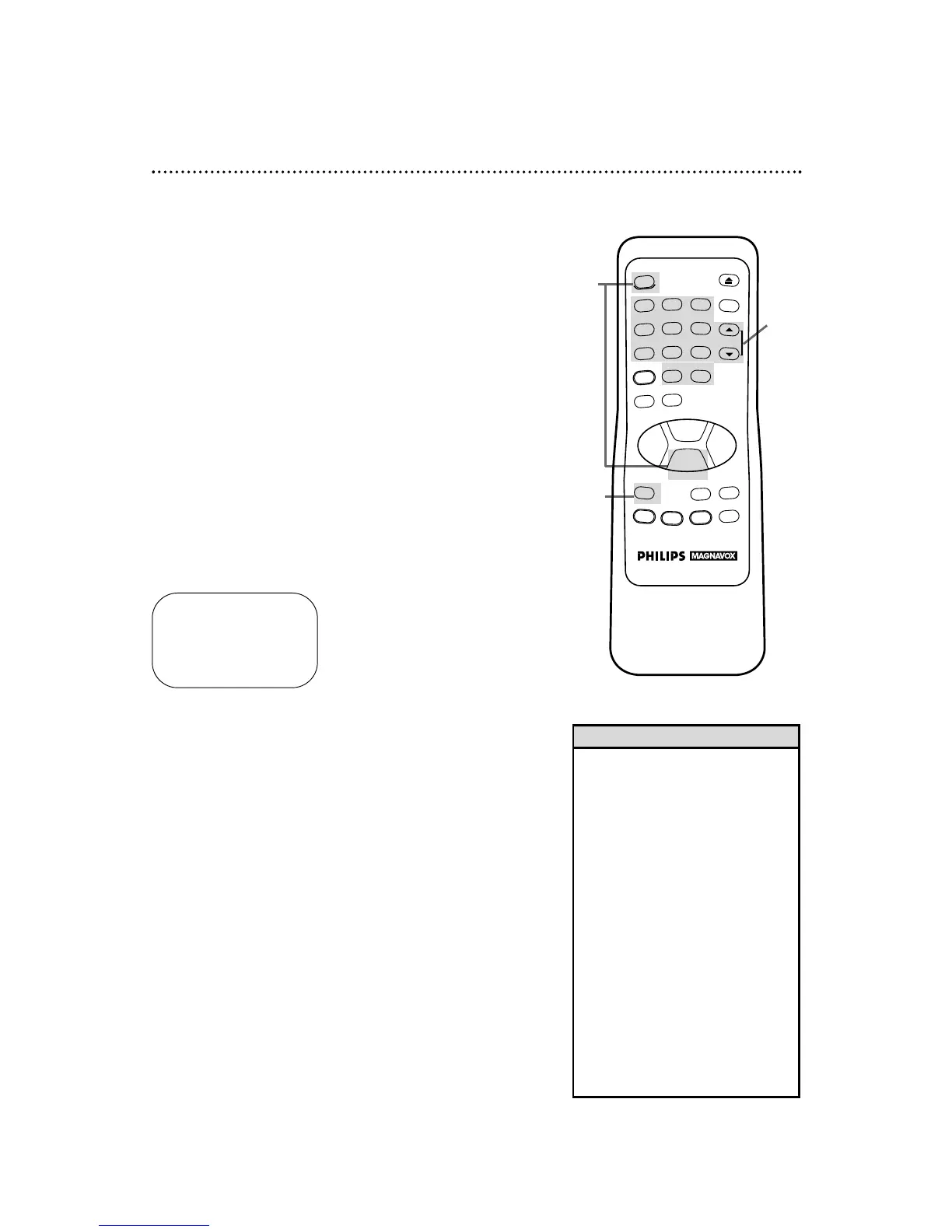
One Touch Recording 27
Starting an OTR
1
Use the CHANNEL (Up/Down) buttons or the Number
buttons to select the channel you want to record.
OTR (0:30)
CH12
2
Press the REC(ord)/OTR button repeatedly until the
desired recording length (30 minutes to eight hours) appears in
the upper left corner of the screen. Recording will begin immedi-
ately.
The one touch recording (OTR) function allows you to set an
immediate timed recording 30 minutes to eight hours long with-
out setting the timer. Before you begin, make sure:
● Channels are programmed.
● The desired recording speed (SP, LP, SLP) has been selected
with the (Tape) SPEED button. (Details are on pages 30 and
48.)
● There is a tape in the VCR. Make sure the tape’s record tab is
intact and the tape is long enough to record the program(s).
● The VCR light appears on the display panel of the VCR. (If it
does not, press the VCR/TV button once.)
3
To stop an OTR before recording is finished, press the
STOP button or the POWER button. To cancel the OTRbut
continue recording, press the REC(ord)/OTR button until REC
appears in the upper left corner of the screen.
• To check the time remaining for an
OTR after the OTRhas been set,
press the STATUS/EXITbutton.
• To change the recording length
while an OTR is in progress, press
the REC(ord)/OTRbutton until the
desired length appears on-screen.
• If you begin an OTR when a record-
ing is paused, the OTRwill begin.
• You can not pause recording (for
example, during commercials) dur-
ing an OTR.
• If the preset time for a timer
recording comes up during an OTR,
the OTR has priority.
• If the end of the tape is reached
during an OTR, recording will stop.
The VCR will eject the tape, then
turn itself off.
Helpful Hints
3
1
2



 To Next Page