EN 41
English
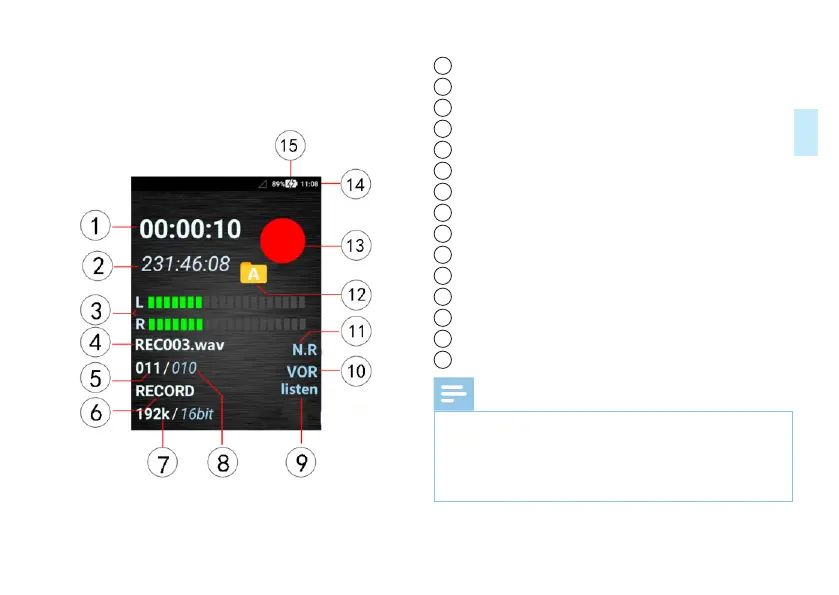
Illustration on recording interface:
1
Current recorded hours
2
Maximum recorded hours
3
Left/Right energy bar
4
Recorded file name
5
Current recorded file number
6
Recording status logo
7
Current sampling rate and sampling digit
8
Total number of recordings
9
Listen logo
10
Voice control logo
11
Voice Cut logo
12
Current folder
13
Recording logo
14
Current date and time
15
Batter volume
Note
• When the battery shows less columns, it means batter
is low. Low battery will lead to automatic shutdown.
During recording, the system will automatically save the
recorded clip and exit the recording mode. If the battery
is low, please charge your recorder immediately.



 To Next Page