Web-based management
108452_en_01 PHOENIX CONTACT 35 / 50
5.1.9 Firmware update
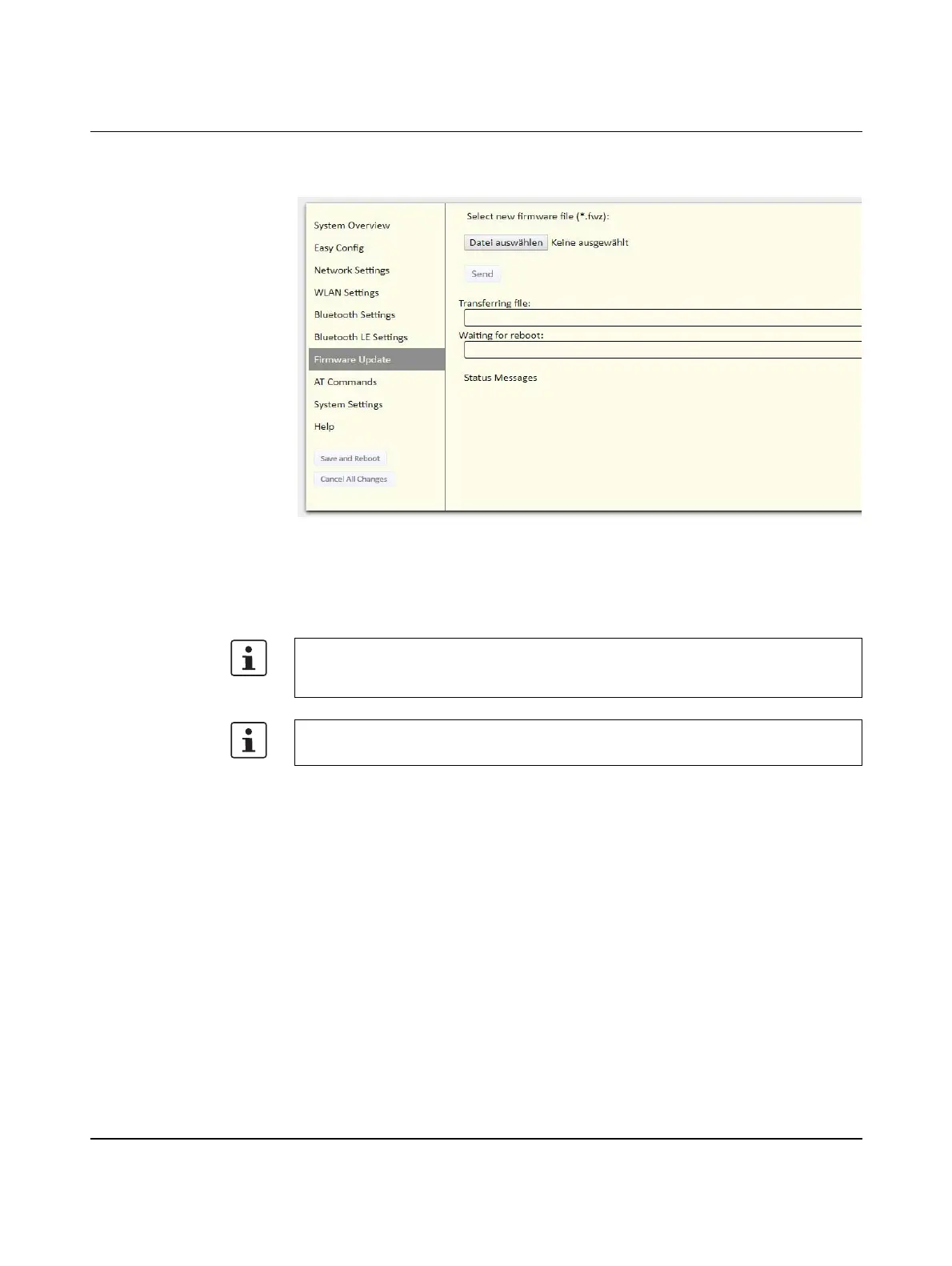
Figure 5-14 “Firmware Update” web page
Click on “Browse” to select a firmware file. Click on “Send” to download the file to the device.
Both progress bars will turn green when the firmware update has been completed.
Following firmware installation, the device restarts automatically.
As of firmware version 1.6.3, the settings are retained as far as possible. The firmware can
also be updated using a wireless connection. Afterwards, the device connects to the
previous settings again.
During the update process, the device must not be disconnected from the supply voltage.








 To Next Page