19
Set the “Manufacturer:” to “Stonex” and the “Model:” to “S900”
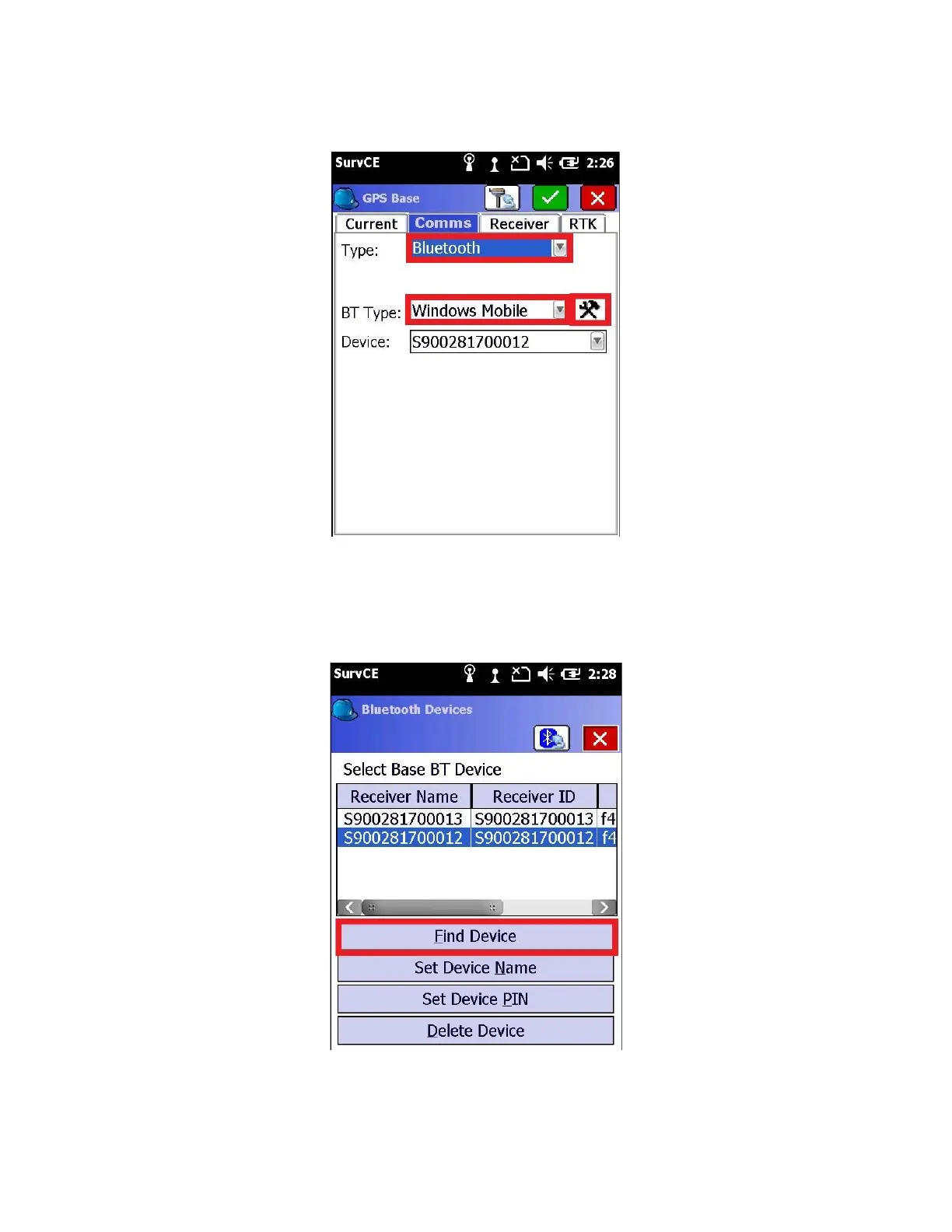
6. Click on the “Comms” tab and set Type to “Bluetooth” and BT Type to “Windows Mobile”
Then click the Configuration button (the ‘Hammer/Wrench’ icon) to the right of the “BT Type”
7. Click the “Find Device” button
Wait 30-seconds while the data collector searches for nearby Bluetooth enabled devices.
8. A list of nearby devices will be shown



 To Next Page