2.
1.
15
4.2 Initial pairing to a phone
It is only necessary to perform the pairing procedure
once with each Bluetooth device. ComPilot Air II
will connect automatically to the phone after the
initial pairing.
J On your phone, ensure that Bluetooth is enabled
and search for Bluetooth devices in the connectivity
setting menu.
J Switch ComPilot Air II o.
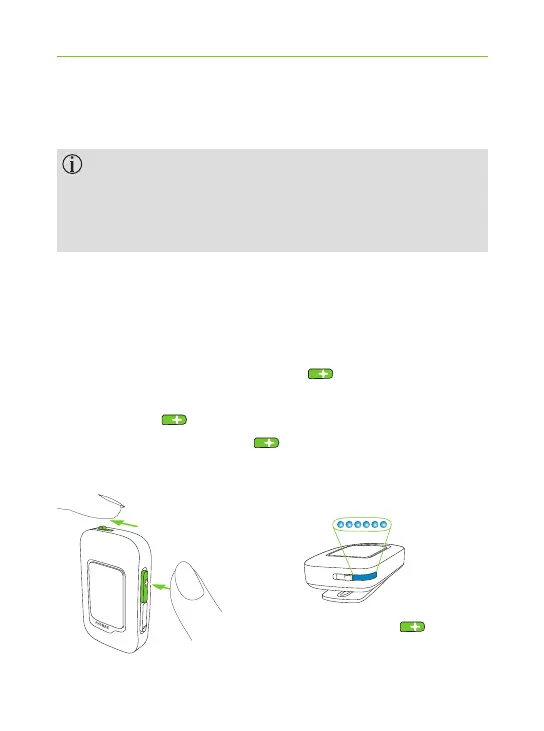
J Press and hold the volume up button.
J Turn ComPilot Air II on while holding the
volume up button.
J Release the volume up button when the indicator
light starts rapidly blinking blue.
Bluetooth pairing: + on.



 To Next Page