EasyManua.ls Logo

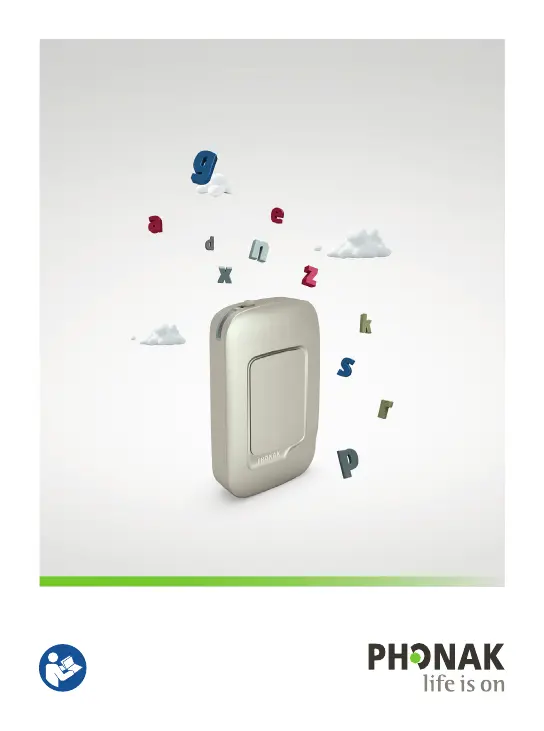
Phonak BTD500 - User Manual

Phonak BTD500
68 pages
Print Icon
To Next Page IconTo Next Page
Loading...
User Guide
Phonak ComPilot Air II

Questions and Answers

  • T
    Teresa EdwardsSep 3, 2025
    Why is my Phonak Hearing Aid audio intermittent during transfer?
    • J
      Jessica ThomasSep 4, 2025
      You may experience intermittency during audio transfer with your Phonak Hearing Aid because the Bluetooth device is too far away or is being shielded by your body. Ensure the Bluetooth device is within 5–10 m (15–30 ft) and keep it in front of you. Also, the ComPilot Air II searches for known devices for 2 minutes after being switched on; the intermittency should stop after this period. If you are using your phone as a music player, disconnect it from other devices.
  • K
    Kathryn NielsenSep 18, 2025
    Why can't I hear the demo on my Phonak BTD500?
    • D
      Donna SmithSep 18, 2025
      If you cannot hear the demo sound on your Phonak Hearing Aid, make sure your hearing aids are inserted correctly. Also, ensure the ComPilot Air II is charged and switched on.
  • G
    Gina CarpenterSep 16, 2025
    How to stop hearing key tones on Phonak BTD500 Hearing Aid?
    • D
      Darrell OdomSep 16, 2025
      If you hear your phone's key-press tones in your Phonak Hearing Aid, deactivate key-press and confirmation tones on your phone. Please refer to your phone’s user guide.
  • R
    Robin JosephSep 14, 2025
    Why is my Phonak BTD500 ComPilot Air II unresponsive?
    • D
      davenportthomasSep 14, 2025
      If your Phonak Hearing Aid's ComPilot Air II is unresponsive or shows no indicator light when switched on, charge it for at least 1 hour. If that doesn't work, switch the ComPilot Air II off, wait 30 seconds, and then switch it back on, as it may indicate a software problem.
  • A
    Anthony GrantSep 12, 2025
    Why does my Phonak BTD500 act up in the car?
    • J
      Joe RamirezSep 13, 2025
      If the ComPilot Air II connection to your phone behaves unexpectedly when you get in your car, the car's Bluetooth system may be connecting to your phone. Consider disconnecting the car system from your phone.
  • N
    Nicholas WrightSep 12, 2025
    How to fix interruptions while streaming to Phonak Hearing Aid?
    • R
      Ryan SalasSep 12, 2025
      To avoid interruptions while streaming audio to your Phonak Hearing Aid, ensure the ComPilot Air II is within 40 cm (16") of your hearing aids and that the Bluetooth device is within its operating range.
  • B
    brianvincentSep 9, 2025
    How to stop music from starting automatically on Phonak BTD500?
    • S
      Susan JonesSep 9, 2025
      If your music player starts automatically when you turn on your phone connected to your Phonak Hearing Aid, this is normal behavior for some phones. Some phones can be configured not to start the music player automatically. You can also press and hold the main button to stop streaming, or stop the music player via your phone menu after the phone is connected.
  • T
    Toni StephensSep 7, 2025
    Why does my Phonak Hearing Aid keep switching to streaming?
    • T
      Thomas DiazSep 7, 2025
      If your Phonak Hearing Aid keeps switching between streaming and the normal program even when you're not streaming, your phone might be sending sounds to the ComPilot Air II due to incoming SMS or emails. Disable system sounds for reminders, alarms, SMS, etc., in your phone's menu. Also, ensure phone key tones are switched off.
  • S
    Stacy HopkinsSep 5, 2025
    Why doesn't my Phonak BTD500 Hearing Aid announce the caller's name?
    • K
      Kelsey DoyleSep 5, 2025
      If the caller's name isn't announced acoustically through your Phonak Hearing Aid when your phone rings, the caller identification feature may not be available or enabled on your phone. If two phones are connected to your ComPilot Air II, caller identification is only available on the phone that was last paired. Also, caller identification may be switched off on your ComPilot Air II. Please ask your hearing care professional to enable caller identification on your ComPilot Air II.
  • B
    Brian TrevinoAug 20, 2025
    What to do if my Phonak BTD500 Hearing Aid isn't ringing but the phone is?
    • T
      tthompsonAug 20, 2025
      If your Phonak Hearing Aid's indicator light isn't solid blue and you don't hear a ringing signal, first ensure Bluetooth is enabled on your phone. If it is enabled, try disabling and then re-enabling Bluetooth on your phone, and restart your ComPilot Air II by switching it off and on again. Also, ensure that the ComPilot Air II is paired to your phone. Keep the distance between your ComPilot Air II and phone within 10 meters (30 ft).

Summary

1. Welcome

2. Getting to know your ComPilot Air II

2.1 Legend

Identifies and labels the device's buttons, inputs, and other components.

3. Getting started

3.1 Setting up the power supply

Guides users on attaching country-specific power adapters to the supply unit.

3.2 Charging the battery

Explains the procedure for charging the ComPilot Air II battery and its indicator lights.

3.3 Switching On and Off

Provides instructions on how to power the ComPilot Air II on and off.

3.4 How to wear

Details the correct method for wearing the ComPilot Air II for optimal use.

3.5 Sound demonstration

Guides users through a sound demonstration to test hearing aid functionality.

4. Phone calls using ComPilot Air II

4.1 How it works

Explains the ComPilot Air II's role as an interface for phone calls.

4.2 Initial pairing to a phone

Provides step-by-step instructions for the initial Bluetooth pairing process with a phone.

4.3 Connecting to your phone

Details how to establish a connection between the paired ComPilot Air II and phone.

4.4 Making a call

Guides users on how to initiate a phone call via the ComPilot Air II.

4.5 Accepting a call

Explains how to answer or reject incoming phone calls using the device.

4.6 Ending a call

Describes how to terminate an ongoing phone call.

4.7 Advanced phone options

Covers advanced call management features like rejecting calls.

4.8 Additional features

Details supplementary features such as caller ID and speed dial.

5. Streaming audio

5.1 Streaming audio via Bluetooth

Explains how to stream audio wirelessly from Bluetooth-enabled devices.

5.2 Streaming audio from TV

Guides users on streaming audio content directly from televisions.

6. Using ComPilot Air II as a remote control

6.1 Changing the volume

Details how to adjust the volume of connected hearing aids.

6.2 Changing the program

Guides users on switching between different hearing aid programs.

6.3 More remote control information

Provides additional details on remote control functionalities.

7. More detailed information

7.1 Main button functionality

Describes the various functions of the main button on the device.

7.2 Locking the buttons

Explains how to lock and unlock the device buttons to prevent accidental presses.

7.3 Switching off the indicator light

Provides instructions for disabling the indicator light if it is distracting.

7.4 Managing multiple inputs

Details how the device handles multiple audio sources and call priorities.

7.5 Understanding the indicator light

Explains the meaning of different indicator light patterns and colors.

7.6 Deleting paired Bluetooth devices

Guides users on how to remove previously paired Bluetooth devices.

7.7 Caller identification

Explains how the ComPilot Air II announces the caller's name.

7.8 VoiceAlerts (spoken messages)

Describes the spoken messages that inform users about device status and alerts.

7.9 Phonak RemoteControl App

Introduces the companion smartphone app for controlling hearing aids.

8. Troubleshooting

I hear intermittency during an audio transfer via ComPilot Air II.

Solves problems related to audio dropouts or interruptions during streaming.

The volume of the music or phone conversation is too loud or too quiet.

Helps users adjust audio volume levels for calls and music.

I have difficulties understanding the phone conversation in a noisy environment.

Offers tips for improving call clarity in noisy surroundings.

The caller can hear me but I cannot hear the caller.

Addresses issues where the user cannot hear the other party during a call.

I am not streaming but my hearing aids keep switching between the streaming and the normal hearing aid program.

Addresses issues where hearing aids switch programs unexpectedly during streaming.

I hear my phones key-press tones in my hearing aids.

Explains how to disable unwanted key-press tones from the phone.

Every time I switch on my phone, the music player starts.

Helps users manage automatic music player activation on their phone.

Every time I get in my car the ComPilot Air II connection to my phone behaves unexpectedly.

Addresses connection issues related to car Bluetooth systems.

My phone rings but the name of the caller is not heard acoustically.

Addresses problems with caller identification not being announced.

During a phone call the other party has difficulty hearing me.

Troubleshoots issues where the user's voice is not heard clearly by the other party.

ComPilot Air II is unresponsive or there is no indicator light when switching On.

Solves problems related to the device not powering on or showing any response.

The operating time of my ComPilot Air II is reduced substantially.

Addresses issues with significantly reduced battery operating time.

I have interruptions while my audio streaming is active.

Solves problems causing interruptions during audio streaming.

I cannot hear the demo sound.

Helps users troubleshoot not hearing the sound demonstration.

9. Service and Warranty

9.1 Local warranty

Information on obtaining warranty service through local hearing care professionals.

9.2 International warranty

Details the terms and conditions of the international warranty.

9.3 Warranty limitation

Outlines conditions and damages not covered by the product warranty.

10. Compliance information

11. Information and explanation of symbols

12. Important safety information

Phonak BTD500 Specifications

General IconGeneral
BrandPhonak
ModelBTD500
CategoryHearing Aid
LanguageEnglish

Related product manuals