9
3.2 Charging the battery
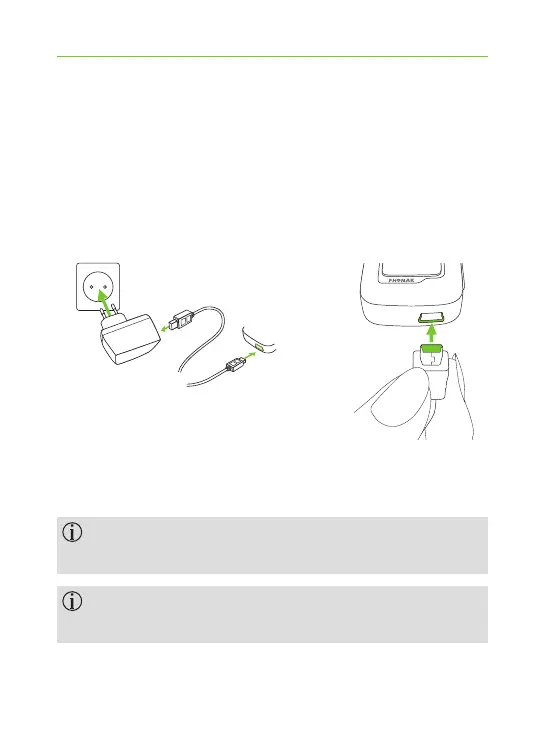
J Plug the larger end of the charging cable into the
universal power supply. Plug the smaller end into the
mini-USB port on ComPilot Air II.
J Plug the power supply into a power outlet.
The indicator light is red during charging and will
turn green when charging is complete.
ComPilot Air II has a non-removable rechargeable
battery.
Before using ComPilot Air II for the rst time,
charge it for at least 3 hours.



 To Next Page