29
6. Using ComPilot Air II as a
remote control
Before this functionality can be used, your hearing
care professional must enable the remote control
in ComPilot Air II.
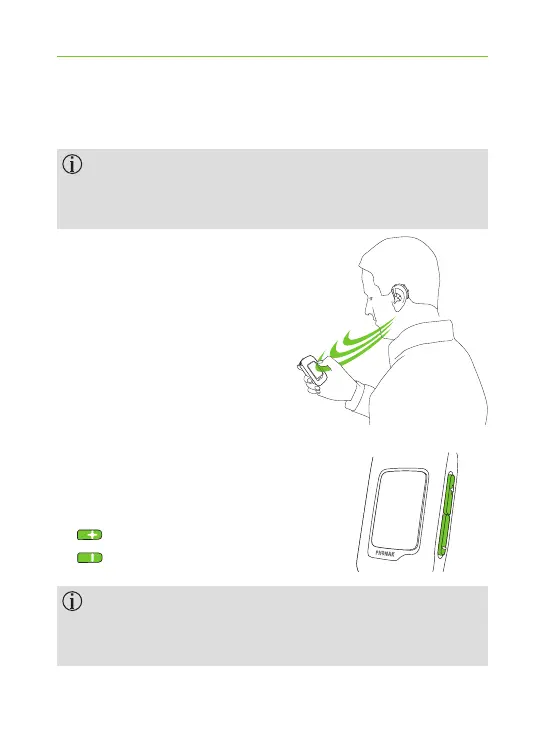
If ComPilot Air II is used as a
handheld remote control:
J Max. distance to the
hearing aids is
55 cm / 22".
J Hold ComPilot Air II as
shown.
6.1 Changing the volume
Press buttons:
J to increase the volume.
J to decrease the volume.
Adjusting the volume with ComPilot Air II will
have the same eect as adjusting the volume
directly on your hearing aids.



 To Next Page