19
4.5 Accepting a call
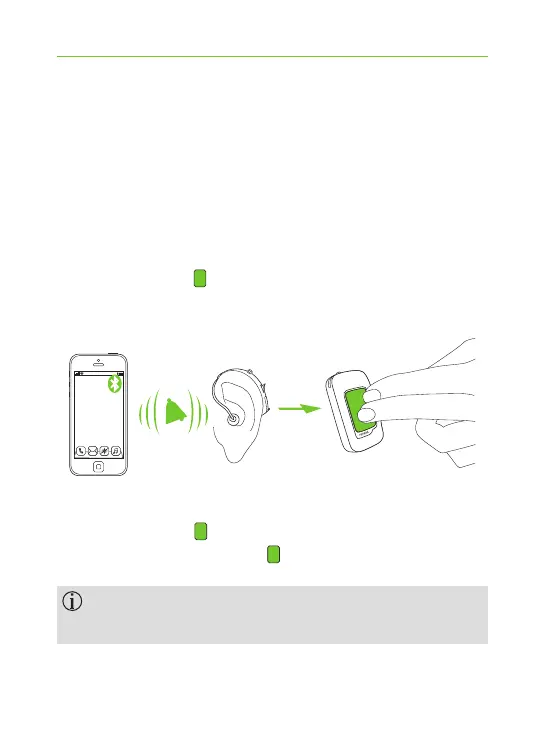
When a call is received on your phone:
J ComPilot Air II indicator light will show a solid
blue light.
J It will take about 2 seconds before you hear the
ringtone through your hearing aids.
J Press the main button on your ComPilot
Air II once you hear the ringtone through your
hearing aids.
If a second call comes in on the same phone:
J Press the main button to accept.
J Press and hold the main button (2 sec) to reject.
An incoming call from a second paired phone will
be ignored during an active call.
“click”



 To Next Page