1.
1.
2.
2.
8
3. Getting started
ComPilot Air II must be set up and charged before use.
3.1 Setting up the power supply
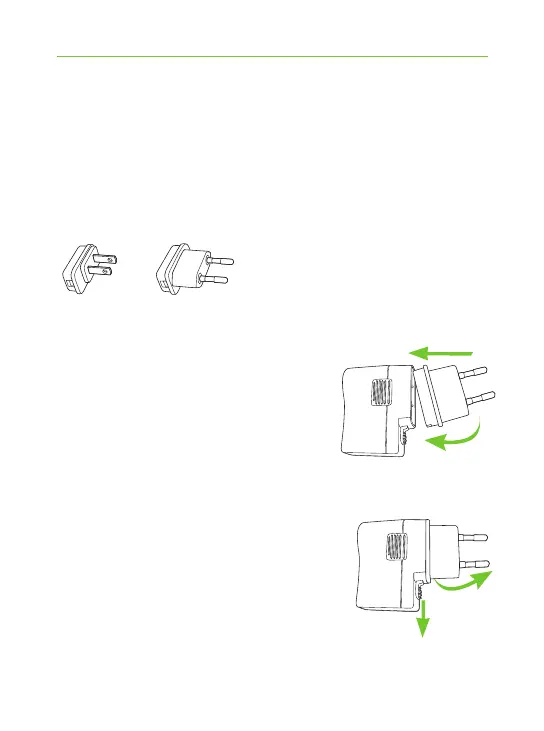
Select the adapter that corresponds to your country.
US EU
J First, insert the top round
end of the adapter into
the round corner of the power
supply.
J Click the bottom end of the
adapter in to lock it into place.
J To remove, rst pull back the tab
on the power supply.
J Pull the adapter upwards to
remove it.



 To Next Page