20
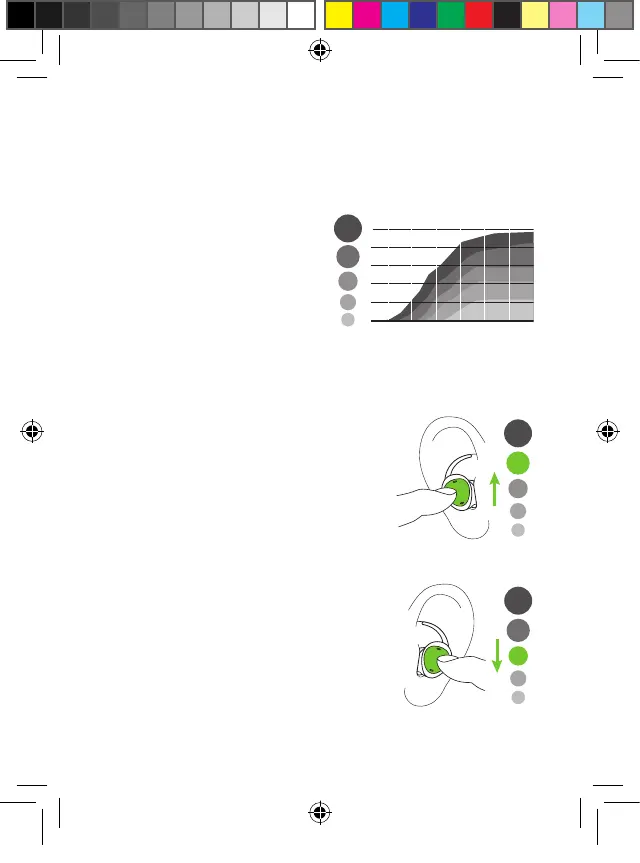
4.1 Speech clarity settings
During streaming, you can
manually select one of five
pre-defined speech clarity
settings.
• Setting 1: no additional amplification
• Settings 2-5: increase of the high frequency
sound for more speech clarity.
Use long press right (>1.5 sec) to
increase clarity.
Use long press left (>1.5 sec) to
reduce sharpness..
4. Daily use of the earbuds
1
2
3
4
5
1
2
3
4
5
1
2
3
4
5
PH_User_Guide_Earbuds_TWE21_92x125_GB_V1.00_029-3338-02.indd 20PH_User_Guide_Earbuds_TWE21_92x125_GB_V1.00_029-3338-02.indd 20 2021-05-11 8:49:14 AM2021-05-11 8:49:14 AM



 To Next Page