21
4.2 Setting the volume
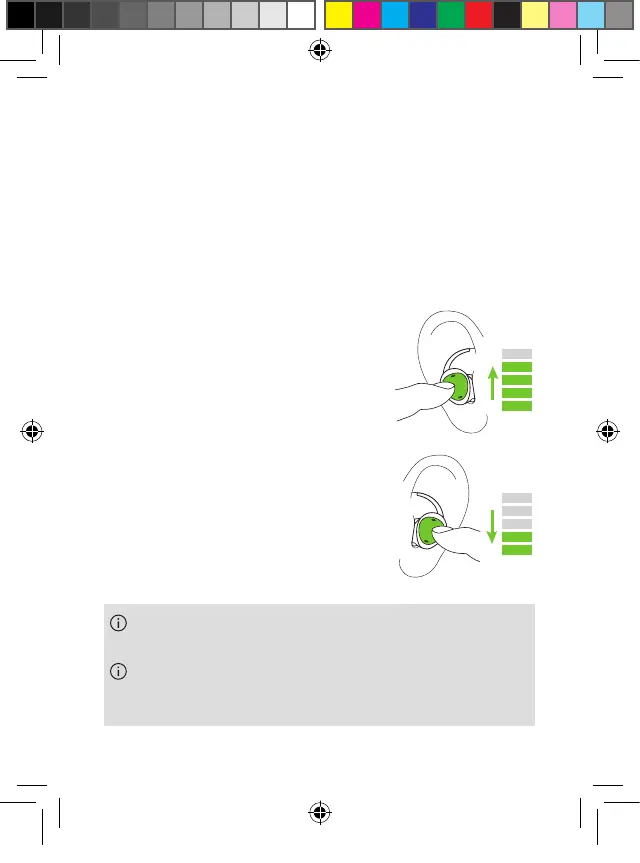
You can also change the volume of the streamed
signal directly from the earbuds.
Use short press right (>0.5 sec) to
increase volume.
Use short press left (<0.5 sec) to
decrease volume.
Alternatively you can also change the volume using
the phone.
Volume and speech clarity settings are automatically
stored when earbuds are powered off.
PH_User_Guide_Earbuds_TWE21_92x125_GB_V1.00_029-3338-02.indd 21PH_User_Guide_Earbuds_TWE21_92x125_GB_V1.00_029-3338-02.indd 21 2021-05-11 8:49:14 AM2021-05-11 8:49:14 AM



 To Next Page