32
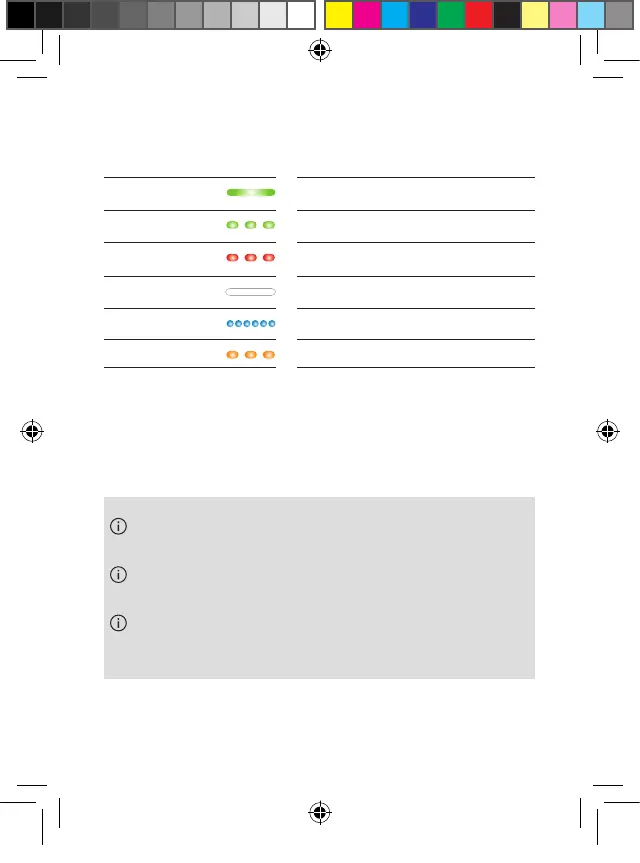
Solid green Battery fully charged
Green blinking
Battery charging
Red blinking
Battery <20% charging required
No light
Batteries depleted, charging required
Blue blinking
Manual pairing in progress
Orange blinking
Firmware update in progress
The indicator lights will dim after 10 seconds if the
lid is closed.
Spoken voice messages will inform about the
remaining battery when earbuds are being worn.
State of charge is also displayed in the Phonak
myEarbuds app.
PH_User_Guide_Earbuds_TWE21_92x125_GB_V1.00_029-3338-02.indd 32PH_User_Guide_Earbuds_TWE21_92x125_GB_V1.00_029-3338-02.indd 32 2021-05-11 8:49:15 AM2021-05-11 8:49:15 AM



 To Next Page